Email Configuration
Enabling email notifications via SMTP
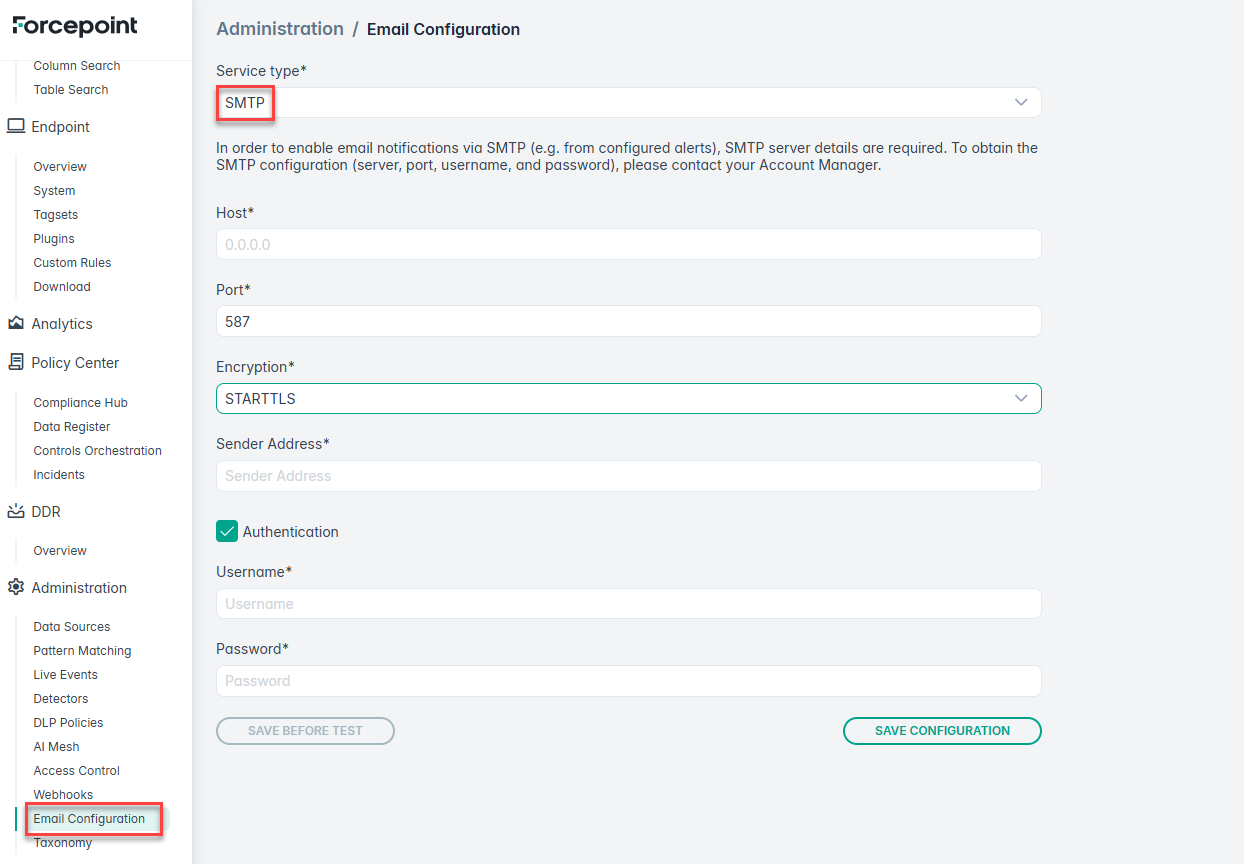
In order to enable email notifications via SMTP (For example, from configured alerts), SMTP server details are required. To obtain the SMTP configuration ( SMTP Host, Port, Username, and Password), please contact your Account Manager.
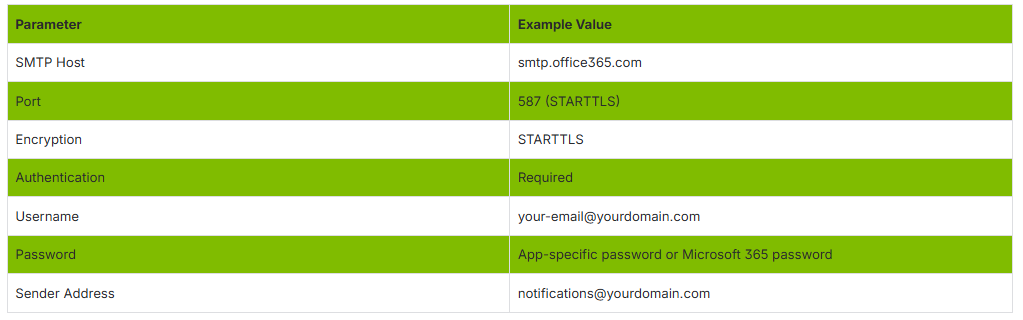
Parameter and Example Value are given below,
After providing the SMTP Host, Port, Encryption, Sender Address, Username, and Password, click SAVE CONFIGURATION.
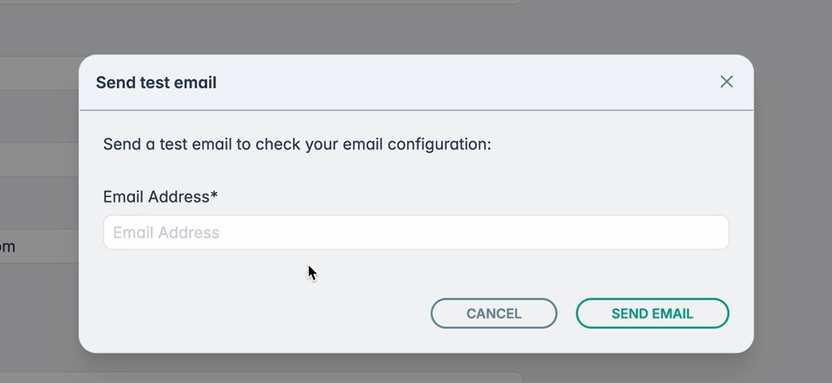
- Click SEND TEST EMAIL.
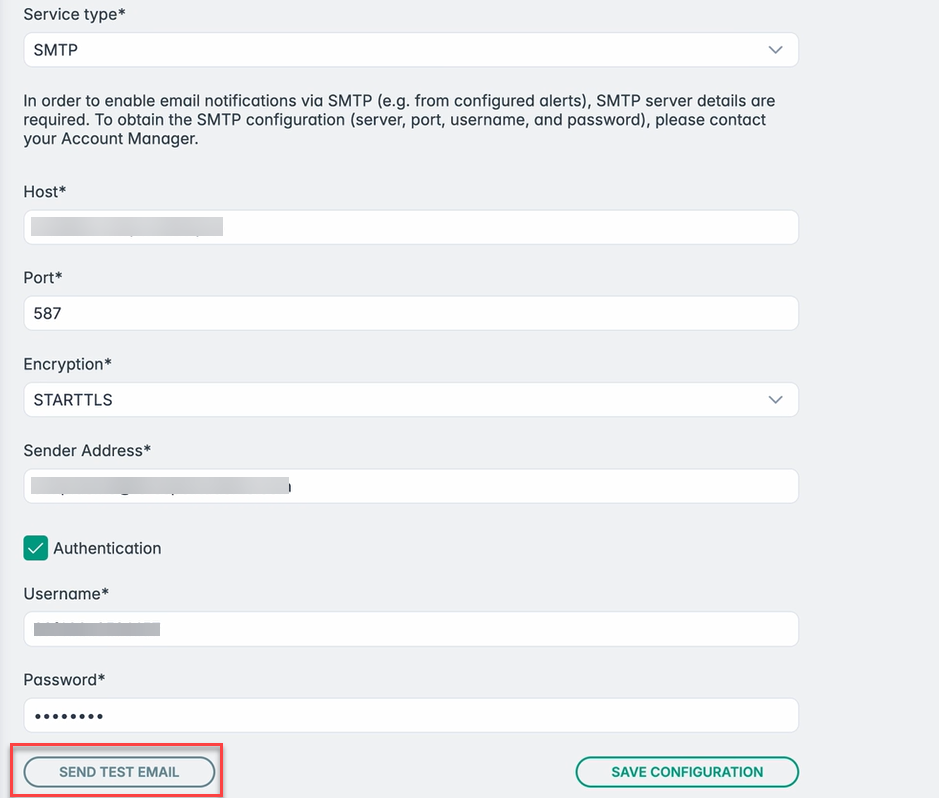
- Enter the Email Address and click SEND EMAIL.
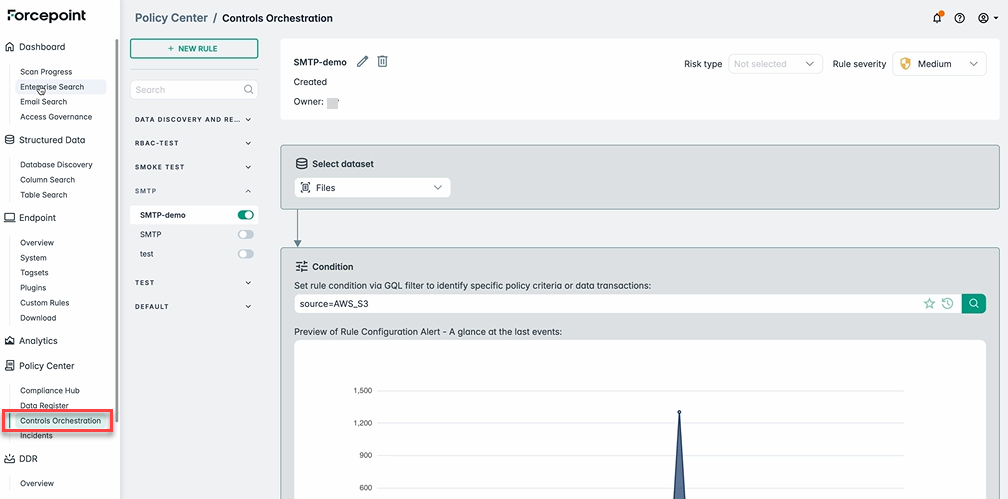
- Navigate to Controls Orchestration, create a NEW RULE with rule condition and enable it.
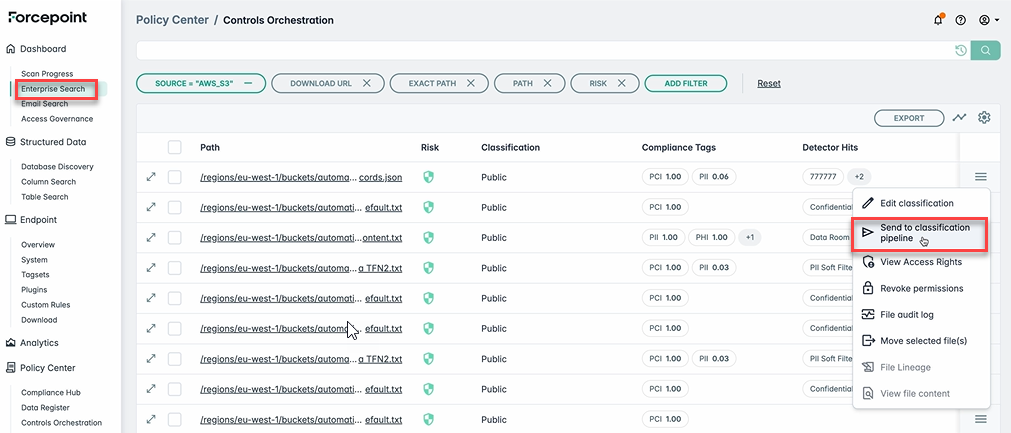
- Navigate to Enterprise Search, filter the required source, select the file and click Send to classification pipeline.
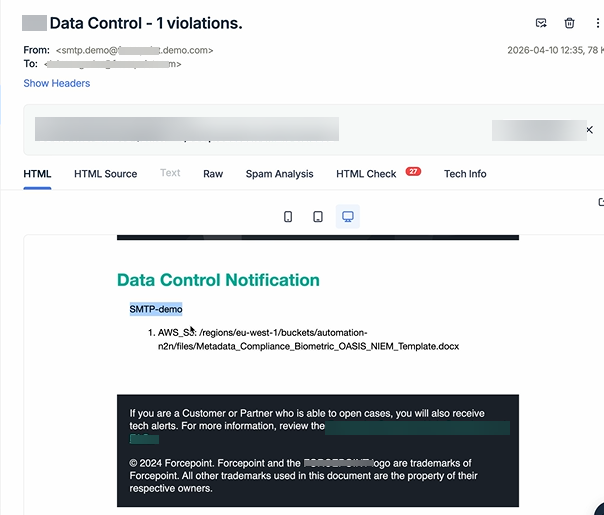
This triggers the rule and email notifications are sent to email address provided above.
Enabling email notifications via Mailchimp
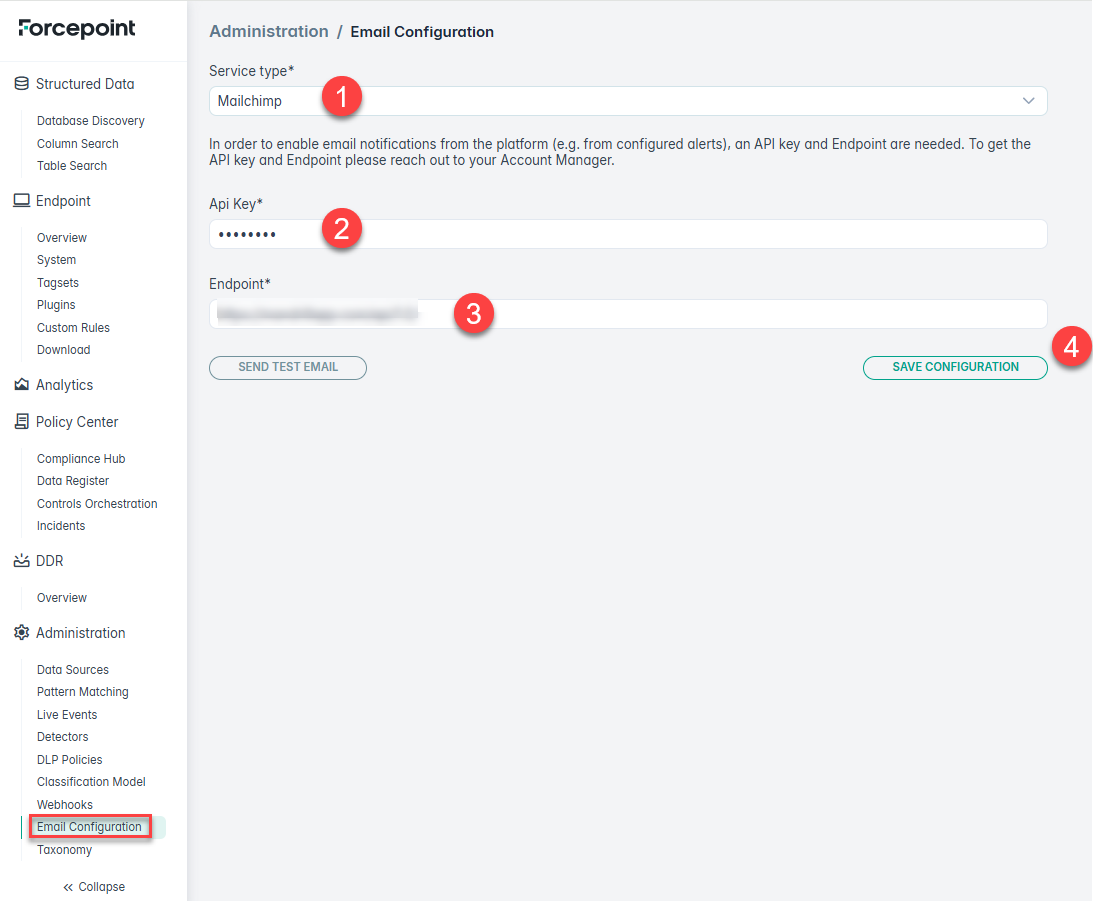
In order to enable email notifications from the platform (For example, from configured alerts), an API Key and Endpoint are needed. To get the
API Key and Endpoint, please reach out to your Account Manager.
- Select Mailchimp as the Service type.
- Enter your API Key in the API Key field.
- Enter your Endpoint URL in the Endpoint field.
- Click SAVE CONFIGURATION.