Trusting SSL Identity and certificates for your endpoint
You must set the client machines to trust the SSL identity and other certificates.
Note: It is expected that you have previously created the SSL Identity using the instructions provided in the section Creating the Endpoint SSL Identity.
- Open the installation folder which has the certificate file.
- Next, open the macOS Keychain Access application.
- Select the tab and drag the certificate file in to add it.
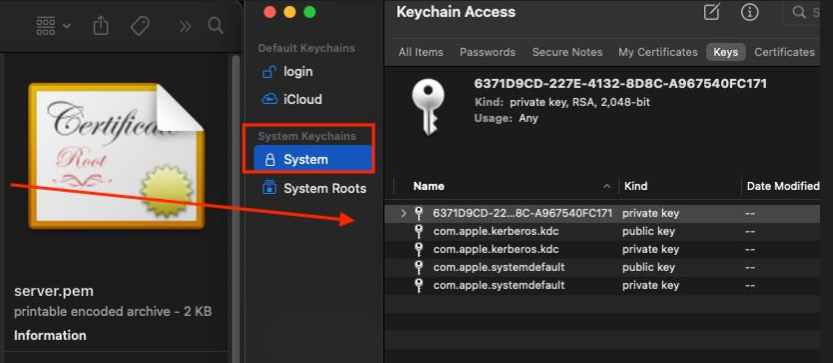
- On completion of step3, you will see a new certificate
localhostcreated. Double-click it to open the Trust section. - Set When using this certificate to Always Trust. This will ensure that this certificate is always trusted by your local system.
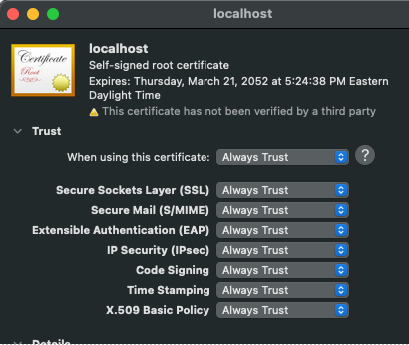
- Close the windows to save the settings.
Your certificate should now show as trusted for all users in your Keychain Access application.