Establishing a security configuration
A Common Criteria configuration that also meets IPsec VPN gateway requirements for Commercial Solutions for Classified (CSfC) solutions program requires a specific configuration of the SMC Appliance, SMC software, and Security Engines.
Note: When a CSfC compliant configuration requires specific selections for setup, those requirements are noted separately.
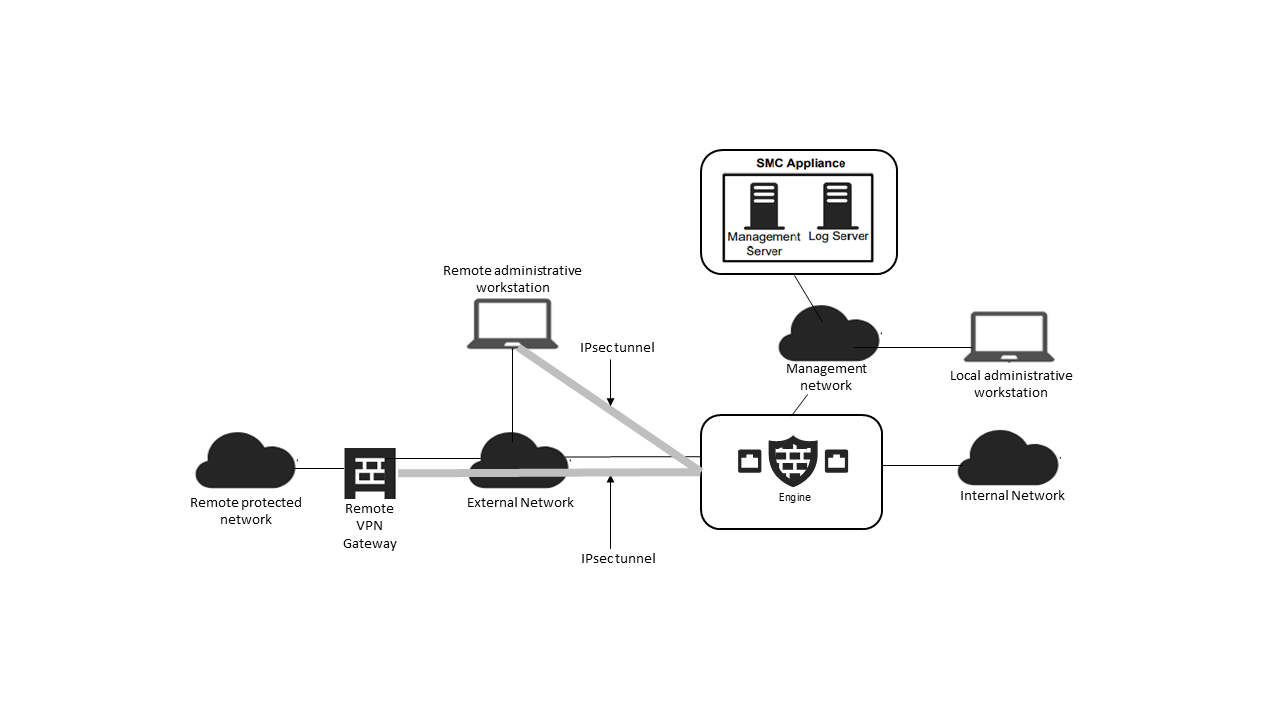
Figure: Components overview
Preparations for the configuration
- Install the Forcepoint Network Security Platform components within a physically protected environment.
- The Forcepoint Network Security Platform is administered over a trusted and separate management network.
- Multiple installations of the Security Engine may be used in combination.
- Connect the Virtual SMC Appliance and Security Engines to the management network using dedicated management network interfaces.
- Connect the Security Engines to the internal and external networks.
- The evaluated configuration includes a virtualization server or virtualization servers where the Virtual SMC Appliance and Virtual Security Engine are run as virtual machines.
- Configure the virtual networking according to the network topology.
These high-level steps are an overview of the process to configure the SMC Appliance and Security Engine appliances for the Common Criteria evaluated configuration.
- Enable FIPS mode at the SMC Appliance startup. The SMC Appliance runs a series of self-tests.
- If the SMC Appliance self-tests result in errors, reset the appliance to factory settings.
- Perform the initial SMC configuration that includes setting the IP address, initial administrator account creation, and certificate enrollment with an external Certificate Authority.
- Install the SMC Client, then configure the security parameters for the Common Criteria evaluated configuration.
- Create and install Security Engines in FIPS mode. The Security Engine appliance runs a series of self-tests.
- If the Security Engine appliance self-tests result in errors, reset the appliance to factory settings.
- Enroll Security Engines with an external Certificate Authority to establish secure management communication with the SMC.
- Review the audit events.
FIPS mode restrictions
When FIPS mode is enabled, the following restrictions are enforced:
- The Security Engine local console, command line interface, and SSH access are not available
- The available cryptographic algorithms and configuration options in the SMC are restricted:
- RSA key sizes of 2048 bits or greater are used for digital signature generation
- ECDSA key sizes of 256 bits or greater are used for digital signature generation
- SHA-1 cannot be used for digital signature generation
Additionally, when the management server, log server, and security engines are enrolled with an ECDSA key size of 384 bits (NIST curve P-384), the following additional restrictions are
implicitly enabled:
- When SMC or Security Engine acts as the TLS client, the supported signature algorithms in the TLS signature_algorithms extension for management connections are limited to ecdsa_secp384r1_sha384 (0x0503).
- When SMC acts as the TLS client, the supported groups in the TLS supported_groups extension for management connections are limited to secp384r1 (0x0018).
- When SMC or Security Engine acts as the TLS server, the signature algorithms in the certificate request for management connections are limited to ecdsa_secp384r1_sha384 (0x0503).