
Reviewing DLP Policy Performance
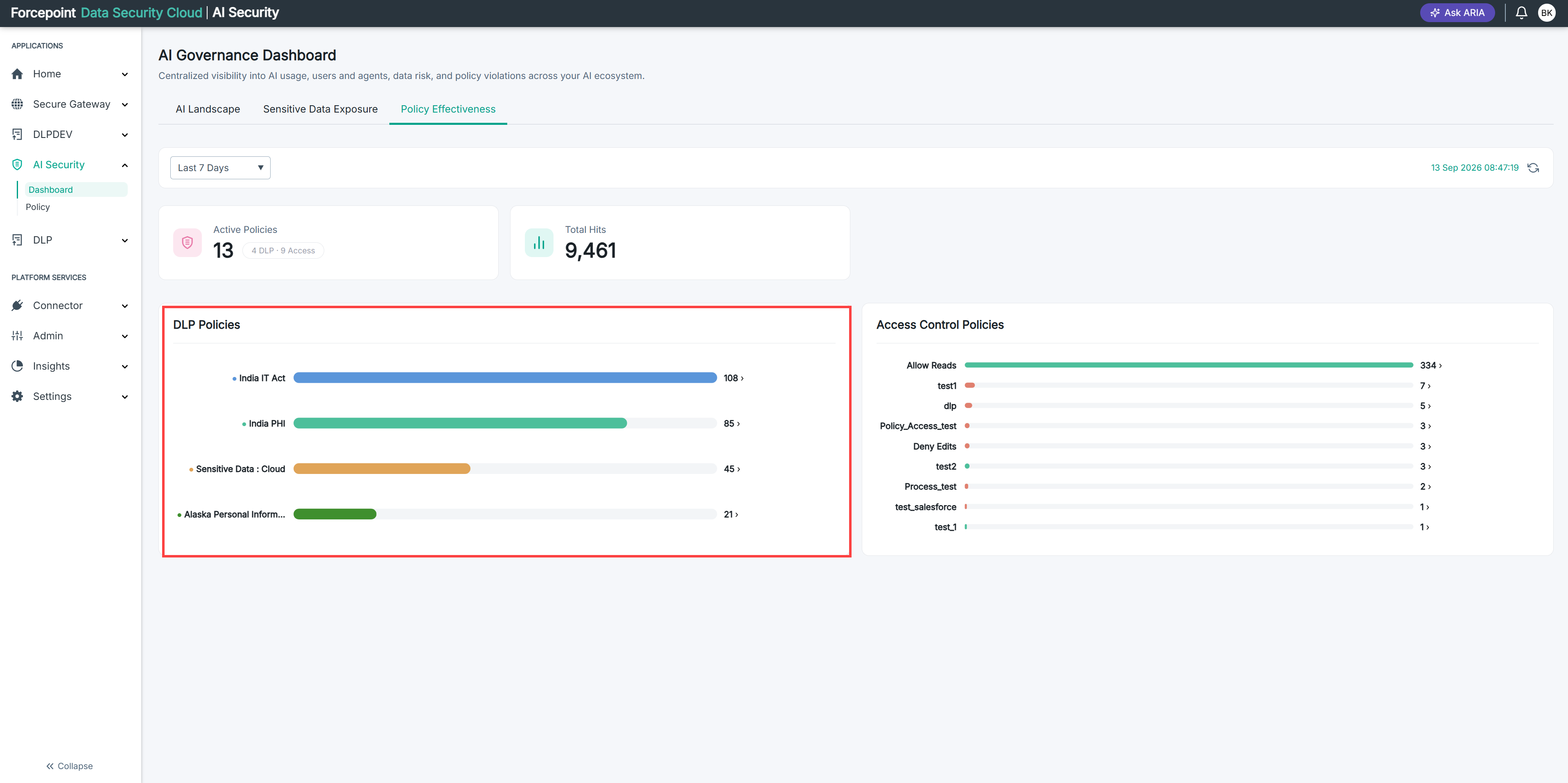
Use the DLP Policies chart to see which of your data security policies are doing the work, and which are never triggered.
This chart ranks your data security policies by how many times each was triggered. These are the policies that inspect content moving to and from AI applications.
Steps
-
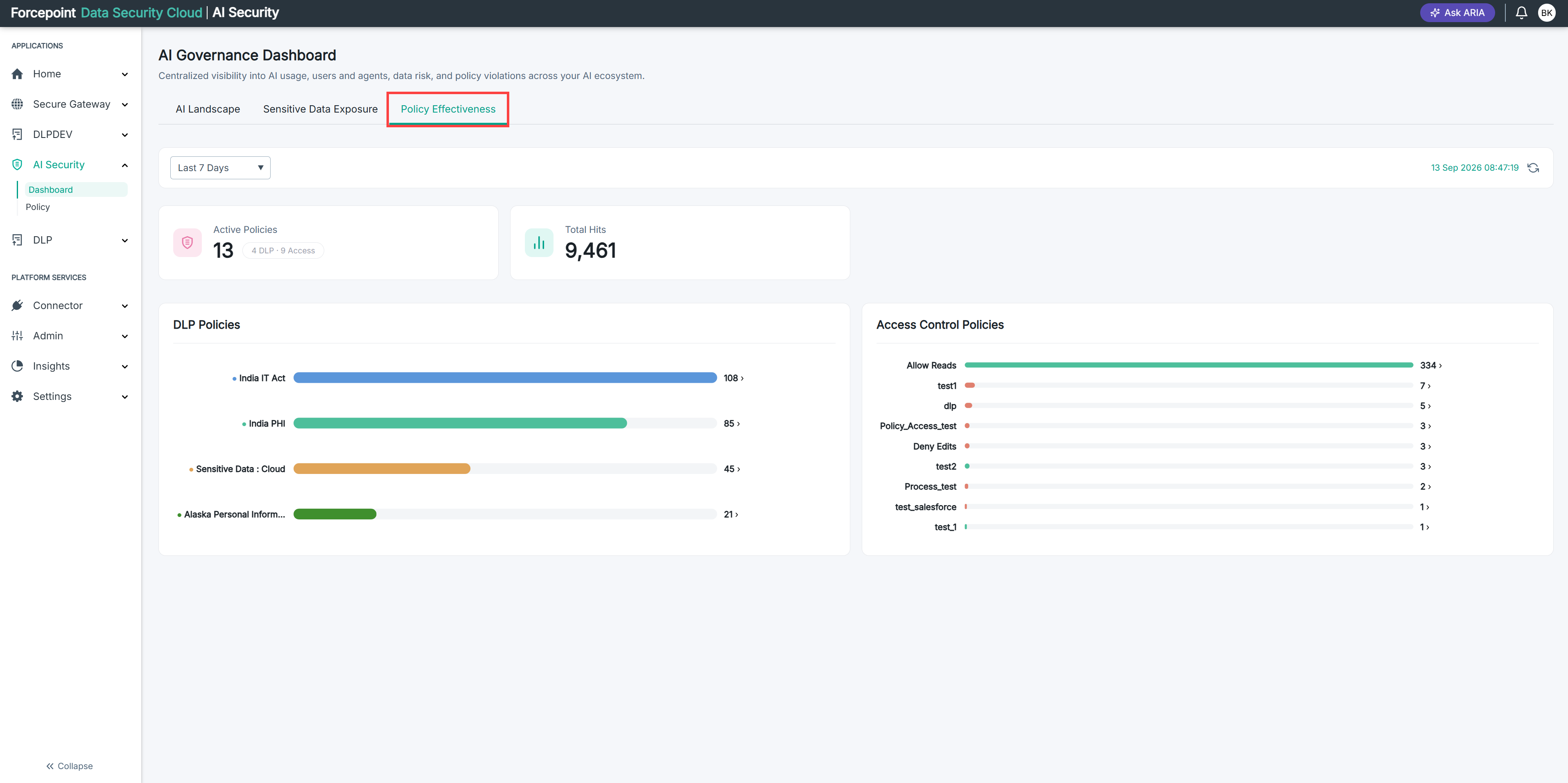
Open the Policy Effectiveness tab and set the period you want. See Opening and Filtering the Effectiveness Tab.
-
Find the DLP Policies chart on the left of the page.
-
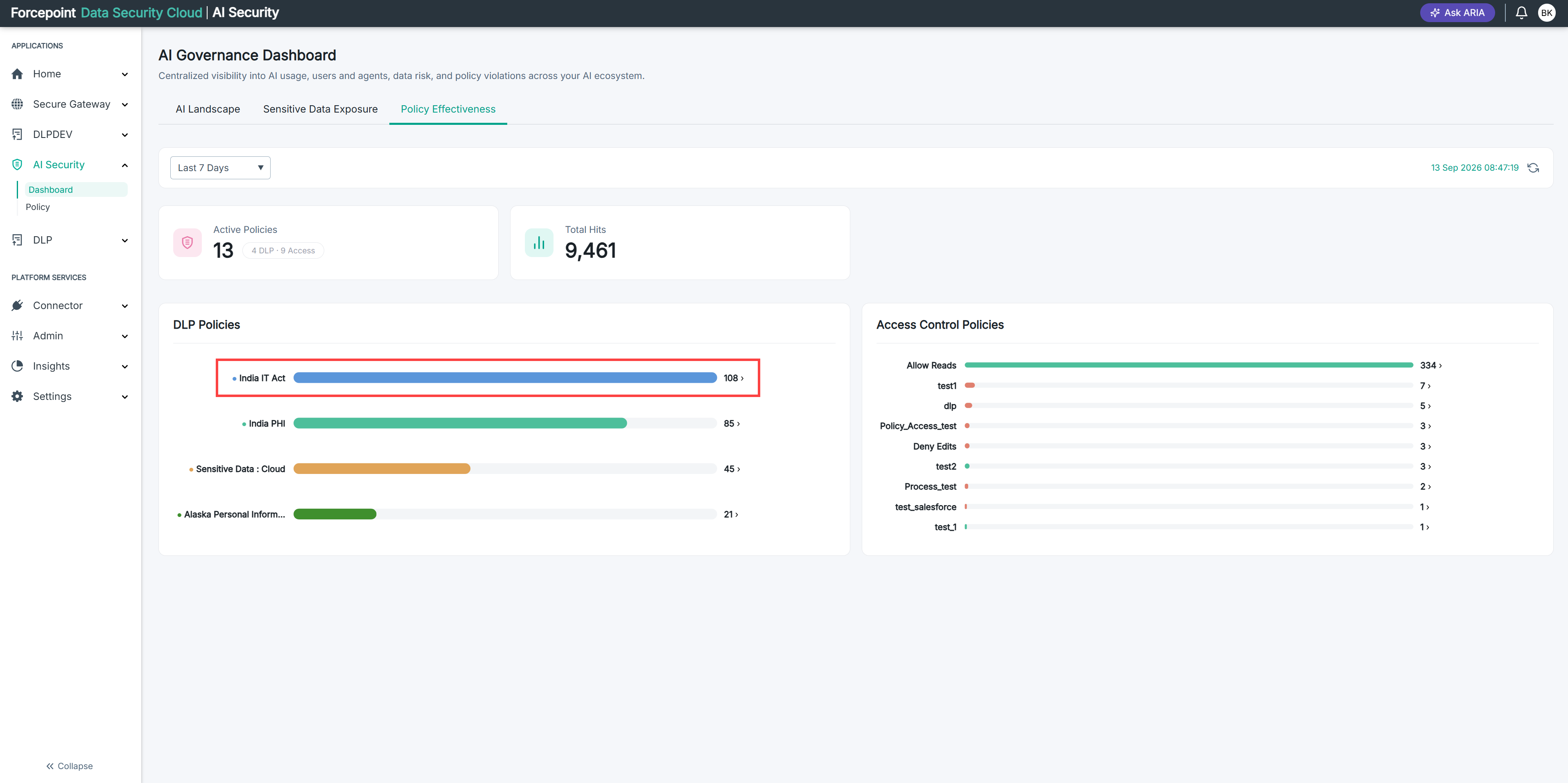
Read the policy at the top of the chart.
The chart is ranked, so the top bar is your most-triggered data security policy for the period.
You know which content rule is catching the most.
-
Click the bar of any policy you want to investigate.
The details page for that policy opens, showing its hit trend, the action it applies, the people triggering it most, and the AI applications involved.
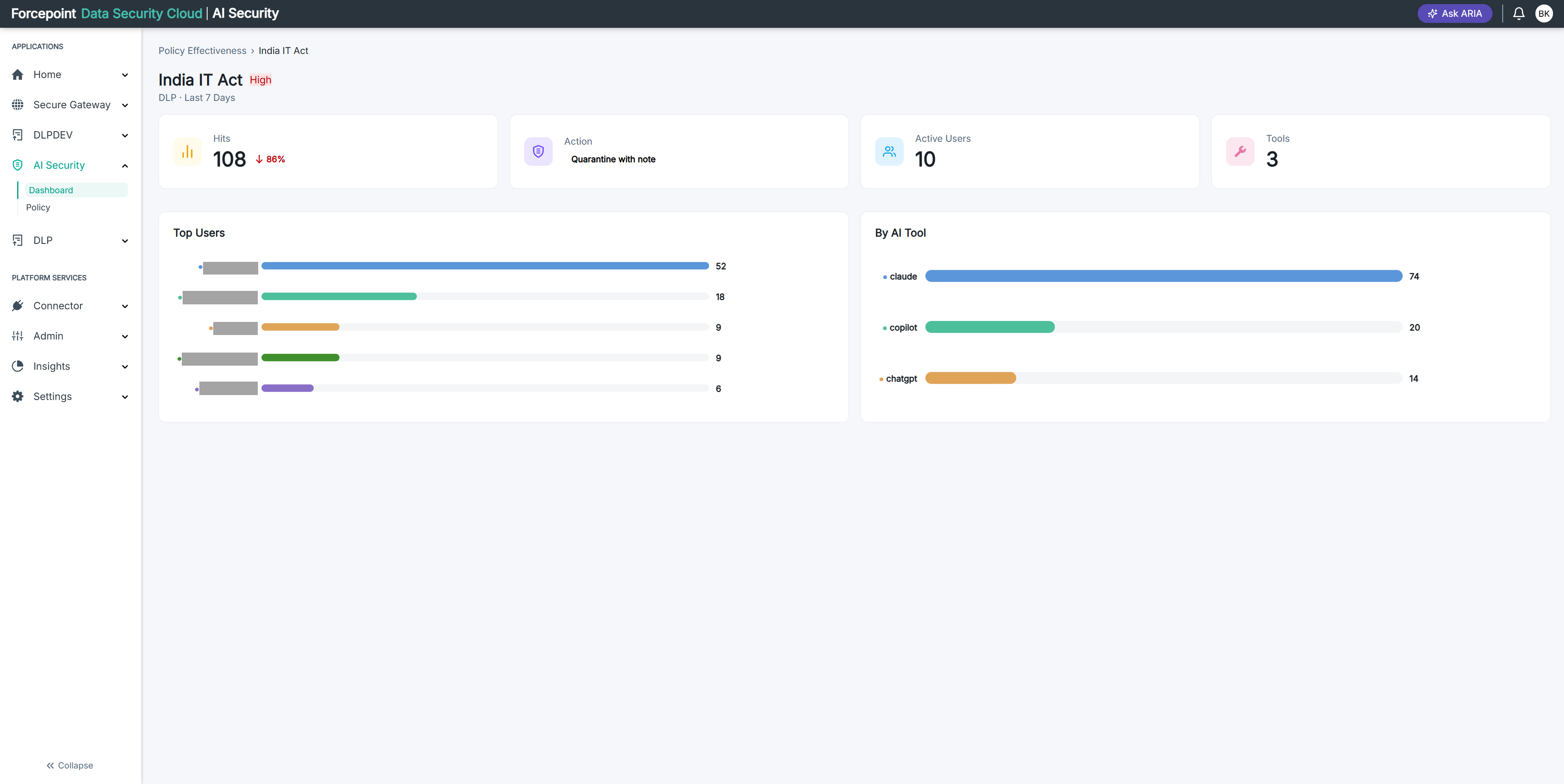
You can see why the policy is busy, not just that it is.
-
Click Policy Effectiveness in the breadcrumb to return to the chart.
-
Work down the chart to the policies with the shortest bars.
-
Note any policy at or near zero hits.
A policy that never fires is either scoped too narrowly to match anything, or it is guarding against something that is not happening. Neither is necessarily a fault, but both are worth checking.
-
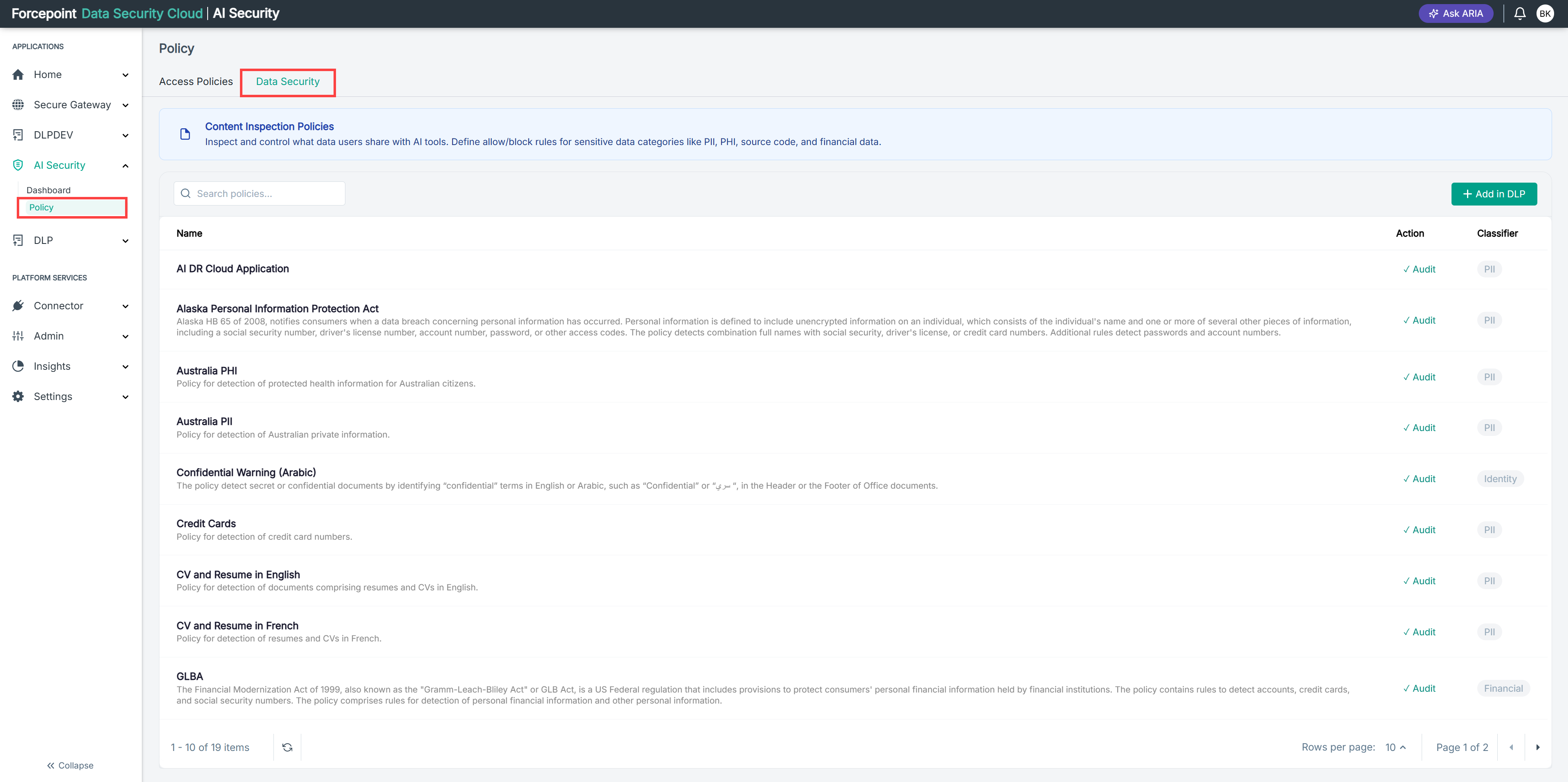
Go to AI Security › Policy.
-
Select the Data Security tab.
-
Read the description beneath each rule name to see what it detects.
Use this to review the scope of any policy you are unsure about. The Policy Name column shows which policy each rule belongs to.
-
Compare the top of this chart against the By Classification chart on the Sensitive Data Exposure tab.
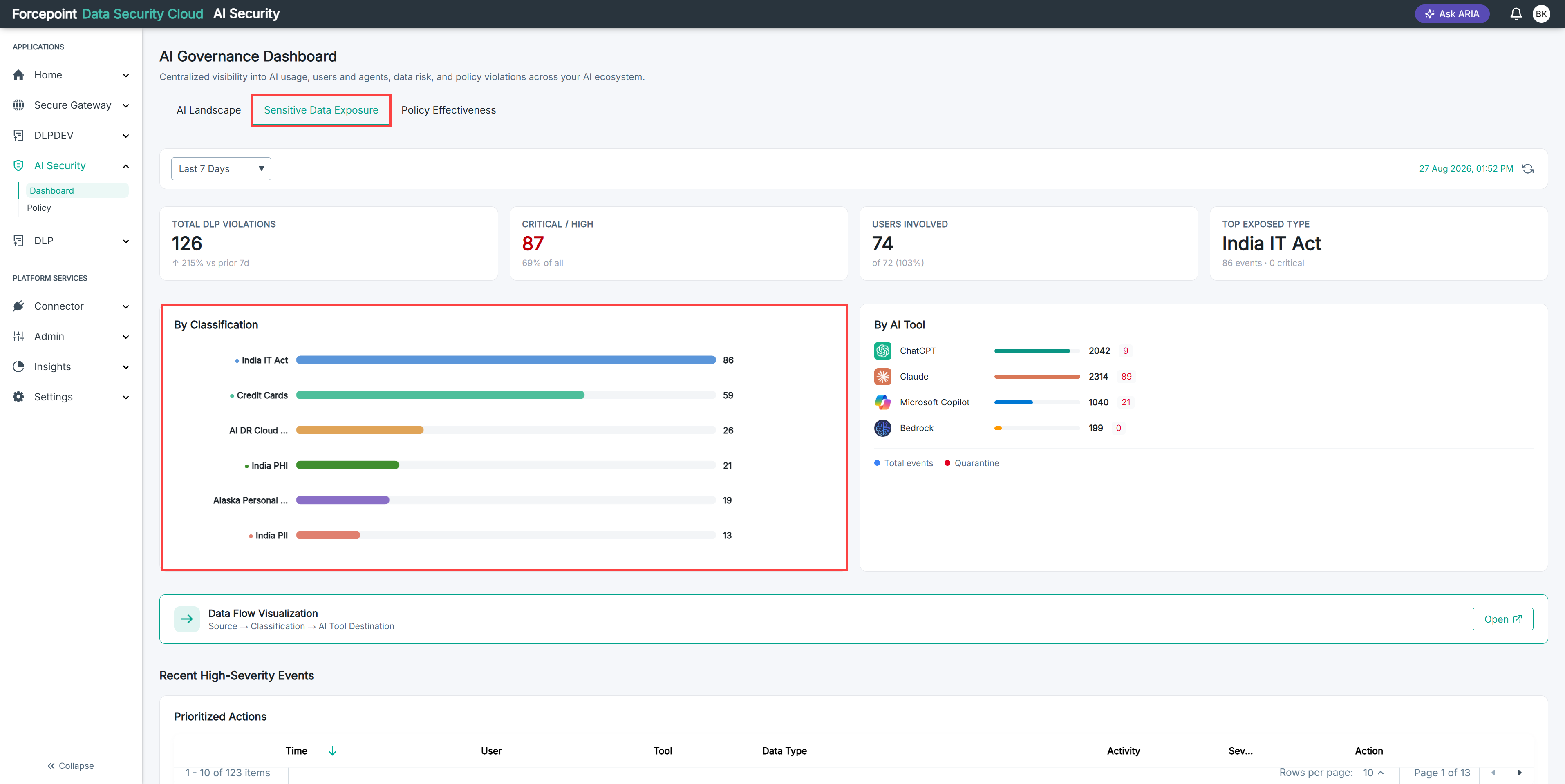
The two should broadly agree. A classification exposed heavily on that tab, with no corresponding policy activity here, suggests a gap in coverage.
You know whether your busiest policies match your biggest exposures.
Result
You know which data security policies are active, which are dormant, and whether your policy activity lines up with where sensitive data is actually going.