
Selecting the Application You Want to Connect
Select an application in the Connect App panel to display the connection fields for that application.
Before you begin
The Connect App panel must be open. See Opening the Connect App Panel.
Each AI application requires different connection details, so the fields in the Connect App panel change according to the application you select.
Steps
-
From the Application list, select the application you want to connect.
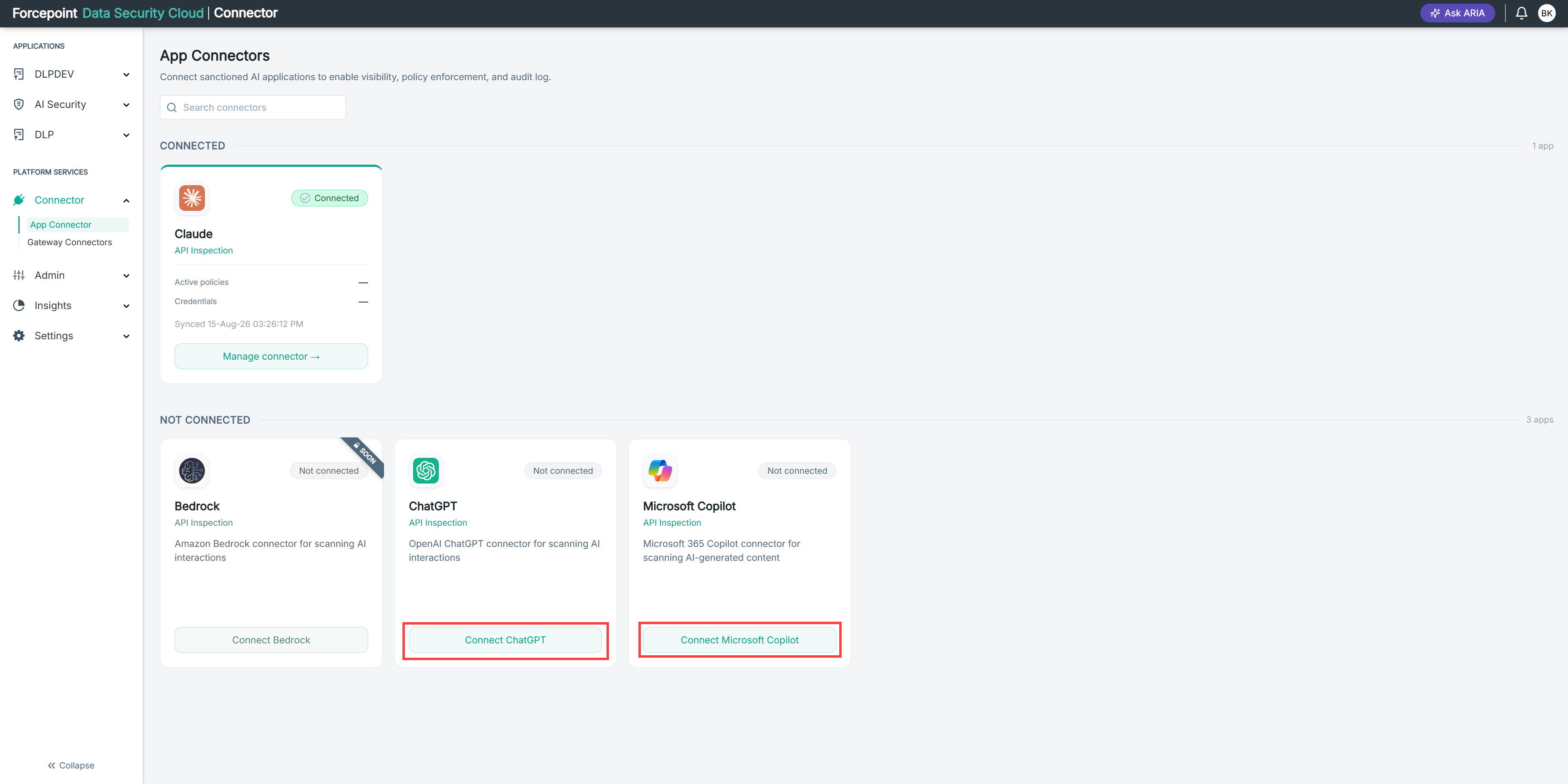
A summary card displays the application name and a short description of what the connector does. The connector details and authentication fields for that application appear below.
- Connect App panel - ChatGPT
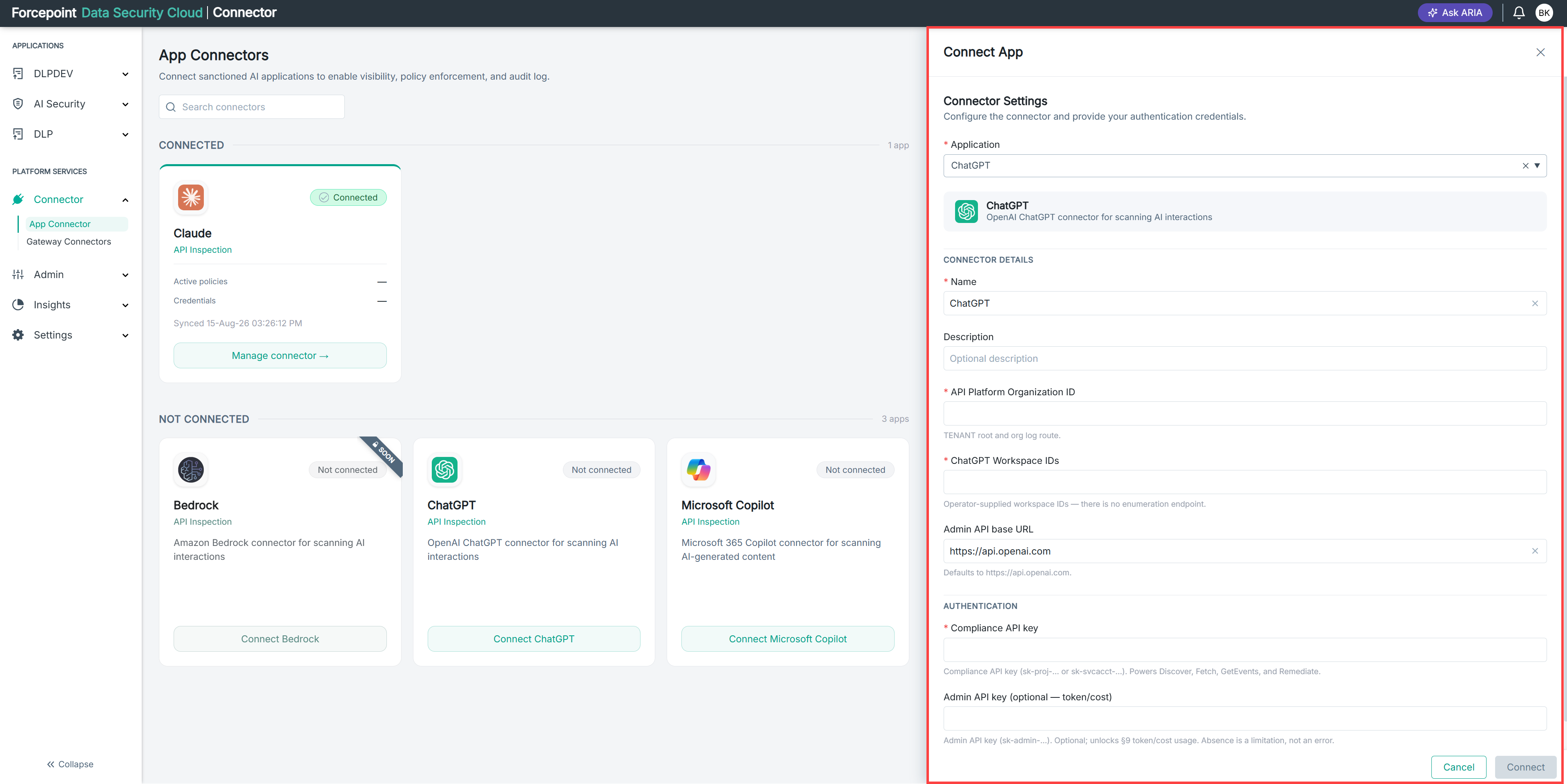
- Connect App panel - Claude
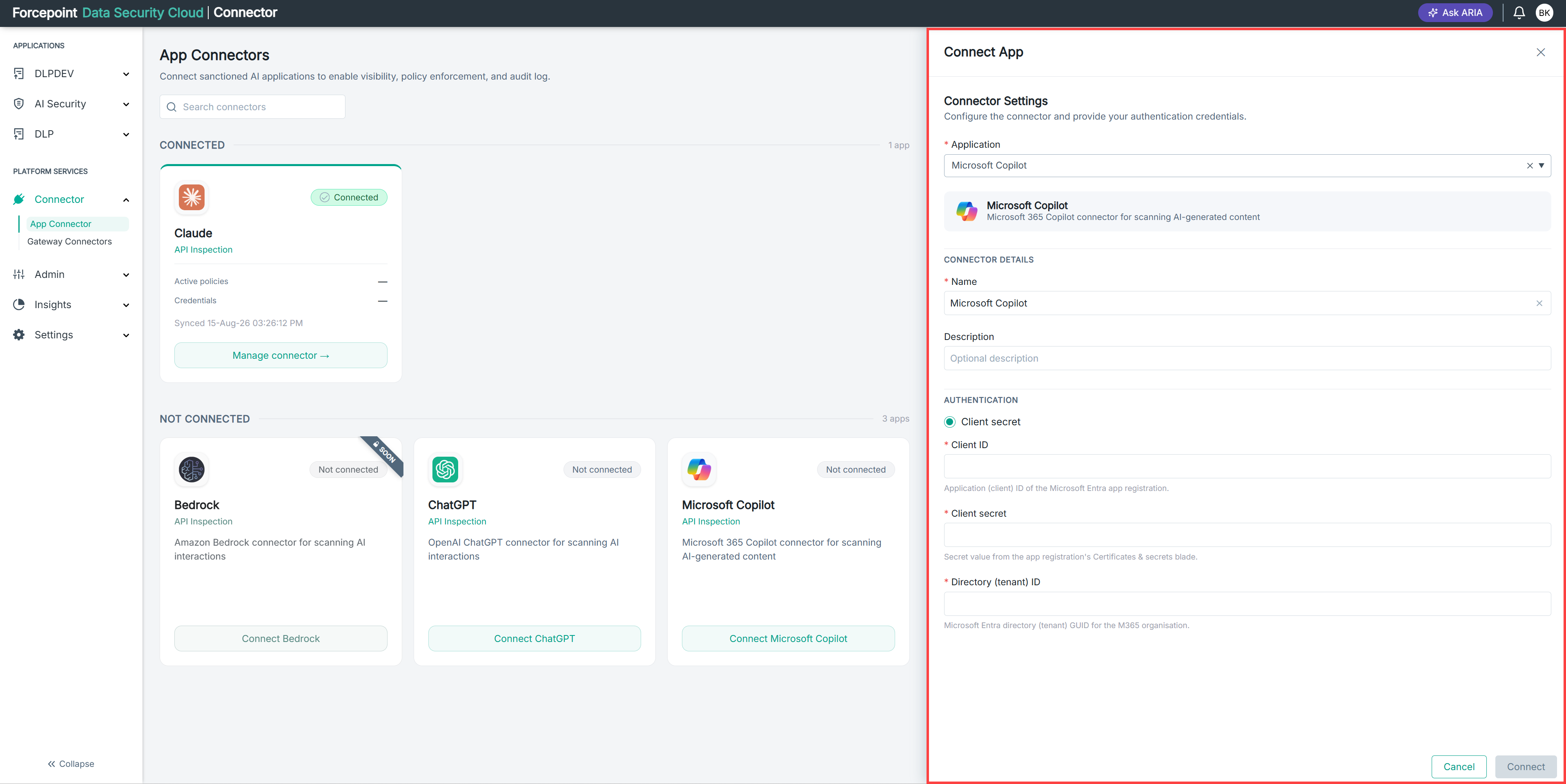
- Connect App panel - ChatGPT
-
In Name, accept the default connector name or enter a name of your own.
The name identifies this connector in AI Security. Use a name that is meaningful to your administrators, particularly if you connect more than one instance of the same application.
-
Optional: In Description, enter a description for the connector.
Result
The connection fields for the selected application are displayed and ready for you to complete.