
Understanding What an App Connector Does
An app connector links AI Security to a sanctioned AI application so that Forcepoint can inspect what your users send to it, apply your data protection policies, and record the activity in an audit log.
Without an app connector, an AI application is invisible to AI Security. Your users can still use it, but you cannot see what they send to it and you cannot stop sensitive data from leaving your organization inside a prompt or an upload.
When you connect an application, AI Security does the following:
- Inspects interactions between your users and the AI application through the application's API.
- Counts users, interactions, and detected agents so that you can see the activity on the AI Governance Dashboard.
- Applies data loss prevention policies to the content your users send.
- Records violations so that you can investigate them.
An app connector governs user traffic to an AI application. To govern what AI agents do inside your business applications, use a gateway connector instead. See Understanding the Difference Between an App Connector and a Gateway Connector.
Steps
-
Open the App Connectors page.
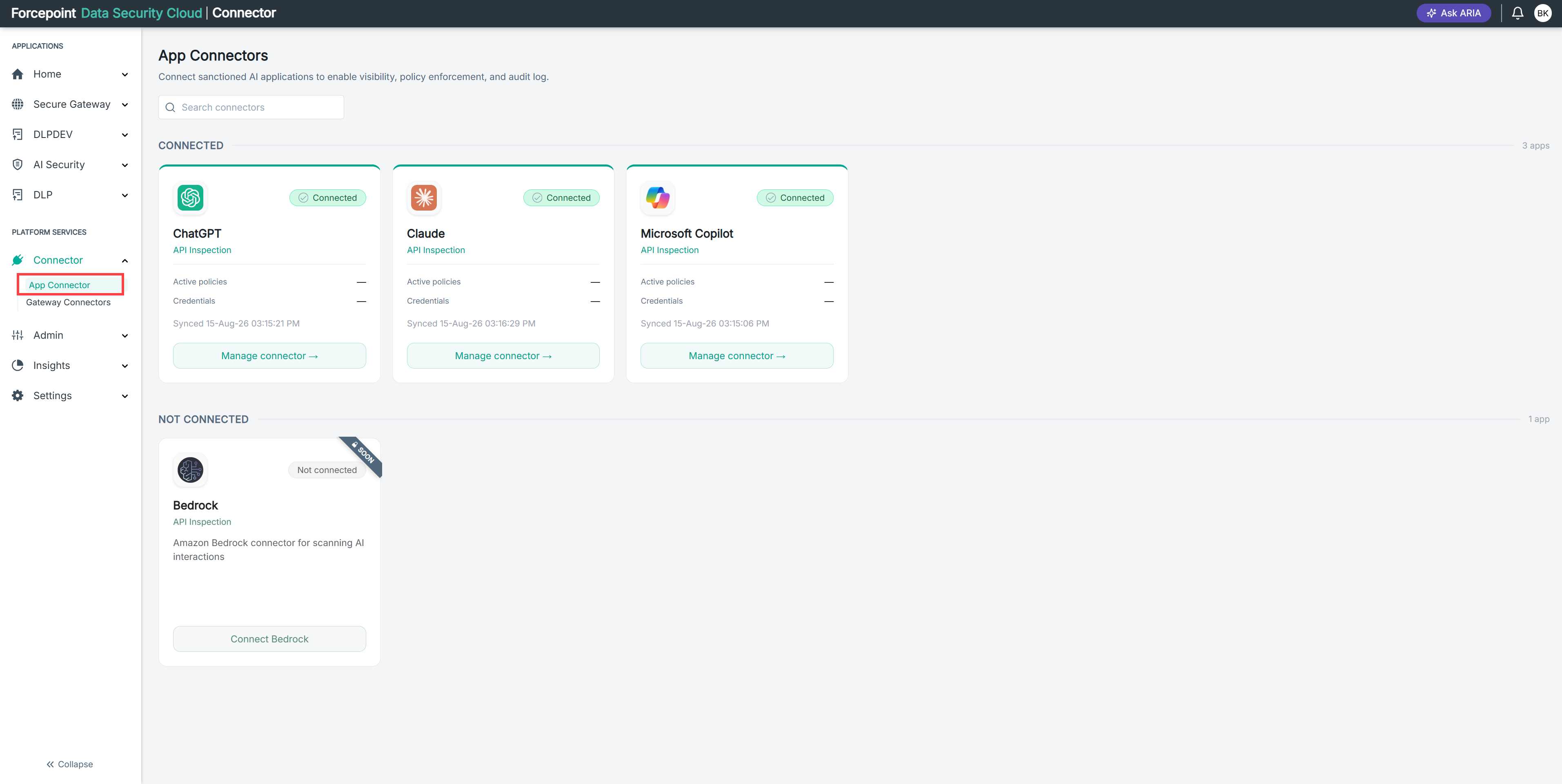
-
Review the applications listed under NOT CONNECTED.
Each card shows the application name, the inspection method, and a short description of what the connector does.
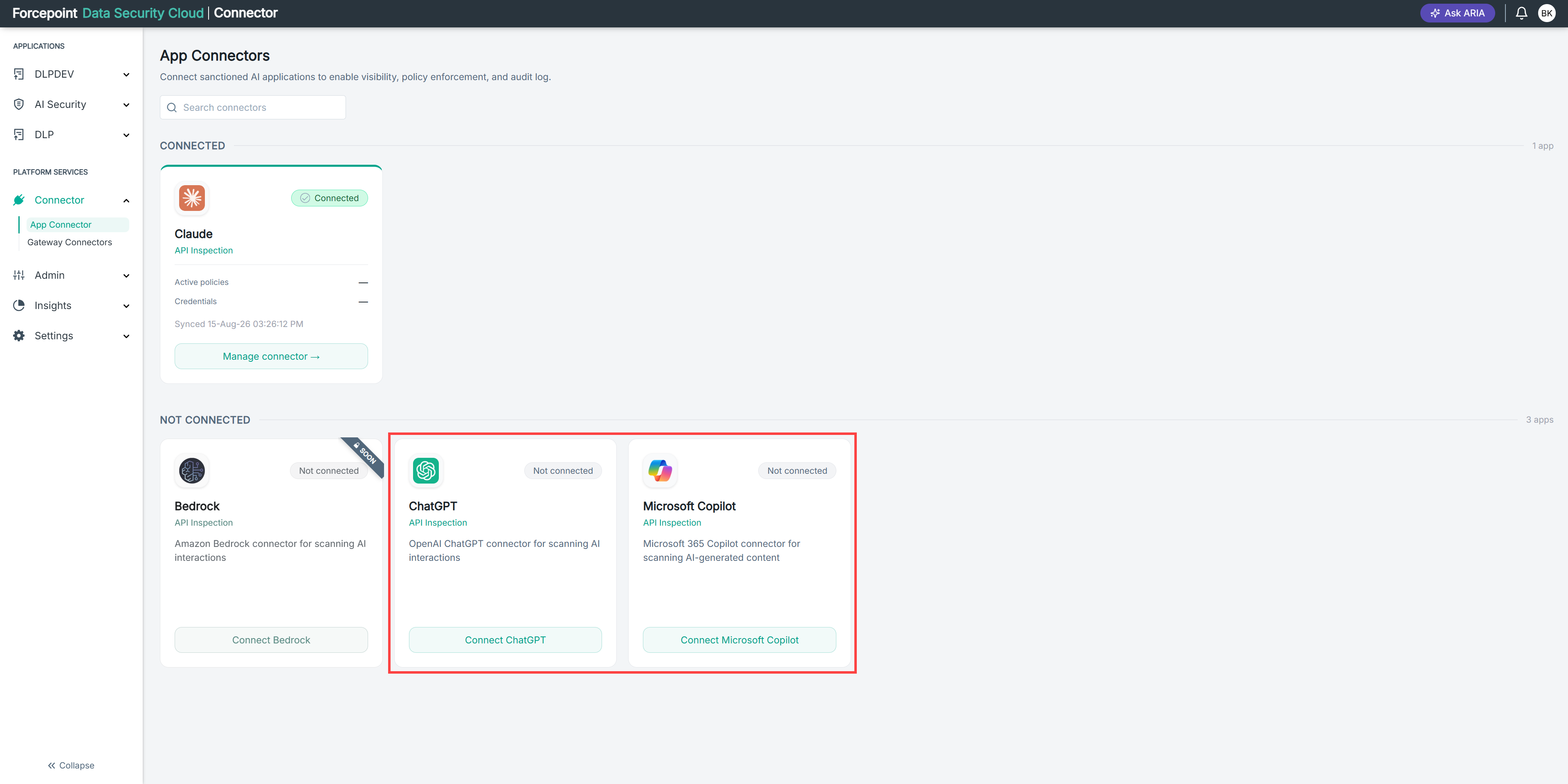
-
Identify the AI applications your organization has sanctioned for use.
-
Connect each sanctioned application.
Result
Each connected application appears under CONNECTED with a Connected status, and its activity begins to appear on the AI Governance Dashboard.