Configuring Forcepoint DLP data pattern in API setup and policies
After uploading and validating the DPS license JSON, configure the Forcepoint DLP data pattern in your API scanning setup to enforce FSM-based DLP policies across supported cloud applications.
The Forcepoint DLP data pattern allows App Security to enforce DLP policies configured in Forcepoint Security Manager (FSM) during API scanning. You can select the Forcepoint DLP data pattern from the Data Patterns section when configuring API scanning for the following supported applications:
- Microsoft 365
- Google Workspace
- Salesforce
- ServiceNow
- Box
- Dropbox
- AWS S3
- Cisco Webex
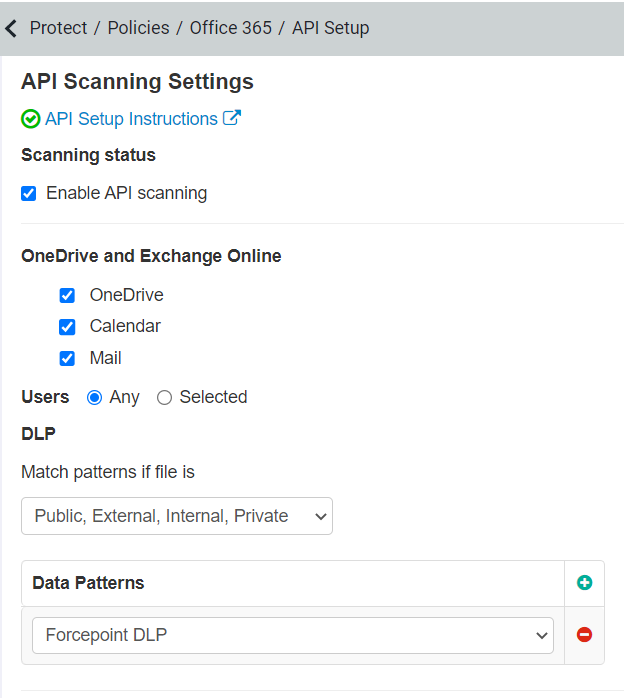
App Security supports scanning of file objects for API Scanning.
When configuring the application, you can select only Anti-malware data patterns purchased as part of App Security subscription, along with the Forcepoint DLP data pattern. Anti-malware data patterns are available under page.
For all the FSM-based policies, App Security executes the action returned by Forcepoint DLP.
Configure API policies for FSM-based alerting
- A policy with Anti-malware data pattern with the required actions and alerting enabled.
- A policy with the Forcepoint DLP data pattern set to Allow action, placed at the bottom of all configured policies.
Action enforcement
- Quarantine
- Remove All Sharing
- Remove Public+External Sharing
- Remove Public Sharing
- Encrypt
- CreateCopy
- Allow/Alert
For more information about supported DPS actions for each application, see DPS actions supported for API scanning.