Enable auditing in Forcepoint Data Security Cloud | App Security
To enable auditing, set up API access to Amazon Web Services (AWS) through an Identity and Access Management (IAM) user or Security Token Service. Then enable auditing so Forcepoint Data Security Cloud | App Security scans and provides visibility in your setting configuration.
Steps
-
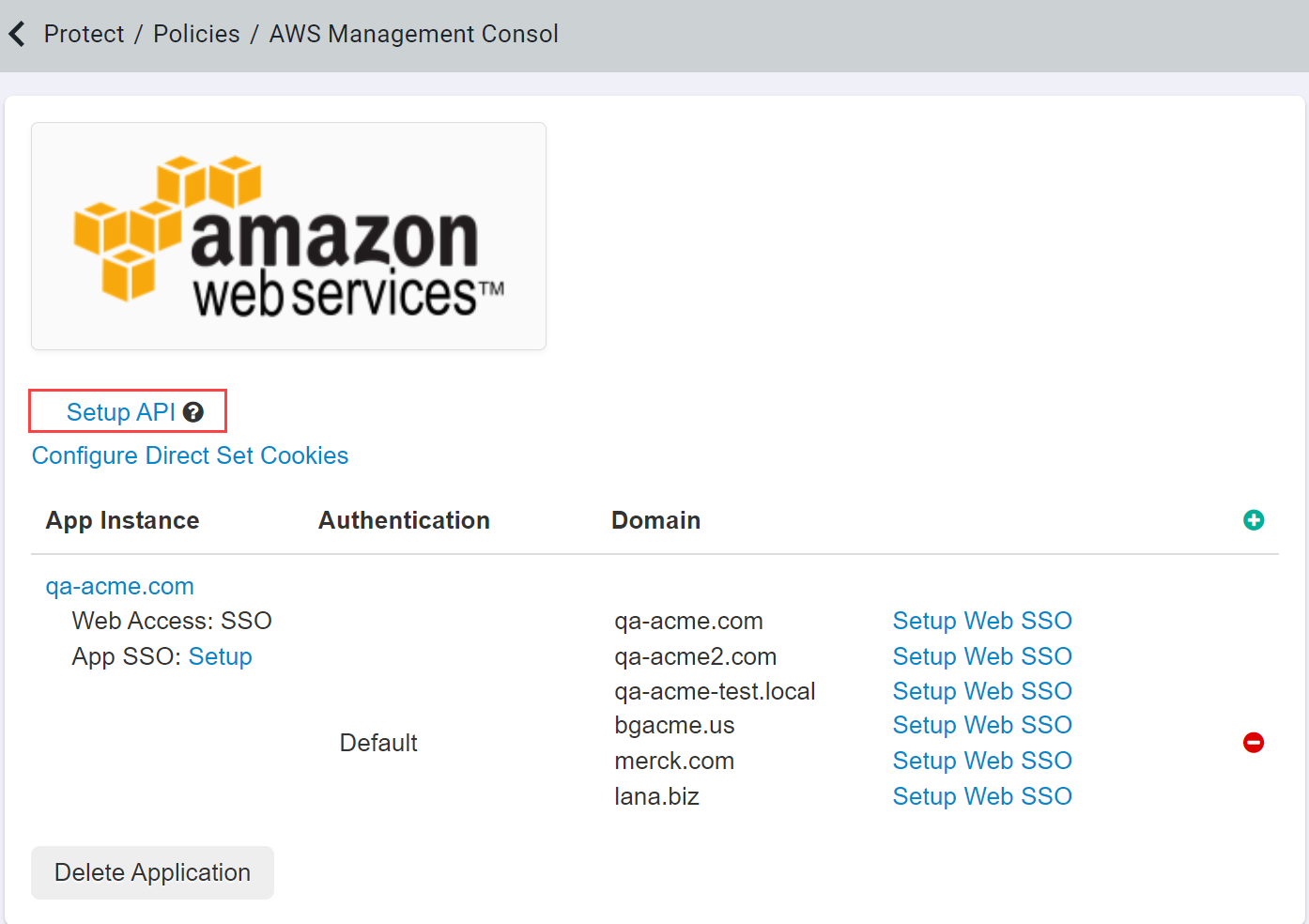
Navigate to the AWS application settings page and select Setup API. You have likely already enable API scanning and configured you AWS
tenant previously. If not, follow the Amazon S3: Configuring API access to learn how to configure the API settings via IAM user or Security Token Service (STS).

-
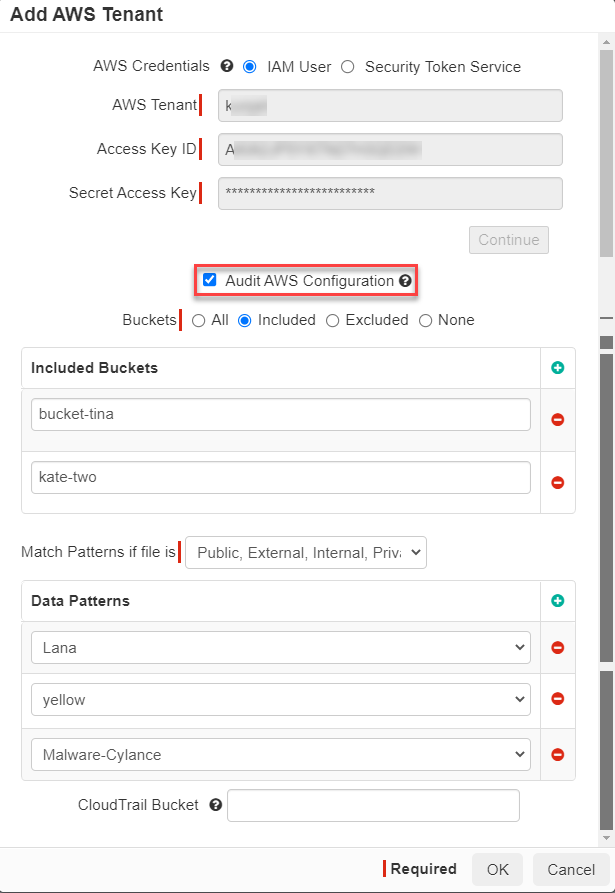
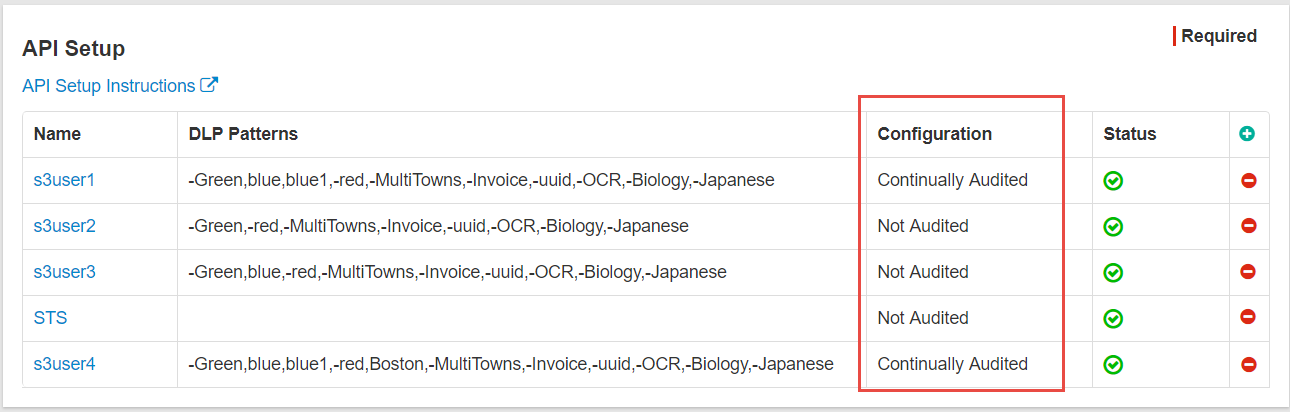
With the tenant API configured, you can now select the Audit AWS Configuration checkbox on the Add AWS Tenant dialog. Once enabled,
save your settings and you should see that the Configuration column should switch from Not Audited to Continually
Audited.