Setting SAML nameID
You can configure Dropbox to be passed a specific attribute as the NameID during Security Assertion Markup Language (SAML) single sign-on (SSO) in the Dropbox application settings page.
Click on the app instance you want to configure and in the dialog screen you will see a SAML NameID field near the bottom. You can select which field attribute gets passed.
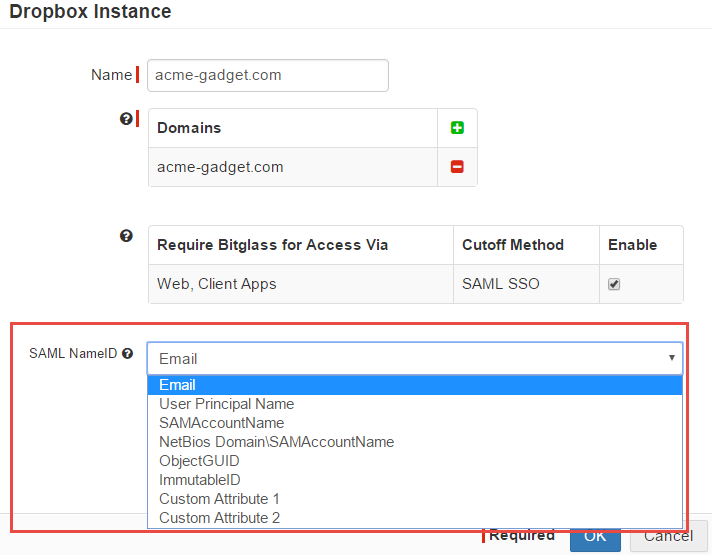
Note: Selecting OK will affect user logins immediately. Ensure that user accounts have their attribute fields populated first before confirming this setting
change.