Using Server Pool Monitoring Agents
Server Pool Monitoring Agents provide advanced features for monitoring the server load and status.
Monitoring Agents run on each server to check the server status and load. The Monitoring Agents can also run system checks on the servers and send log messages to the SMCaaS Application.
Figure: Engine queries Server Pool Monitoring Agents on each server
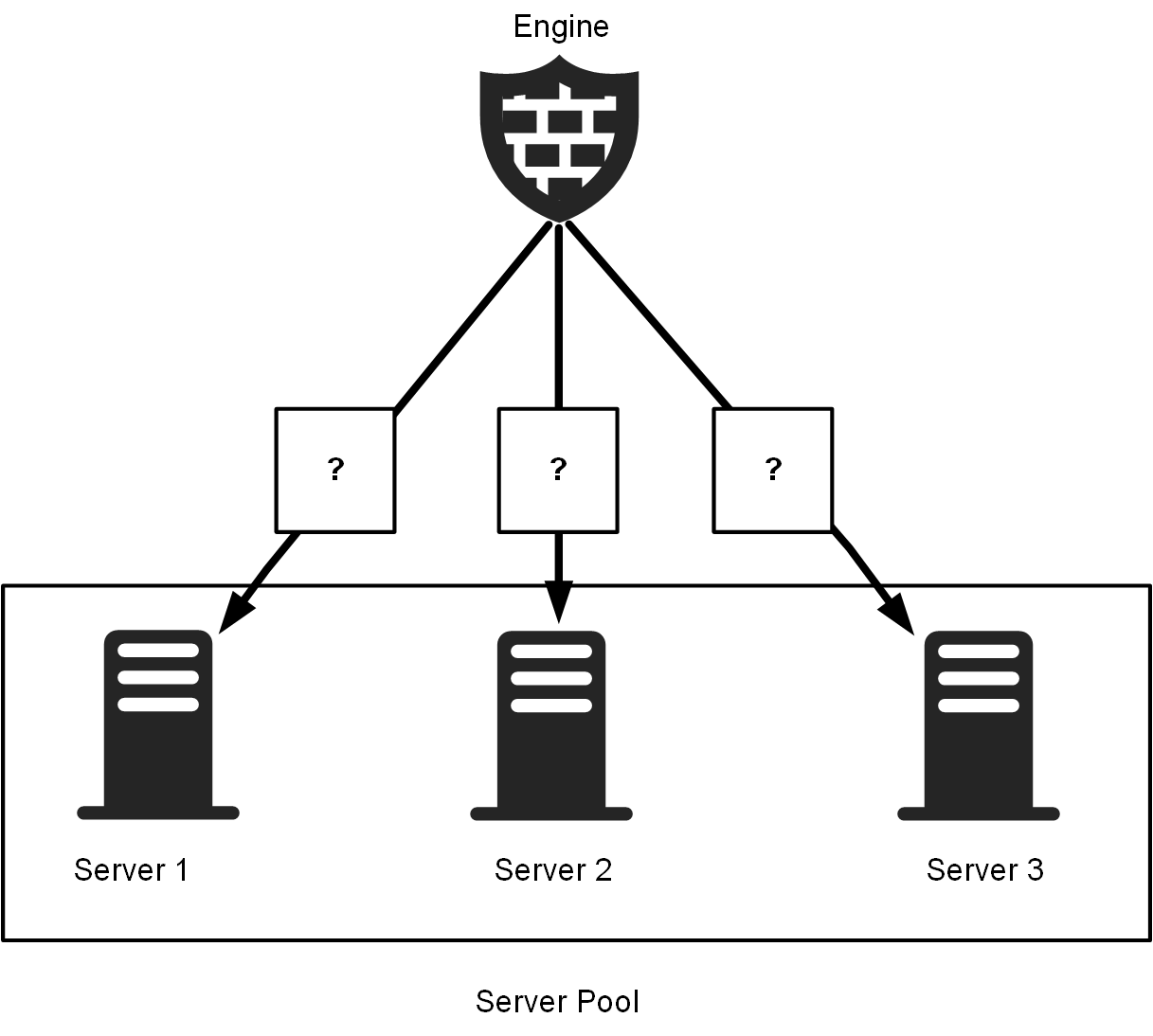
A Monitoring Agent runs as a service (port 7777/UDP by default) on the Server Pool member. The Engine queries the Monitoring Agent on each Server Pool member to check the status and load of the server.
Figure: Server Pool Monitoring Agents provide status information
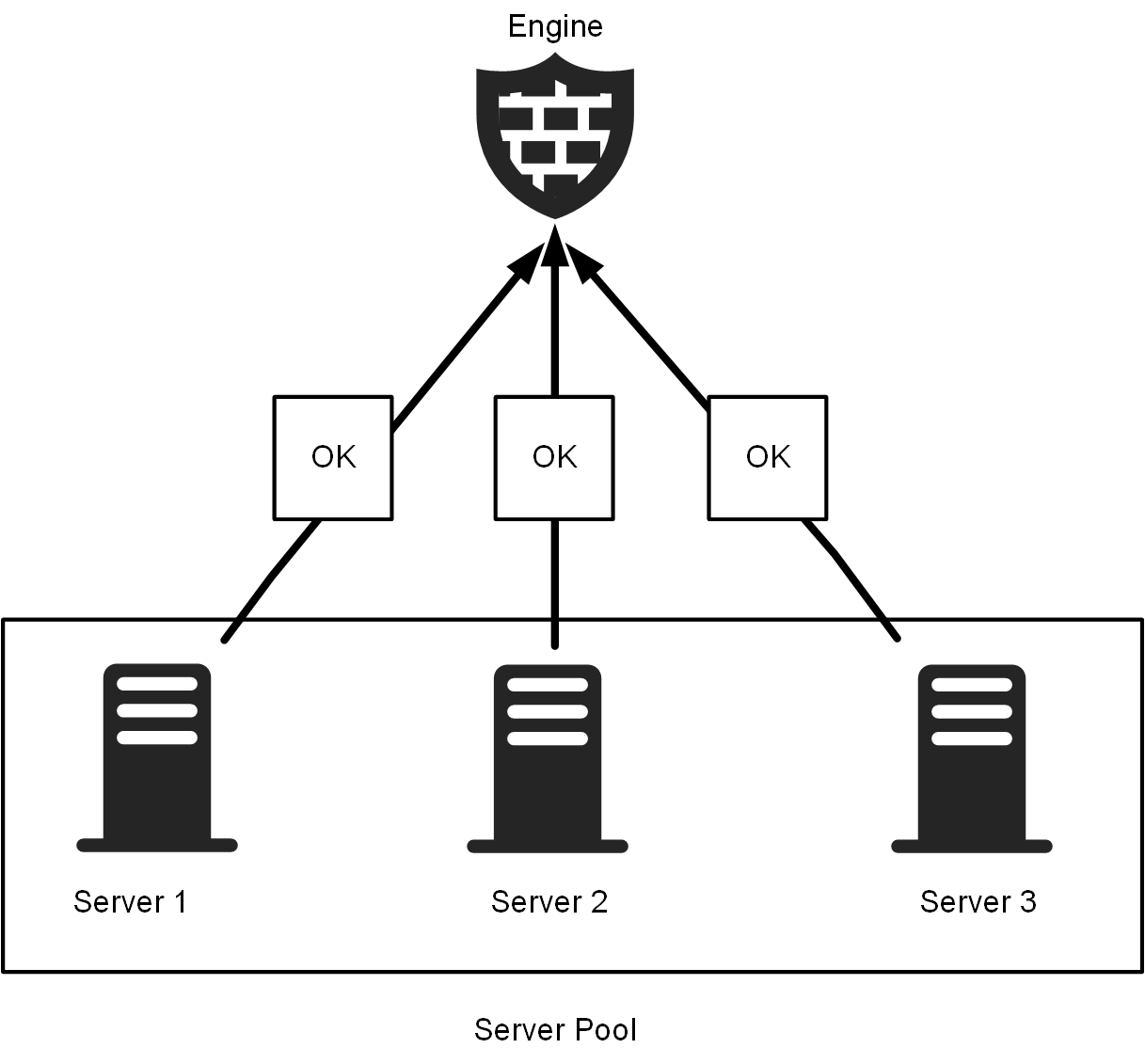
The Monitoring Agent on each Server Pool member provides information about the server load and status to the Engine.
Figure: Engine balances connections between Server Pool members
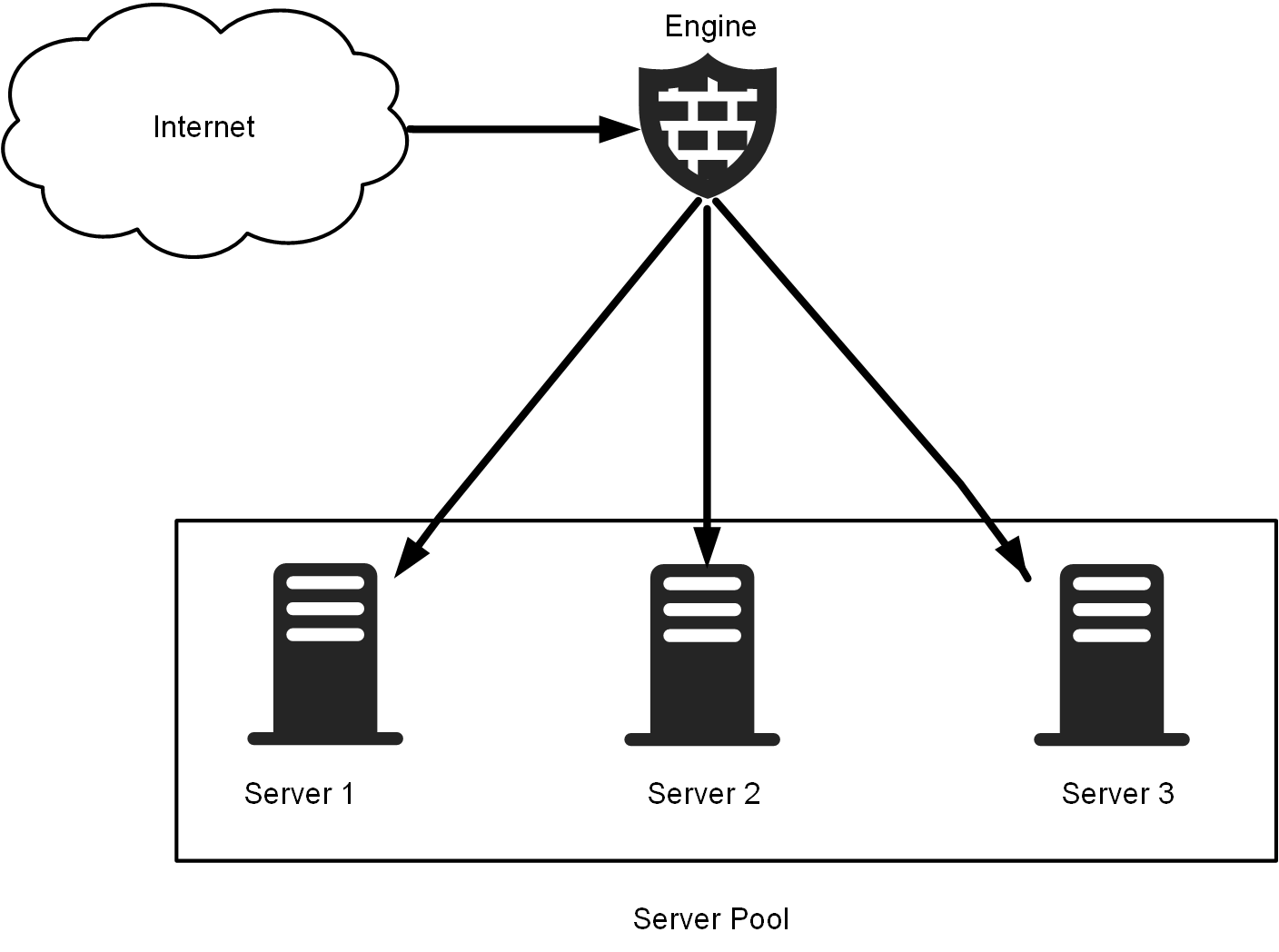
The Engine balances the incoming connections between the Server Pool members according to the status and load information it receives from the Monitoring Agents.
Figure: Server Pool Monitoring Agents: Test failure
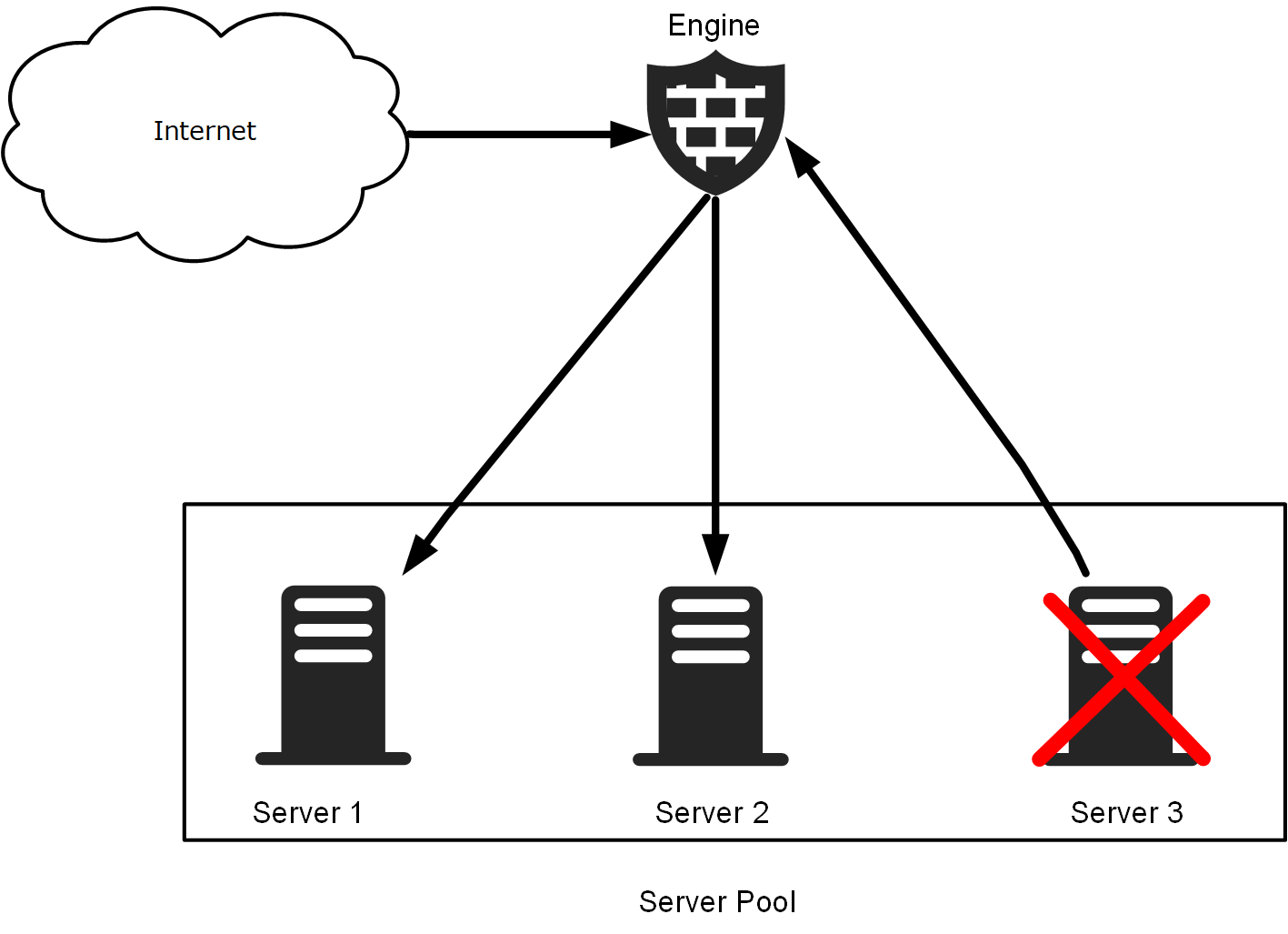
The Server Pool Monitoring Agent includes a tester that runs predefined or user-defined tests, with automatic actions configurable based on test results. When a test fails, an alert is sent to the Engine. Optionally, the agent can also remove the server from the Server Pool by changing its status from OK to Excluded. When a server is excluded from the Server Pool, all new connections are directed to other available servers, and the excluded server does not process any connections.
Server Pool Monitoring Agents are available for Windows and Linux platforms.