Limitations and Recommended Settings
Printing Limitation
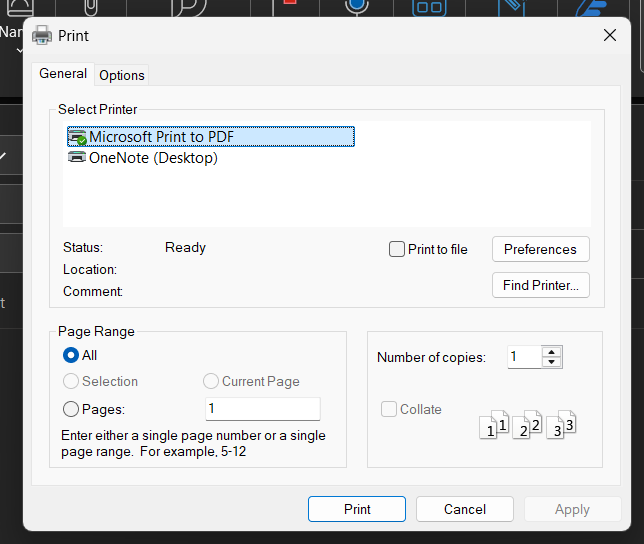
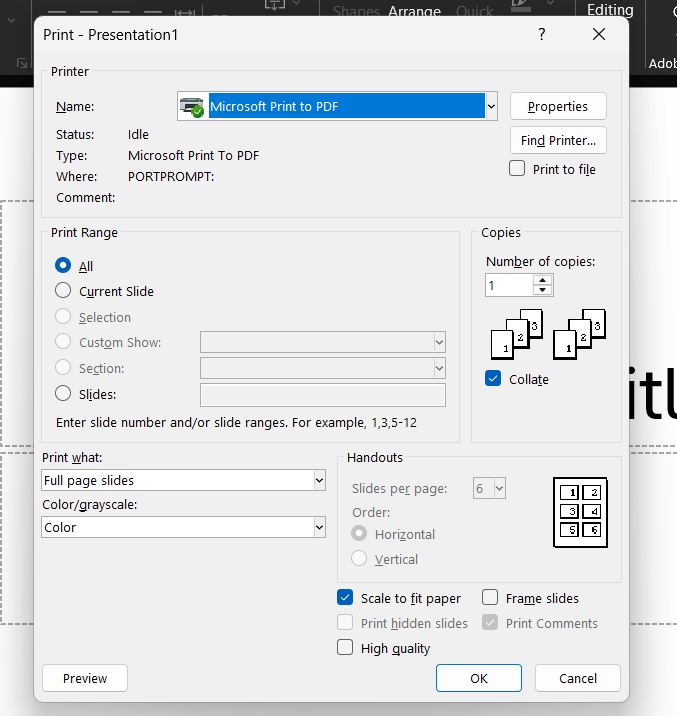
To enforce document and email security policies, we have replaced Outlook and PowerPoint's built-in print options with a custom print button. This button allows us to apply policies (such as Force/Warn/Default classification) before printing proceeds. Users must use this custom button to select a printer. Once invoked, the application validates that the document or email complies with configured policies before presenting available printing options.
However, this approach has a limitation: printing uses Outlook's HTML export feature rather than its native print engine. As a result, Outlook-specific sections and metadata - including Tracking information, delivery/read receipts, and similar Exchange-generated data are not available in the printed output since these elements are not part of the standard email export.
Outlook:
PowerPoint:
Scanner Issue
System.InvalidOperationException: Stream cannot be read.
Please send us the PDF file so that we can fix this (issues (at) pdfsharp.net)
A possible workaround is to normalize the PDF: open the file and print it to a new PDF file. The resulting document should then be classifiable.
Setting heartbeat interval
A 60-second heartbeat interval is generally considered safe. For deployments exceeding 500 agents, increase the interval if performance degrades-for example, 300 seconds may be appropriate for 2,000 agents. Note that intervals exceeding 900 seconds may cause online agents to intermittently appear offline.
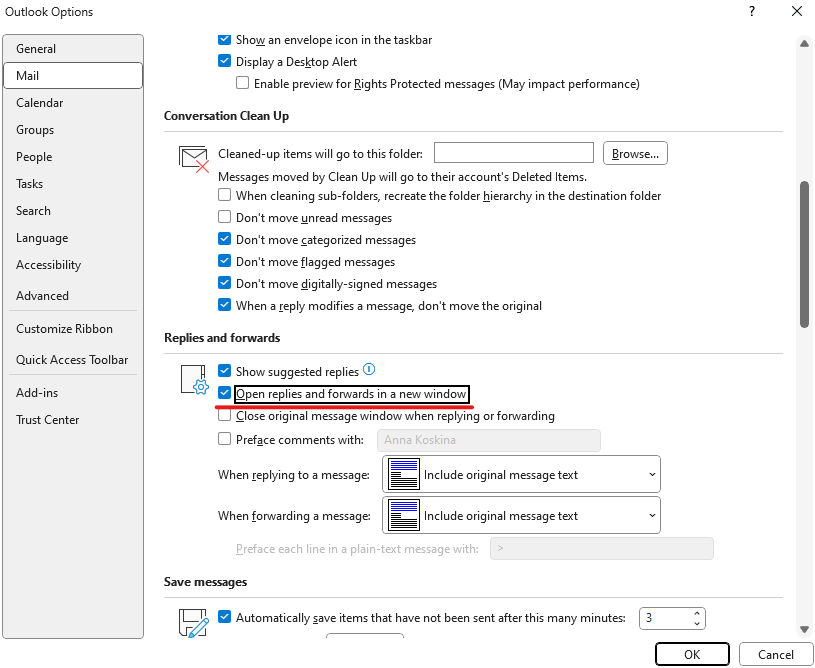
Opening reply/forward in a new window for 1-click classification to work
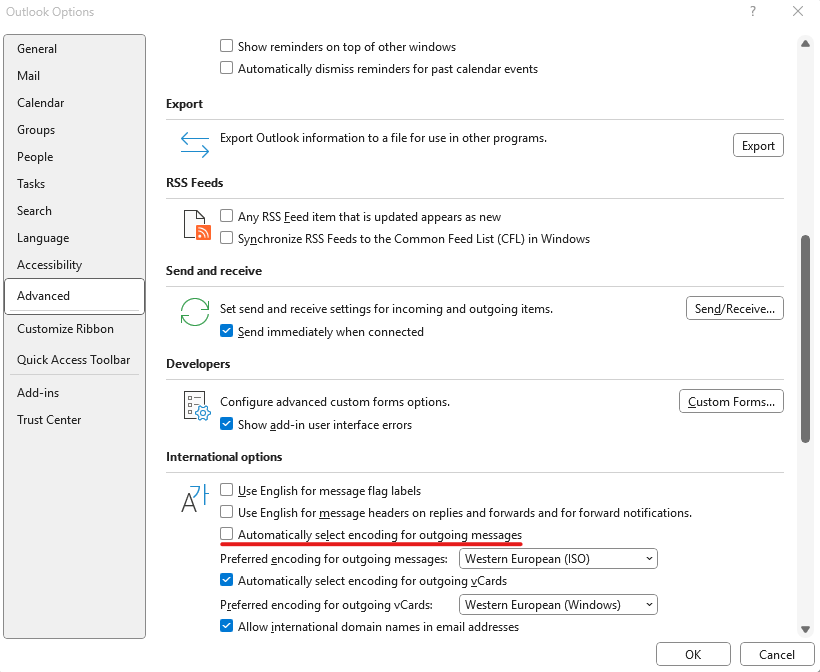
Preventing Arabic email corruption
When forwarding or replying to old emails, character corruption may occur. To resolve this, disable "Automatically select encoding for outgoing messages" and enable "Open replies and forwards in a new window.
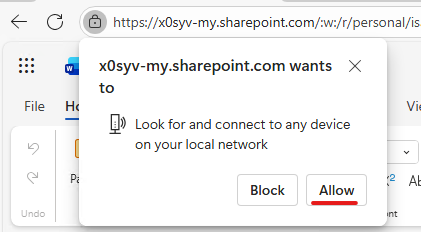
Allow permission for OWA
The browser must grant permission for the Agent to function in OWA - this is a one-time requirement during initial plug-in activation.
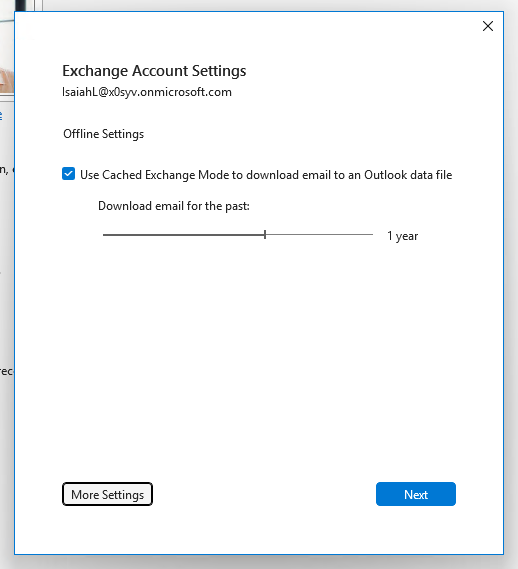
Turn on Cached Exchange Mode for Outlook (Classic)
It is recommended to enable mailbox caching in Outlook (Classic). Disabling this option can significantly slow down Outlook (Classic). More information: Turn on Cached Exchange Mode - Microsoft Support
The meeting is canceled even when the cancellation request is not sent (if the popup to reduce the number of clicks is closed)
When a user cancels an unclassified meeting with a warn/force classification policy, a popup prompts them to classify the request. If they close this popup, only the cancellation notification is blocked - the meeting itself remains canceled and is removed from the calendar. This behavior reflects how Outlook handles cancellation and notification as separate processes.
Outlook Allow/Block list
Block rules take precedence when an email address appears on both allow and block lists. This follows standard security practice where deny rules always take highest priority, particularly for specific addresses rather than domains.
PDF Classification
A duplicate classification tag may appear when you reclassify a PDF that was created from an already-classified document (e.g., using Word's "Save As" or the Agent's "Save Classified PDF" button). This occurs because PDFs are non-editable documents—visual markers are permanently embedded and cannot be changed. To avoid duplication, use right-click classification, which will overwrite existing labels rather than duplicate them.
Limitation: Auto‑Classification Support
Auto-classification on reply/forward works only in Windows Outlook(Classic Outlook). It does not work in Outlook Web or browser versions or New Outlook.
Auto-update can take up to 30 minutes before the next check starts
The default, autoUpdateCheckRate is 30 minutes. When the AutoUpdate service first starts, it doesn't yet have the configured check rate because AgentEngine needs time to connect
to the cluster and update the registry. During this period, the service uses a random initial delay of 1 to 30 minutes until the configuration is applied.
.csv vs .xlsx
When a user opens Excel and saves as .csv using browse location, a warning appears. This occurs because Excel triggers the save event before the file type is determined-an API limitation with no workaround. Conversely, opening a .csv file and saving as .xlsx succeeds without warning.
Mobile Support for Agent
Our product does not currently support mobile devices. However, we are actively developing mobile compatibility as part of our long-term roadmap. We have made progress by integrating our agent with O365, which provides limited mobile support. We are now focused on extending AgentUI integration to O365's mobile platform.
One Drive Sync
Please keep in mind we can not detect if the save is a legitimate one or caused by OneDrive. There is nothing exposed in Office API to check this. In fact MS recommends to disable auto-save for office applications. The options are either to disable the warnings or use default classification.Agent is not using VBA - VSTO seems to be somehow referencing it under the hood. Link to MS issue: Should Word VSTO Add-ins be able to run with Visual Basic for Applications (VBA) disabled? - Microsoft Q&A.
Custom messages
We use translation for the context menu only on Windows; on Mac, it is expected to see Forcepoint Classification, since the name is hardcoded in the manifest. Also, to get actual translations immediately, we should click Submit on the dashboard to trigger the agent to call the translation API (same as for getting a custom logo and font). Since we load translation for the plugin once during initialization, we should reopen plugins on Windows to see the newest translation.
Context menu translation is applied on Windows only; on Mac, 'Forcepoint Classification' appears as hardcoded in the manifest. To retrieve the latest translations immediately, click Submit on the dashboard-this triggers an API call, similar to updating custom logos and fonts. Since translations load once at plugin initialization, you must reopen plugins on Windows to see the newest versions.