Manually uninstall the agent from your macOS endpoints.
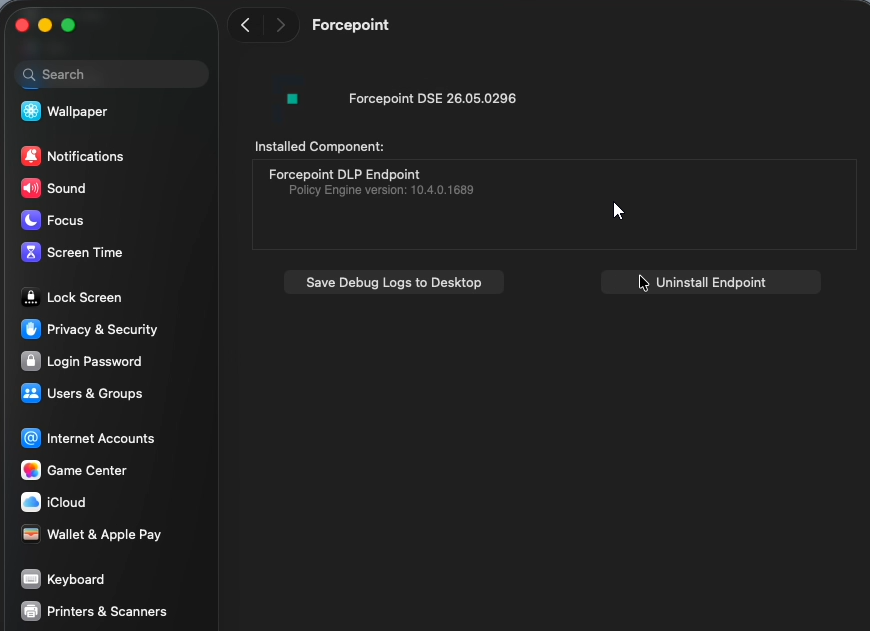
Use the Forcepoint Agent app found in System Preferences to uninstall.
Steps
-
Open System Preferences, then click Forcepoint.
-
Click Uninstall Endpoint.
-
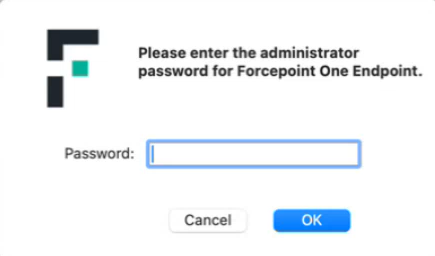
Generate the release code from Forcepoint Portal, and then enter the
code in the below prompt for password entry:
-
Click OK
-
Enter the administrator password credentials, and then click OK.
-
Confirmation messages display for the System Settings and System Extension. Enter your credentials, then click OK.
-
Confirmation messages display for the System Extension and Network Extension. Enter your credentials, then click OK.
-
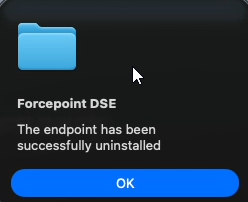
A success message displays. Click OK.