
Identifying Access Control Policies With No Hits
Find the access policies that are never triggered, and work out why.
A policy showing no hits is not necessarily broken. It may be guarding against something that simply is not happening, which is a good outcome.
But an access policy has a second reason for showing nothing, and it is the more common one. Access policies are evaluated top-down and the first match wins, so a policy can be written perfectly and still never be reached, because a broader policy above it matches first.
Steps
-
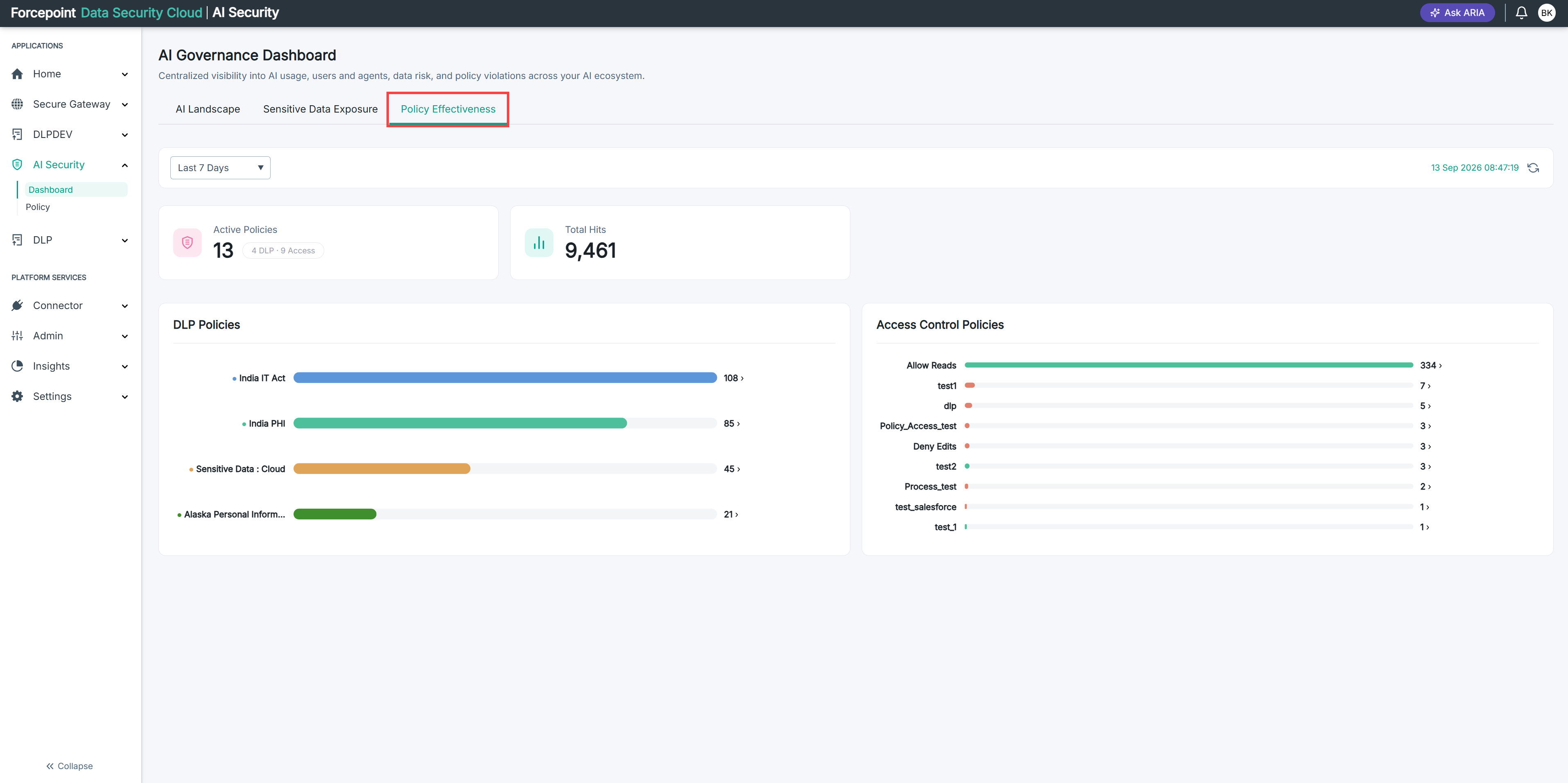
Open the Policy Effectiveness tab and set the period you want. See Opening and Filtering the Effectiveness Tab.
-
Note how many access policies the Active Policies card reports.
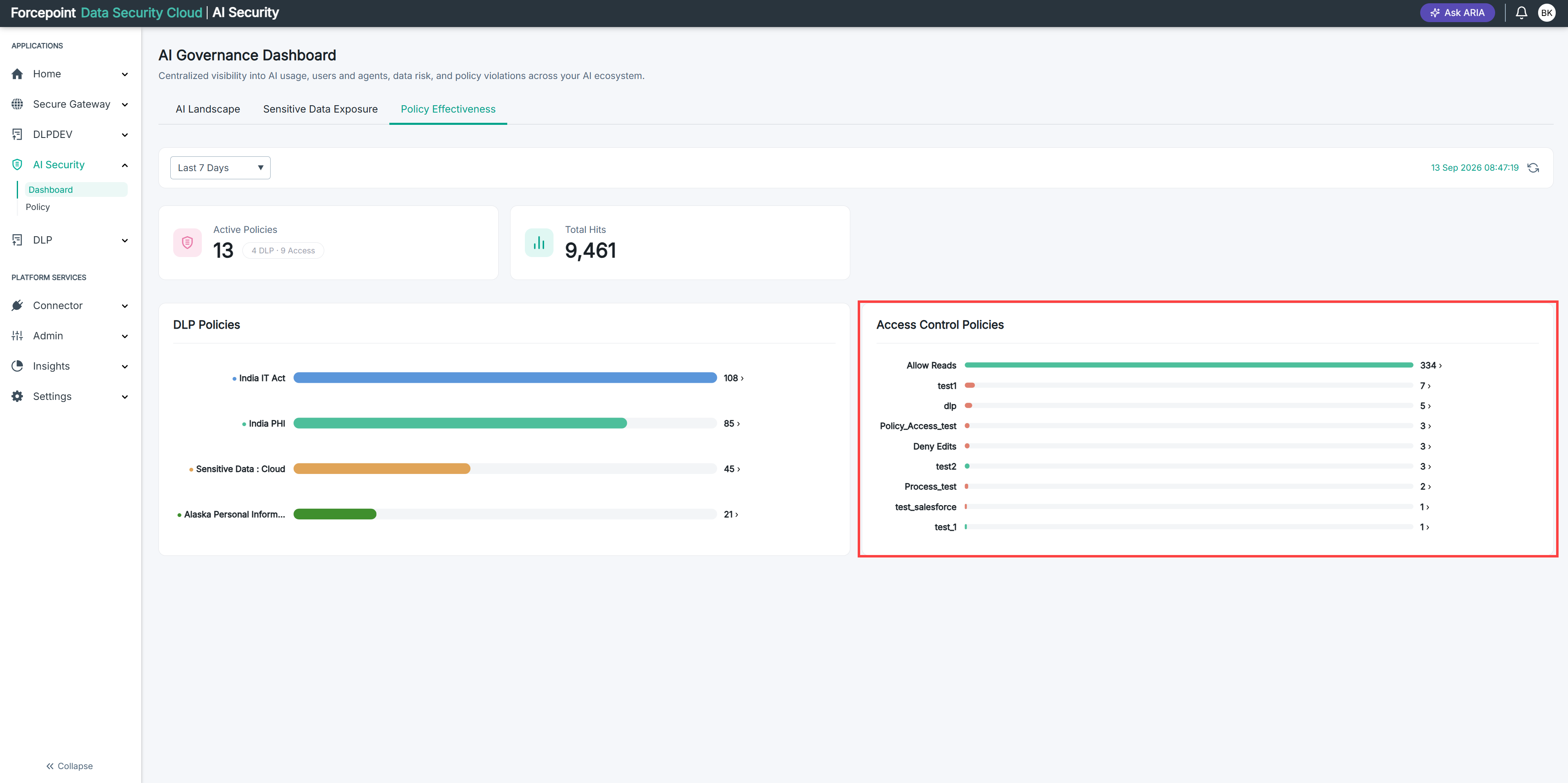
The badge beside the number splits the total into DLP policies and access policies.
-
Count the policies shown in the Access Control Policies chart.
If the chart shows fewer than the card reports, the difference is policies that were never triggered during the period.
-
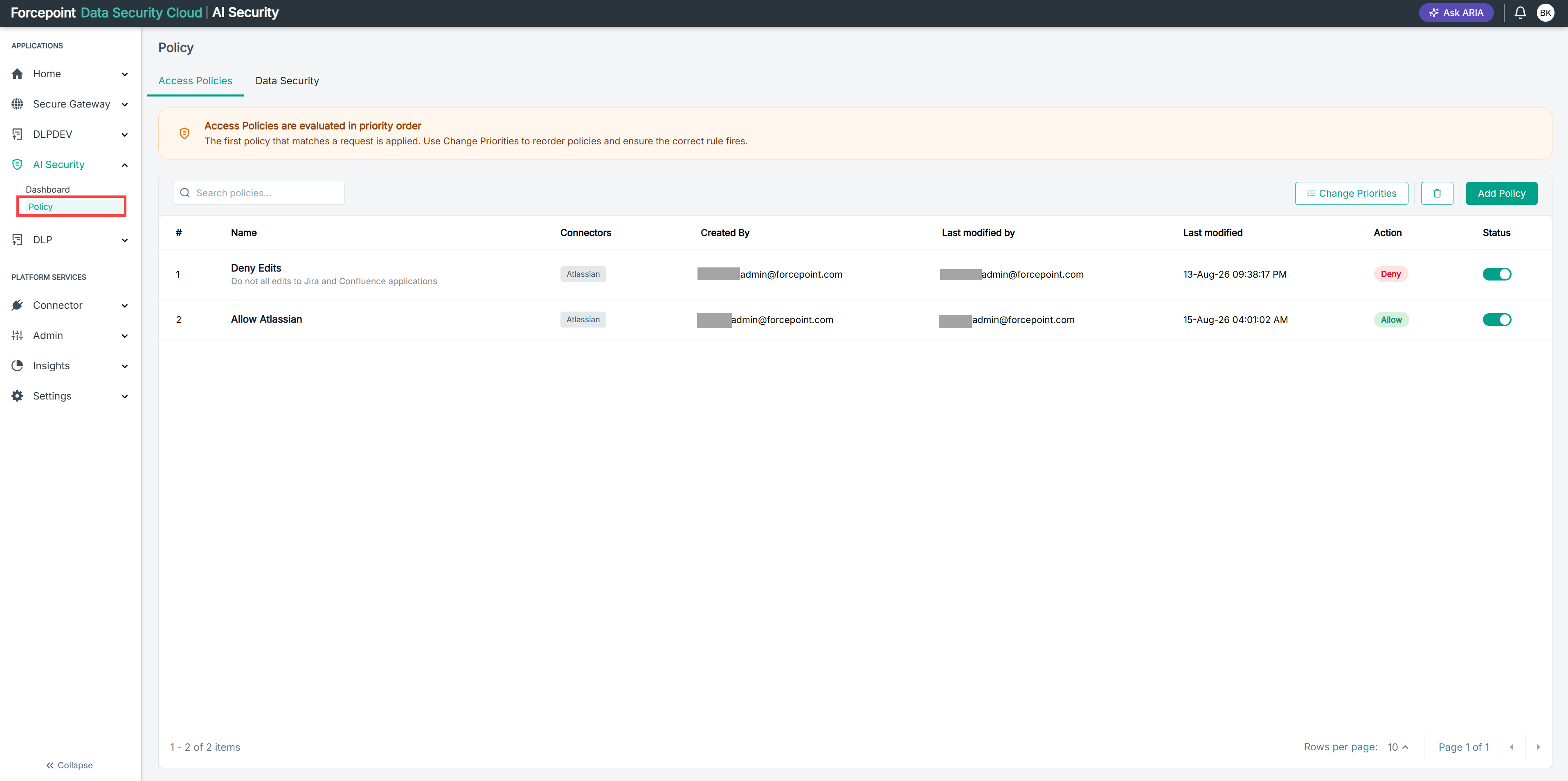
Go to AI Security › Policy to see the full list of access policies.
-
Work out which policies are in the list but not in the chart.
Those are your dormant policies. Take them one at a time.
-
Check whether the policy is enabled.
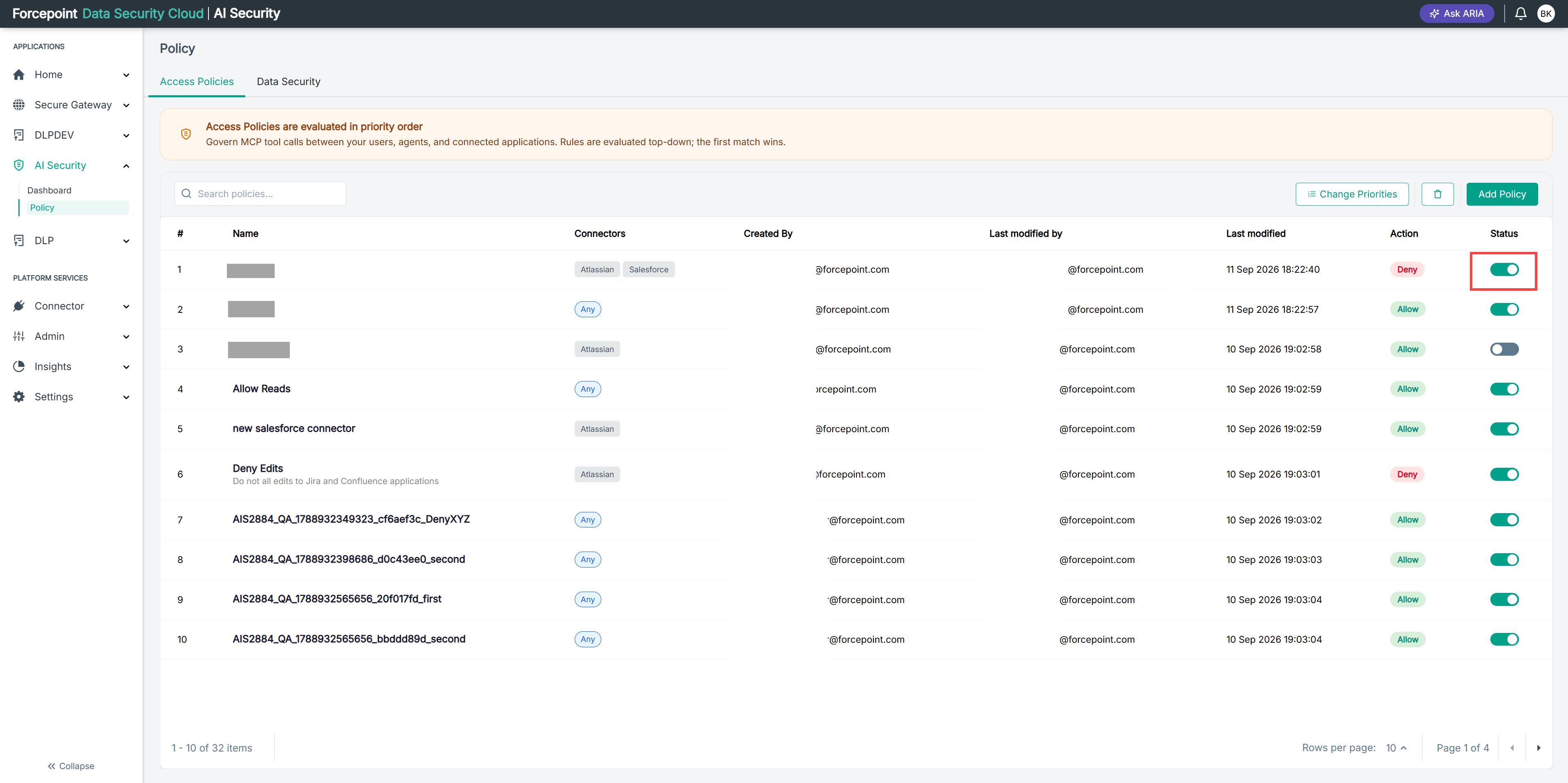
A grey toggle in the Status column means the policy is switched off and is not being evaluated at all. That accounts for a zero hit count on its own.
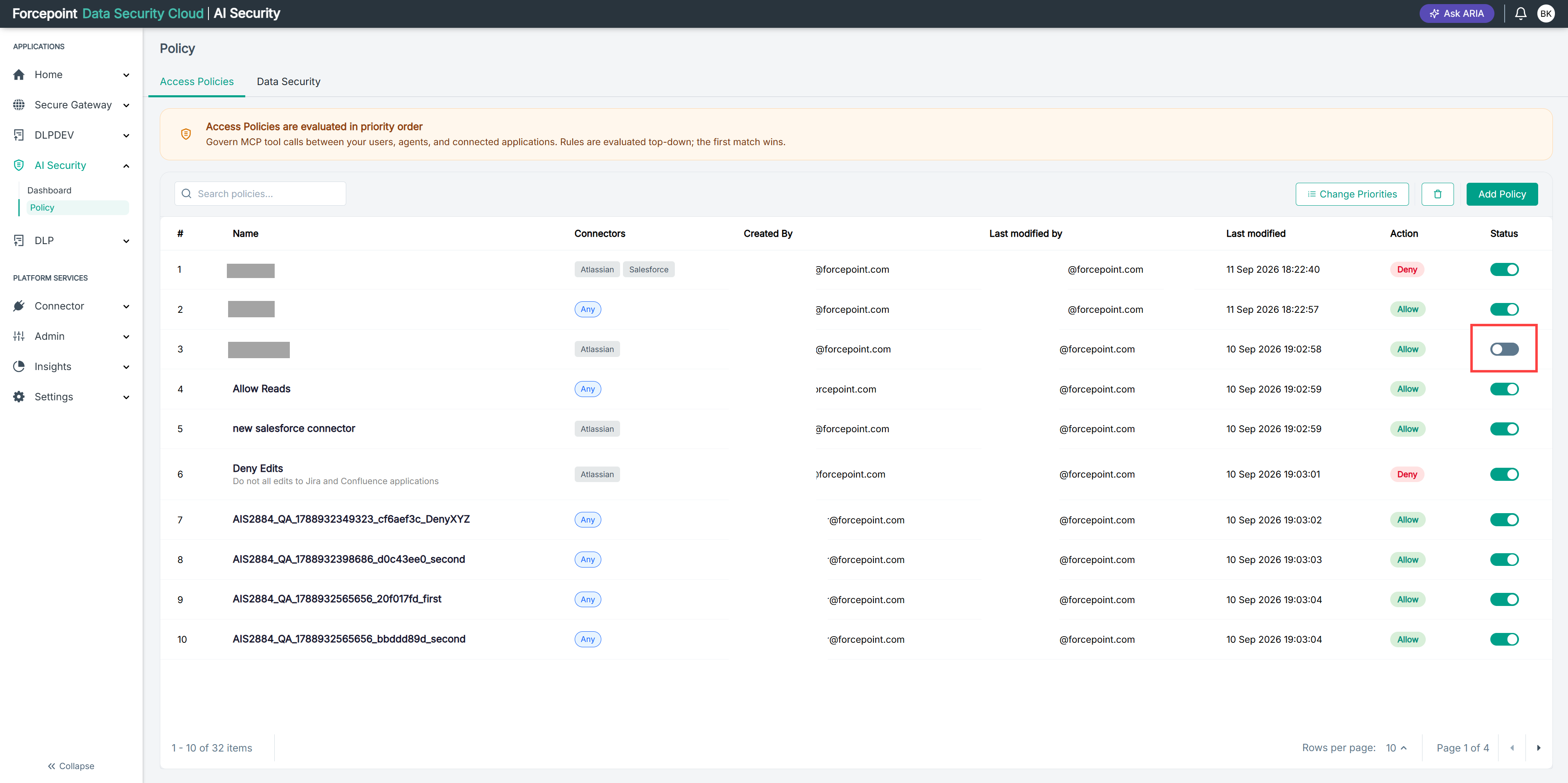
If the policy was disabled, you have your answer.
-
Check the position of the policy in the evaluation order.
The number in the # column is its position. Policies above it are evaluated first.
-
Read the policies above it, looking for one that would match the same calls.
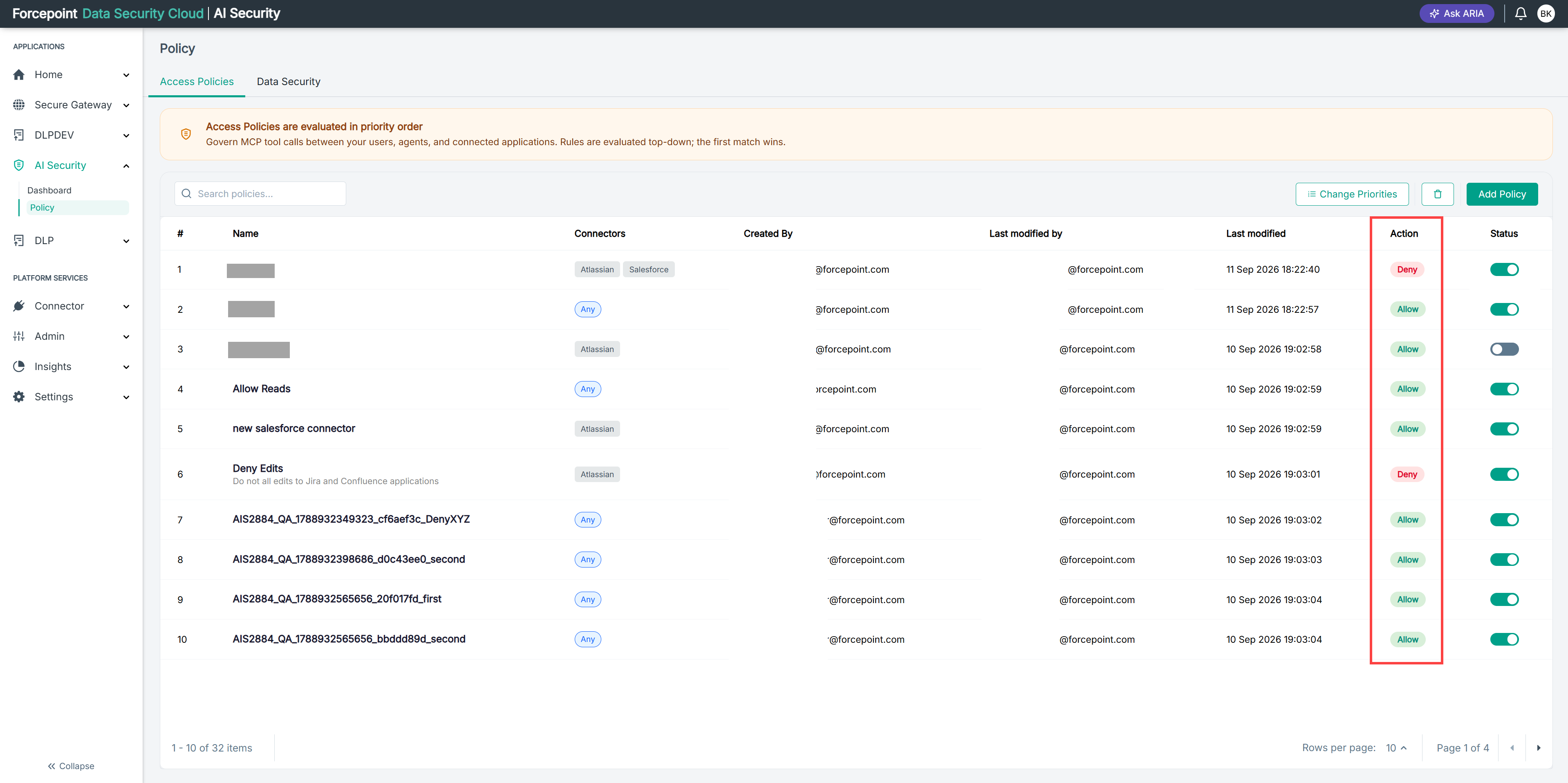
A broad Allow sitting above a narrow Deny is the usual case. The allow matches first, the deny is never consulted, and the deny reports nothing despite being correct.
Look at what each policy above covers rather than at its name.
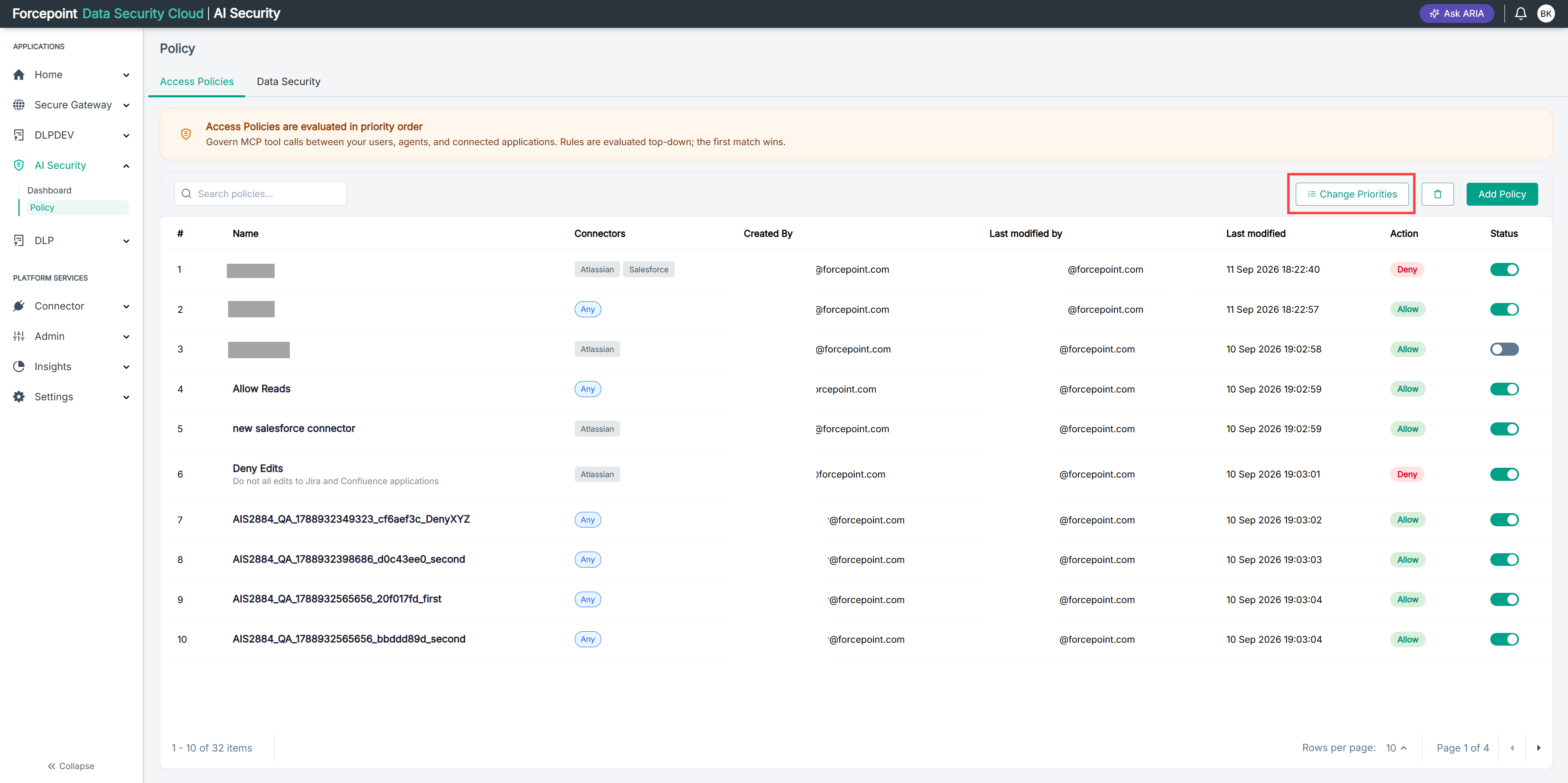
If you find one, the fix is the order rather than the policy. Use Change Priorities to move your policy above it.
-
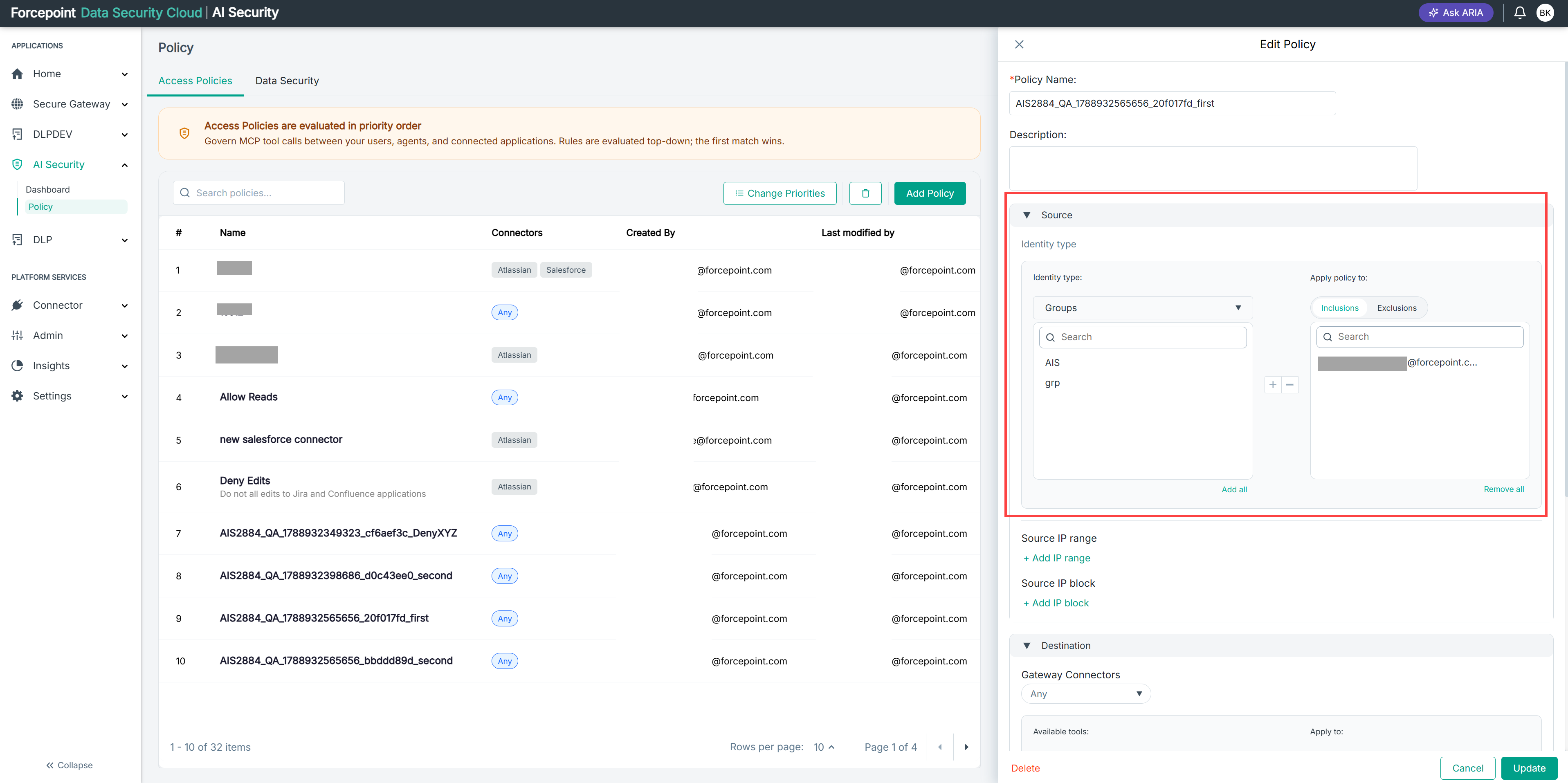
If nothing above it matches, review the scope of the policy itself.
Open the policy and check its Source and Destination. A policy scoped to an identity that no longer exists, a connector that has been disconnected, or a tool that agents do not call will never match anything.
Result
You know which policies are dormant, and whether each is switched off, being shadowed by one above it, or scoped so that nothing reaches it.