
Introducing AI Security
Use this topic to understand what AI Security is, what problems it solves, and what you can do with it before you begin setup.
Why AI Security matters
As AI tools become part of everyday work, they introduce new risks:
- Sensitive data can leak through prompts and file uploads.
- Security teams lose visibility into which AI tools are in use.
- Autonomous agents can take actions on your organization's behalf without oversight.
AI Security addresses these risks from a single platform. It helps you prevent sensitive data leaks, eliminate AI blind spots, and govern autonomous actions.
How AI Security protects your data
AI Security works in three layers.
- Know
- AI Security builds a picture of how AI is used across your organization: which applications your people use, which agents are running, and what data is involved.
- Adapt
- Your existing data protection policies extend to AI activity. You do not rebuild policies or reclassify data to cover AI.
- Protect
- AI Security acts at the point of interaction rather than after exposure. It allows safe AI use while preventing sensitive data from leaving your organization.
Where AI Security fits
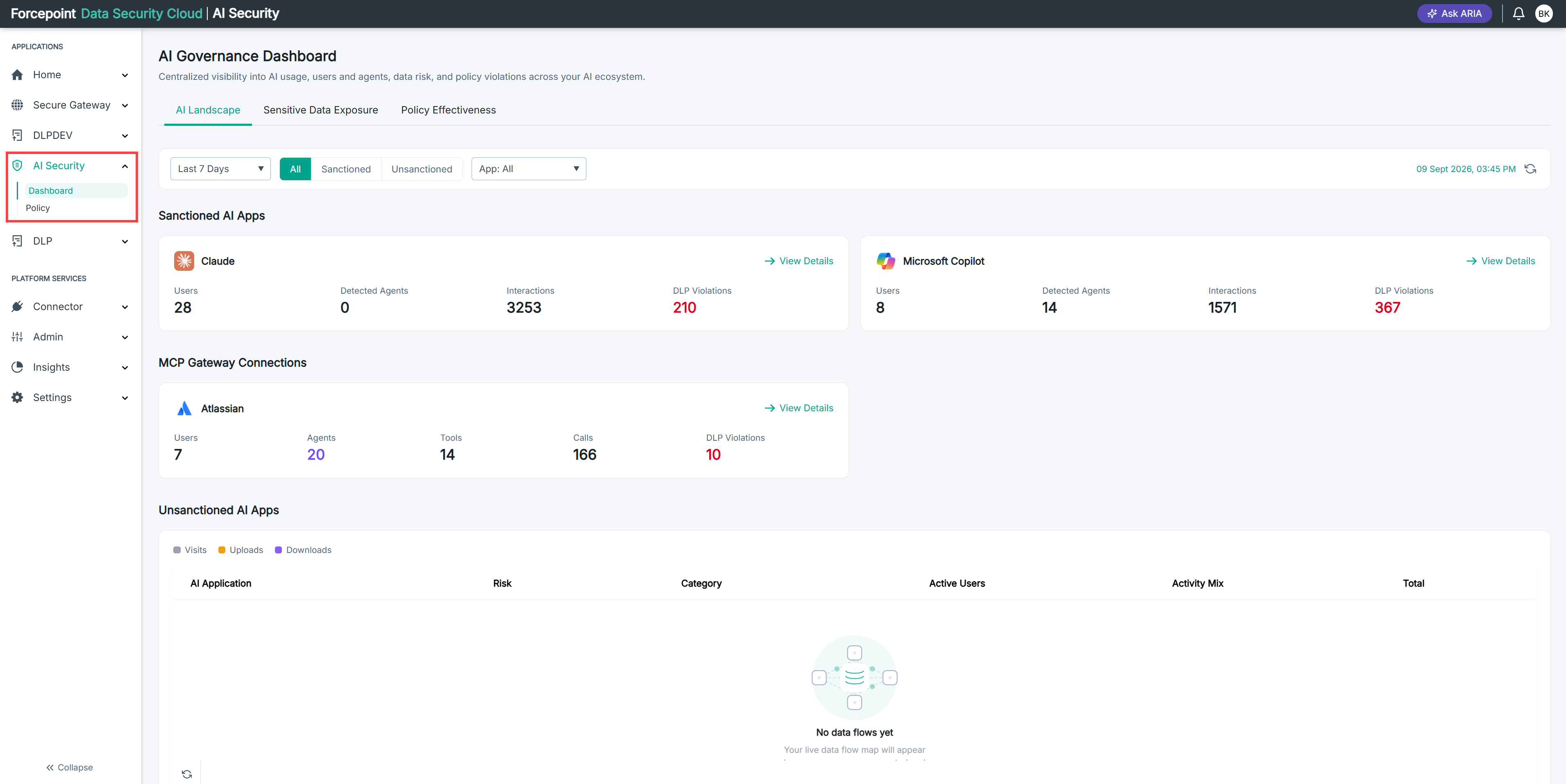
AI Security is part of the Forcepoint Data Security Cloud Platform. It does not replace your existing data security. It extends it to cover AI.
This matters in practice for two reasons:
- The classifications and policies that already protect your email, web, and endpoint activity apply to AI activity too.
- Several AI Security capabilities depend on other products in the platform. For example, Shadow AI visibility draws on Forcepoint Cloud Web Security or on supported endpoint agents.
The following table lists the requirements for AI Security.
Table 1. AI Security requirements
| Component | Requirement |
|---|---|
| Platform | Forcepoint Data Security Cloud (DSC) tenant |
| On-Prem DLP | Version 10.4.5 or later, required for all three capabilities |
| Endpoint agents (Shadow AI visibility for Cloud DLP or On-Prem DLP customers) | F1E 26.09 or later, or DSE 30.9 or later |
| Endpoint operating systems | Windows and macOS |
| Shadow AI access control | Cloud Web Security entitlement |
What AI Security does for you
AI Security helps you take control of how AI tools and agents are used across your organization. More employees use tools like ChatGPT, Microsoft Copilot, and Claude. AI agents also access business data through applications like Salesforce and Atlassian. As a result, sensitive data can move in ways that are difficult to track or control. AI Security gives you the visibility, policy enforcement, and intelligent guidance to manage this risk.
AI Security is built on the Forcepoint Data Security Cloud platform: Data Loss Prevention (DLP), Data Security Posture Management (DSPM), Cloud Security Gateway (CSG), and Data Security Everywhere (DSE). It extends your existing data security policies to AI channels.
With AI Security you can:
- Connect and monitor sanctioned AI apps. See who is using which AI tools, how often, and what data is involved. The dashboard shows users, agents, interactions, and DLP violations for each connected app.
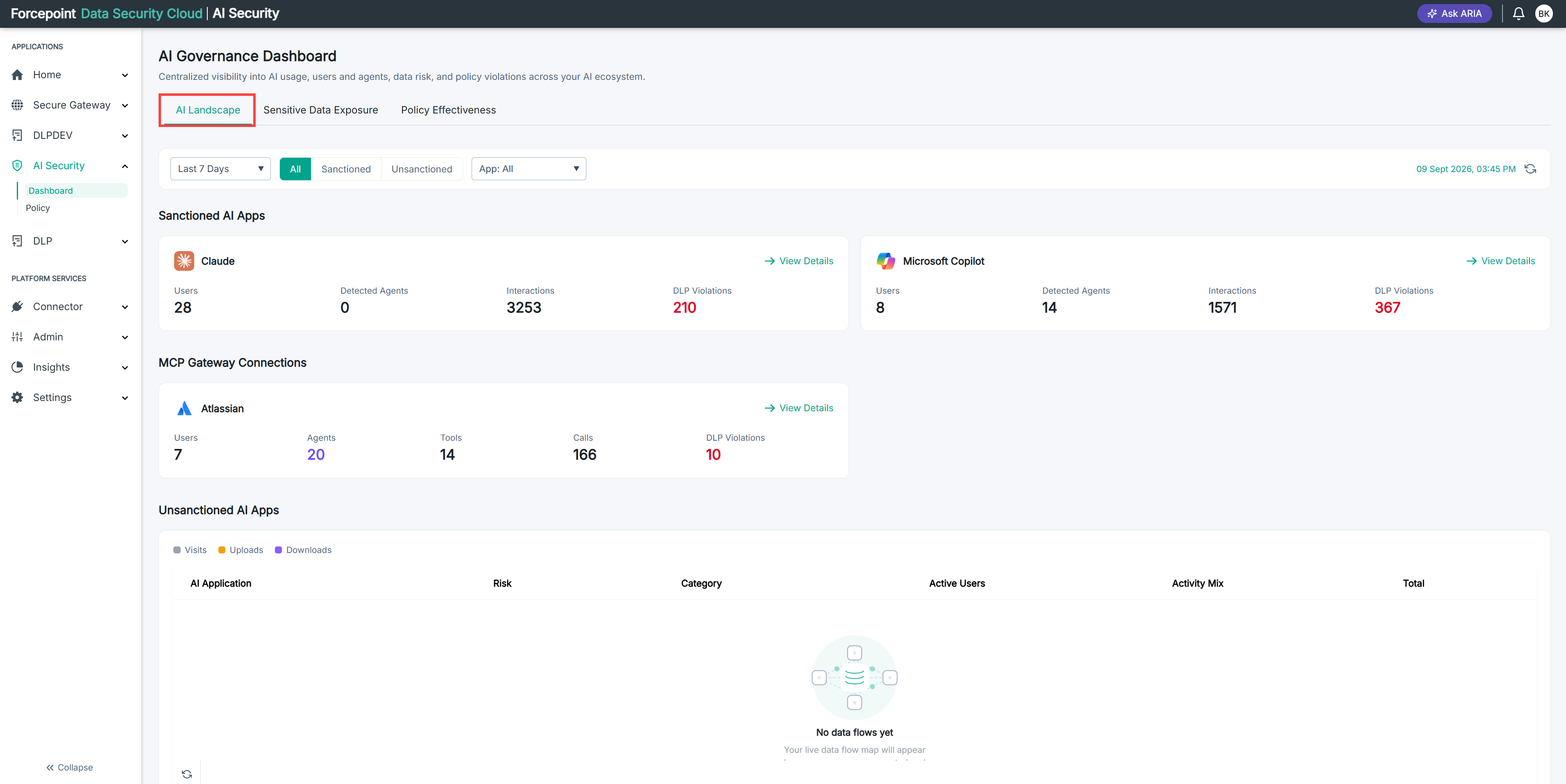
Table 2. AI DR for sanctioned AI apps
| Feature | Description |
|---|---|
| API connectors | ChatGPT Enterprise, Microsoft Copilot, and Claude Enterprise |
| Audit logging | Logs prompts, responses, and file uploads and downloads |
| Agentic activity detection | Detects AI agent activity within sanctioned AI applications |
- Uncover Shadow AI. Shadow AI activity is reported from two sources. The endpoint agent reports AI applications and locally running agents on your users' devices. Forcepoint Cloud Web Security reports AI sites your users visit. You can use either source or both. What appears on the dashboard depends on which sources you have in place.
Table 3. Shadow AI availability by customer type
| Feature | Cloud Web Security customers | Cloud DLP or On-Prem DLP customers |
|---|---|---|
| Shadow AI visibility | Yes, no changes to existing setup | Yes, through supported endpoint agents on Windows and macOS |
| Shadow AI access control | Yes, no changes to existing setup | Requires Cloud Web Security |
- Protect sensitive data. Apply DLP policies that detect and act on sensitive content moving through AI tools. The Sensitive Data Exposure tab shows violations by classification and by AI tool, and highlights the most critical events.
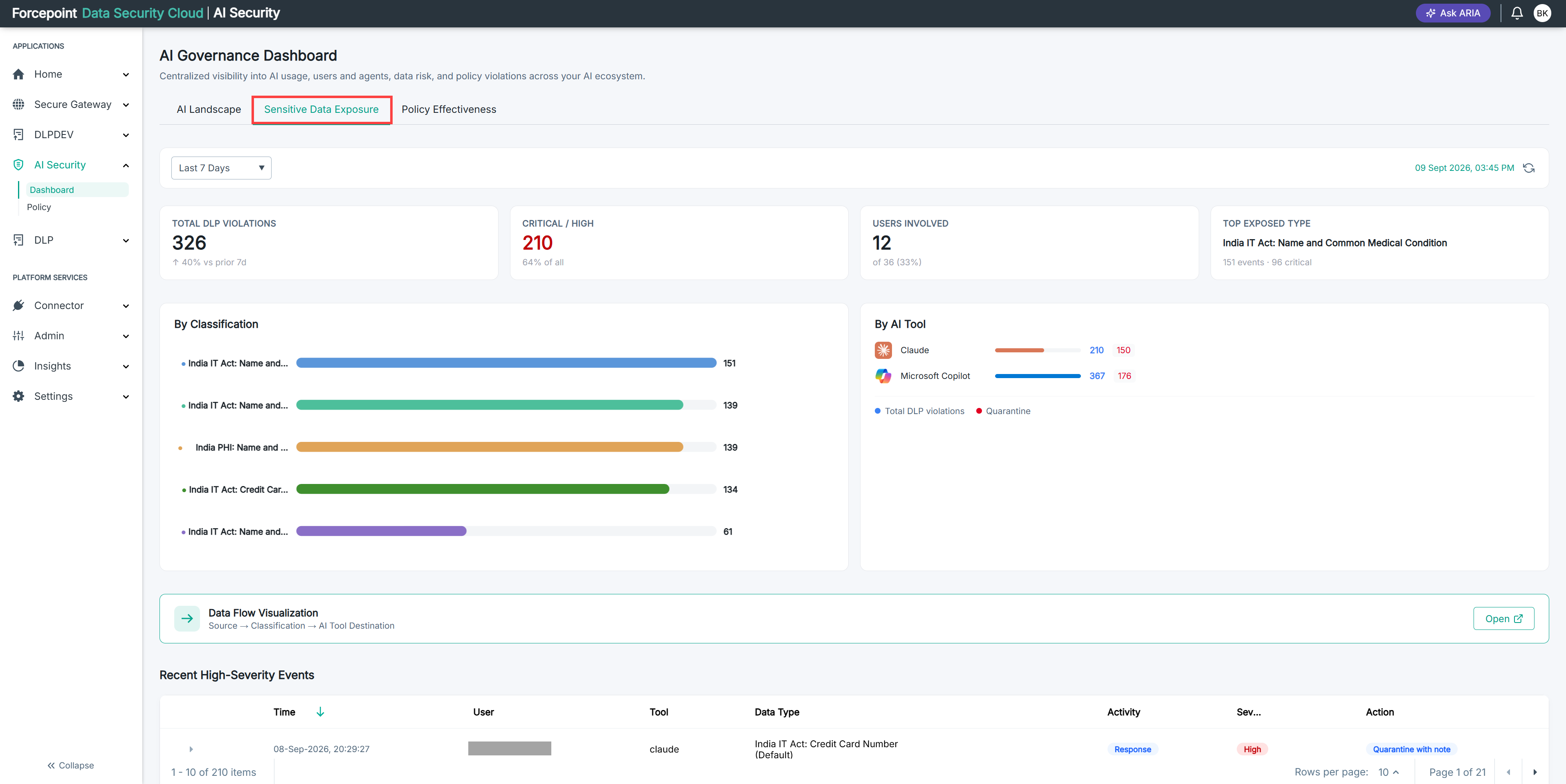
Table 4. Remediation actions
| Traffic | Available actions | Planned for a future release |
|---|---|---|
| Sanctioned AI apps (AI DR) | Audit, Copy, Unshare | Quarantine, Delete |
| Agent traffic (MCP Gateway) | Permit, Block | None |
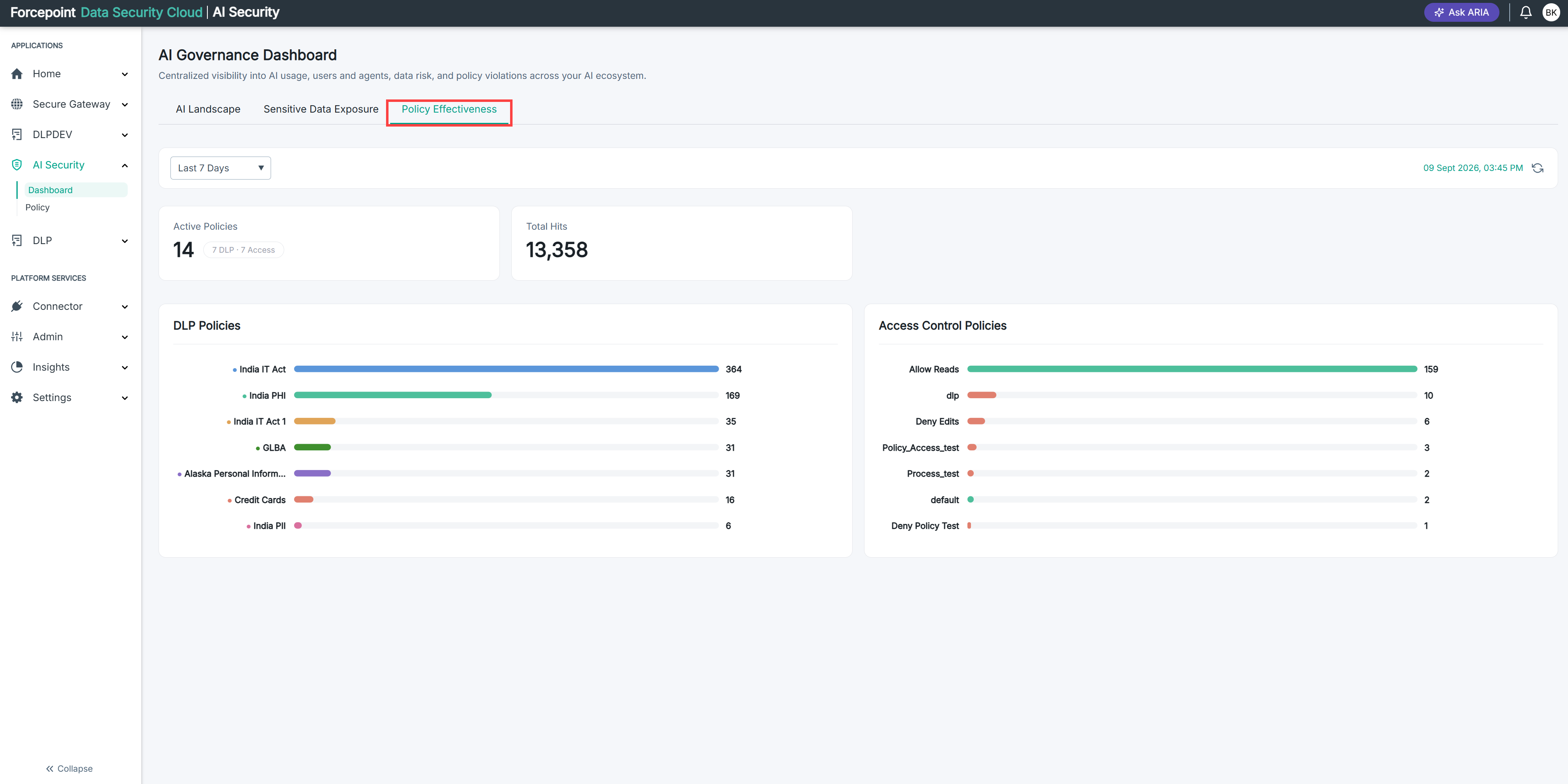
- Measure policy effectiveness. The Policy Effectiveness tab shows how your DLP and access control policies are performing, which policies generate the most hits, and where users are affected.
- Govern AI agent traffic. Use the MCP Gateway to inspect and control what your AI agents can read from or write to business applications. The AI Landscape tab shows MCP Gateway connections alongside your sanctioned apps.
Table 5. MCP Gateway connectors and authentication
| Feature | Description |
|---|---|
| Gateway connectors | Atlassian, Salesforce, and Microsoft 365 |
| Authentication | Per-user or org-wide. Org-wide authentication supports OAuth or an API key. |
- Manage access policies. Create policies that allow, notify on, or deny specific agent or user activity.
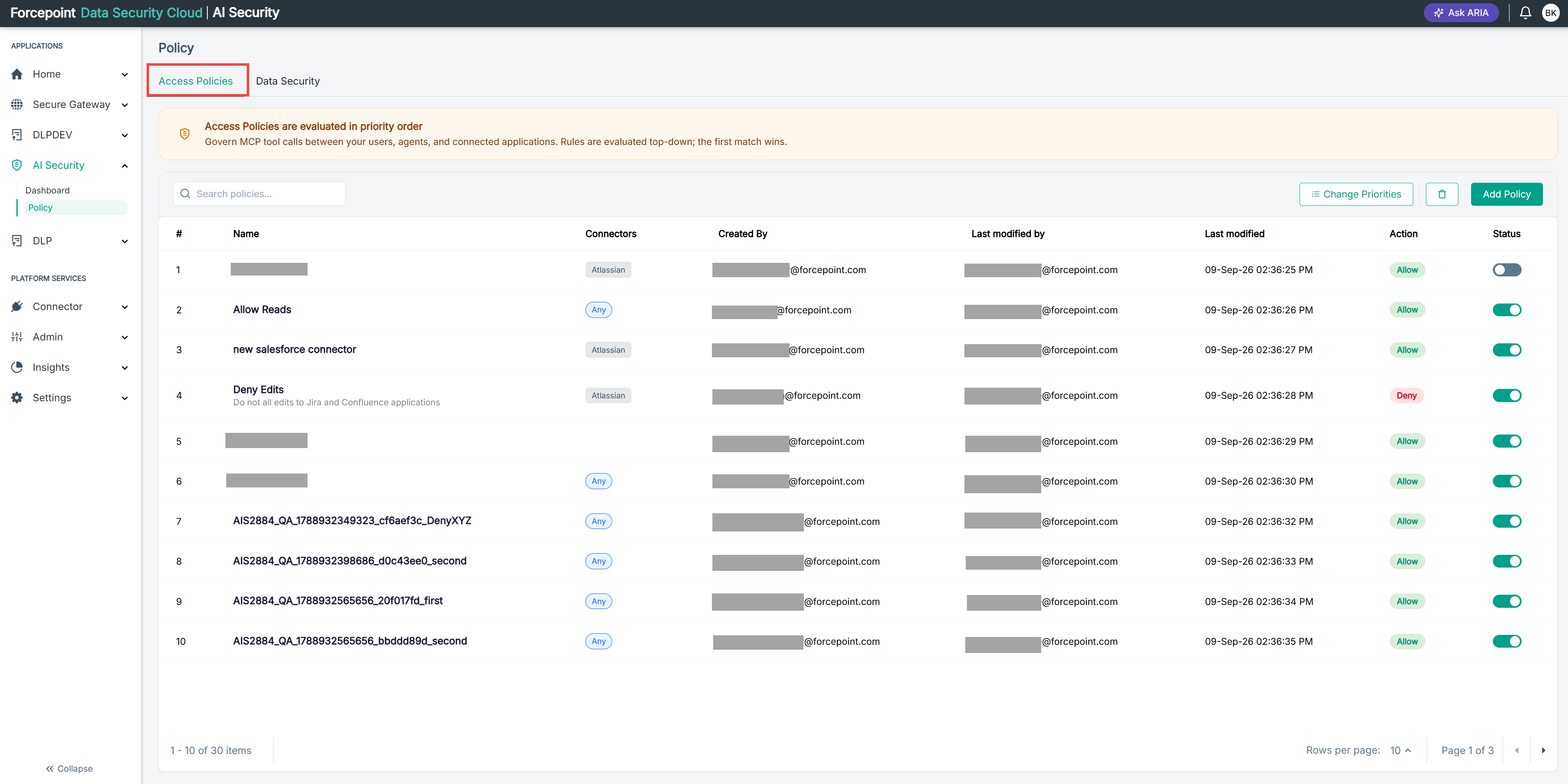
Table 6. Access policy options
| Feature | Description |
|---|---|
| Actions | Allow, deny, or notify |
| Scope | Identity, source IP, gateway connector, and tool |
| Evaluation | Policies are evaluated in priority order |
| Notify action | View notified transactions, create filtered views, and schedule email reports |
- Manage agents. Register AI agents, organize them into groups, and track their activity. The Agent Management screen shows registered agents, active tokens, revoked tokens, and calls made today.
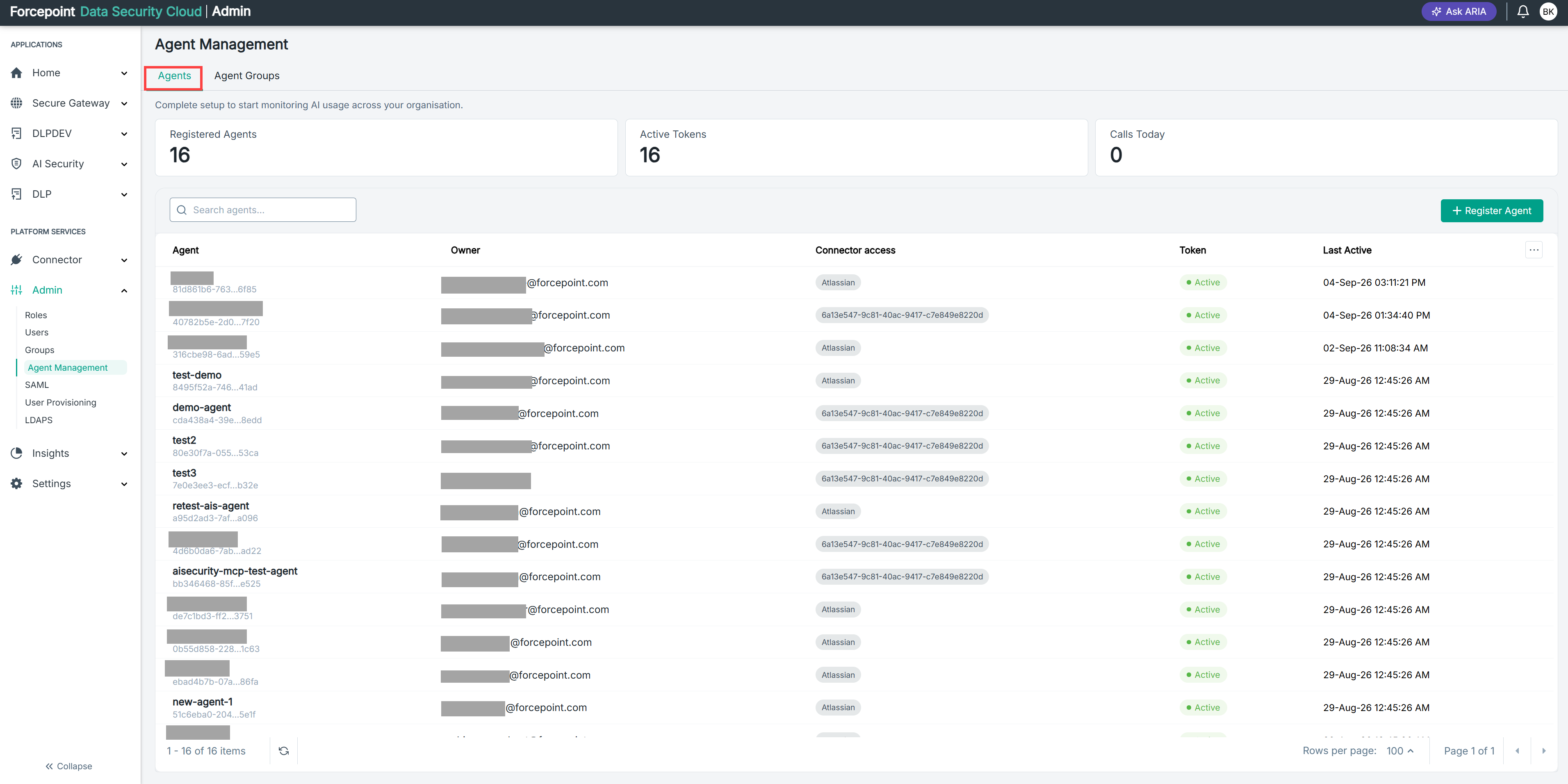
Table 7. Agent registration options
| Setting | Description |
|---|---|
| Owner | Assign an owner to each agent |
| Connectors | Select which connectors the agent can access |
| Token time to live | Set how long the agent token remains valid |
| Agent groups | Group registered agents to scope policies |
- Get intelligent recommendations. ARIA, the Adaptive Risk Intelligence Assistant, guides you through setup, suggests policies, and surfaces risks as your environment evolves.
How AI Security is organized
AI Security is built around three pillars:
- AI Detection and Response (Sanctioned AI Governance): Monitor and control usage of approved AI applications like Microsoft Copilot, ChatGPT, and Claude.
- AI Agent Gateway (Agentic AI Governance): Govern the tools and data that autonomous AI agents can access through the MCP Gateway.
- Shadow AI Discovery and Control (Unsanctioned AI Governance): Discover and control use of unsanctioned AI applications and websites across your organization.
You manage all three pillars from the AI Governance Dashboard. The following table describes its views.
Table 8. AI Governance Dashboard views
| View | What it shows |
|---|---|
| AI Landscape | Sanctioned and unsanctioned AI applications in use, top users, matched data security policies, detected agents, and MCP Gateway connections |
| Identity Landscape | Human, agent, and total identities that use AI applications |
| Sensitive Data Exposure | DLP violations by classification and by AI tool, change against the prior period, and recent high-severity events |
| Policy Effectiveness | Active policies and hit counts for data security and access control policies, including policies with no hits |
Getting help while you work
ARIA is an assistant built into the platform. ARIA is available from your first sign-in. You do not configure or enable it.
Your AI Security journey
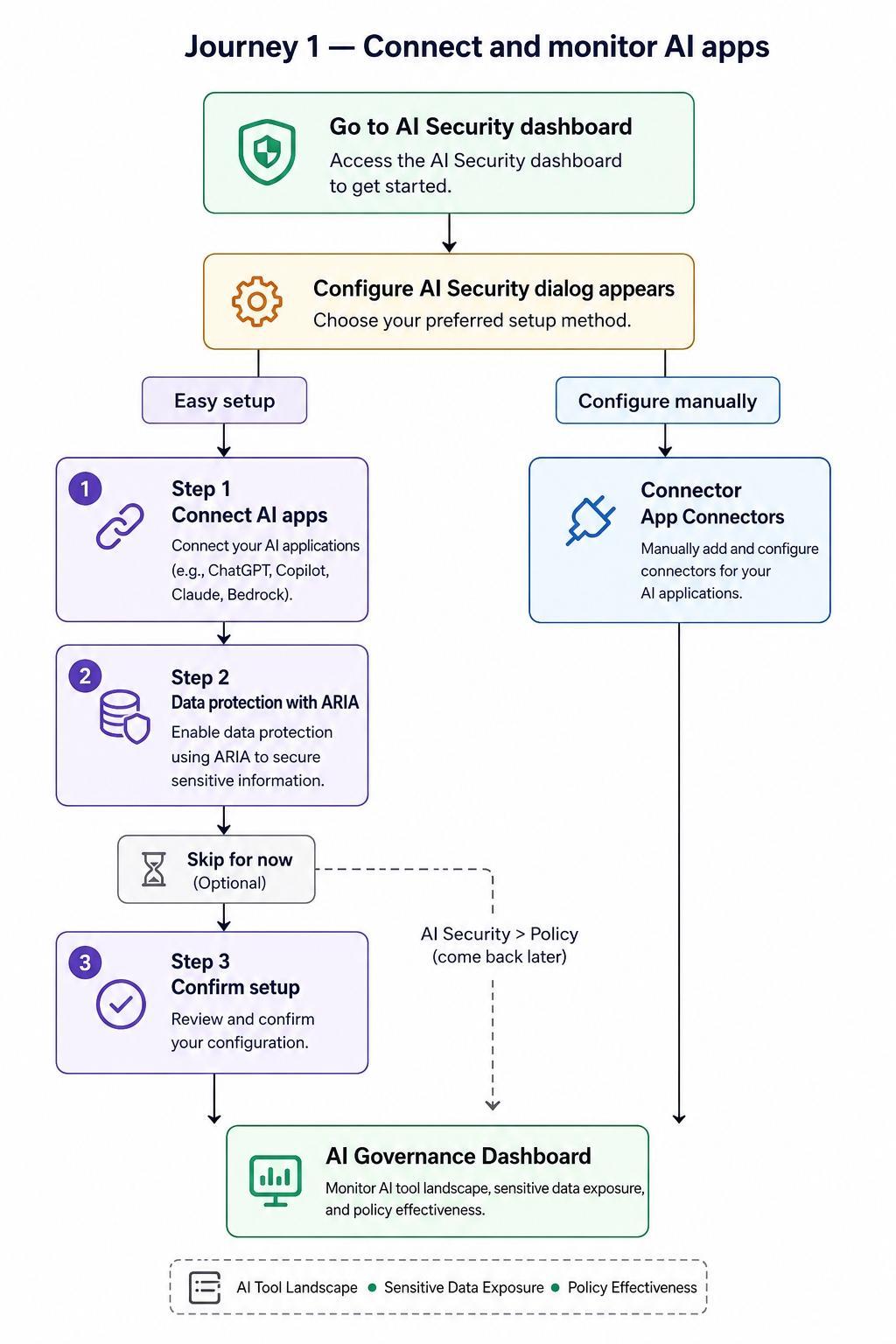
Journey 1: Connect and monitor AI apps
- Open the AI Governance Dashboard.
- In the Configure AI Security dialog, choose a setup option.
Table 9. Setup options
| Option | Description |
|---|---|
| Easy Setup | A guided three-step wizard that walks you through connecting your AI apps, setting up data protection policies, and confirming your setup. If you skip data protection during setup, you can come back later through AI Security > Policy. |
| Configure Manually | Go directly to Connector > App Connectors and configure each component at your own pace. You manage policies separately through AI Security > Policy. |
Both paths lead to the AI Governance Dashboard, where you can monitor AI Landscape, Sensitive Data Exposure, and Policy Effectiveness.
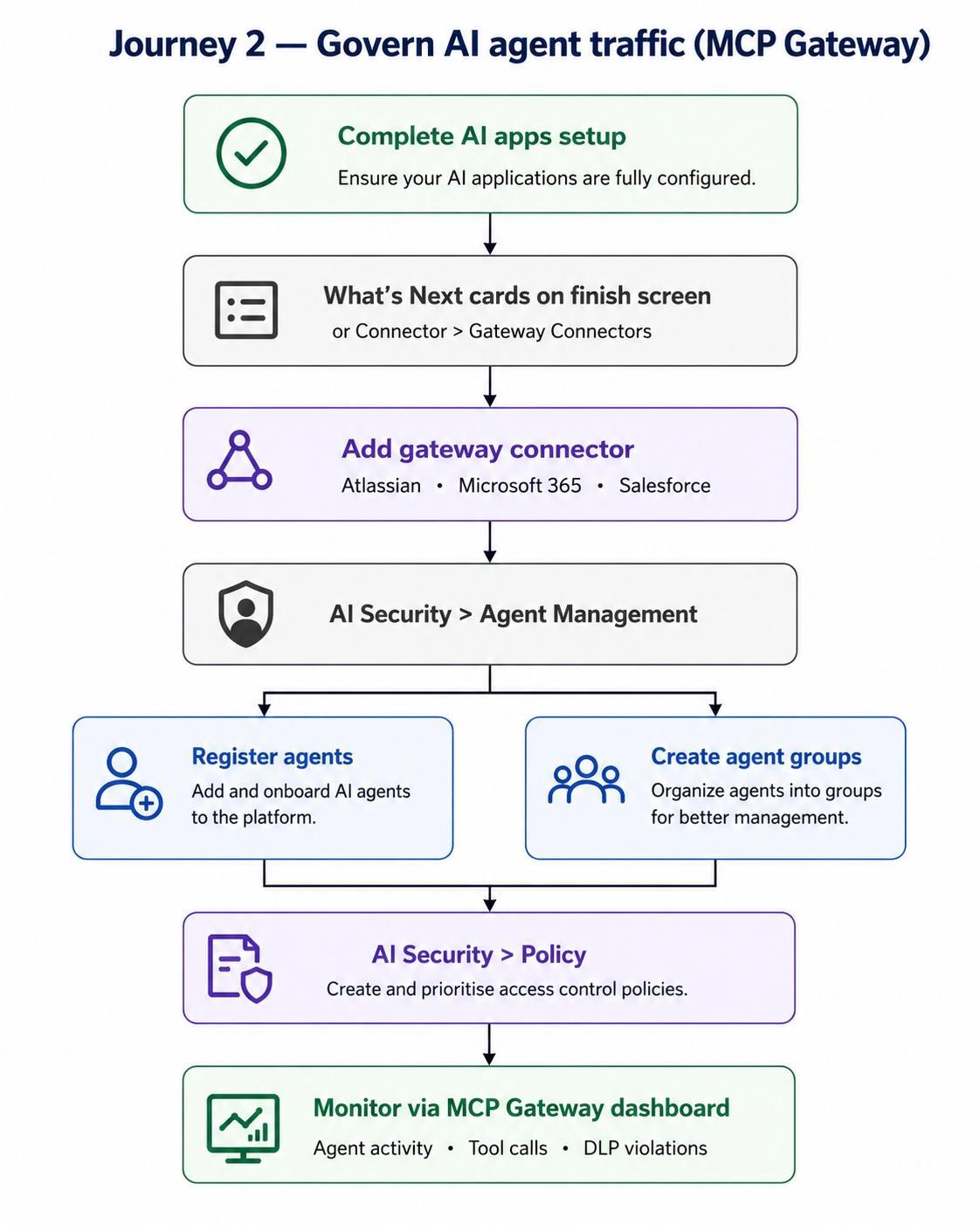
Journey 2: Govern AI agent traffic (MCP Gateway)
After you complete your AI apps setup, the What's Next cards on the finish screen guide you to configure the MCP Gateway. You can also open it at any time through Connector > Gateway Connectors. To govern agent traffic:
- Add a gateway connector: Atlassian, Microsoft 365, or Salesforce.
- Go to Admin > Agent Management to register your agents.
- On the Agent Management page, create your agent groups.
- Go to AI Security > Policy to create your access control policies.
- Set the priority order of your access control policies.
- Monitor agent activity, tool calls, and DLP violations on the MCP Gateway dashboard.
Supported documentation
Use the following guides to deploy and configure Forcepoint DLP with AI Security.
| If you want to... | See |
|---|---|
| Deploy Forcepoint DLP and understand the basics | Getting Started Guide |
| Protect AI interactions through the DLP Cloud API channel | Getting started with AI Security over DLP Cloud API channel |
| Protect AI tool and agent traffic through the MCP Gateway channel | Getting started with the MCP Gateway channel |
| Integrate AI Security with an on-premises Forcepoint DLP deployment | Integrating Forcepoint AI Security with Forcepoint DLP On-Prem |
| Identify which web categories the endpoint web channel supports | Supporting URL categories for the endpoint web channel |