This topic describes how to create Group Policy Object (GPO) policy.
Steps
-
Log in to your Active Directory (AD) Server.
-
Open Server Manager using the icon on the desktop taskbar or from the Start screen.
-
In the Tools menu, select Group Policy Management.
-
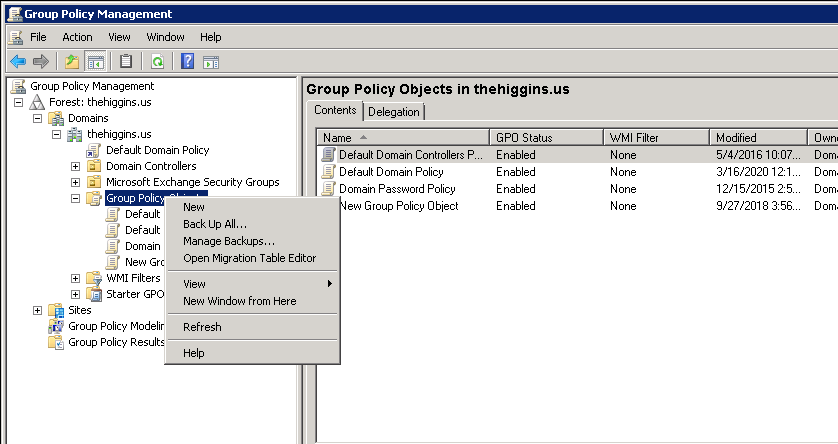
In the Group Policy Management Console (GPMC), expand your Active Directory (AD) forest and domain and click the Group Policy Objects container.
-
Right-click the Group Policy Objects container and select New from the menu.
-
In the New GPO dialogue box, give the new Group Policy Object (GPO) a name and press OK.
-
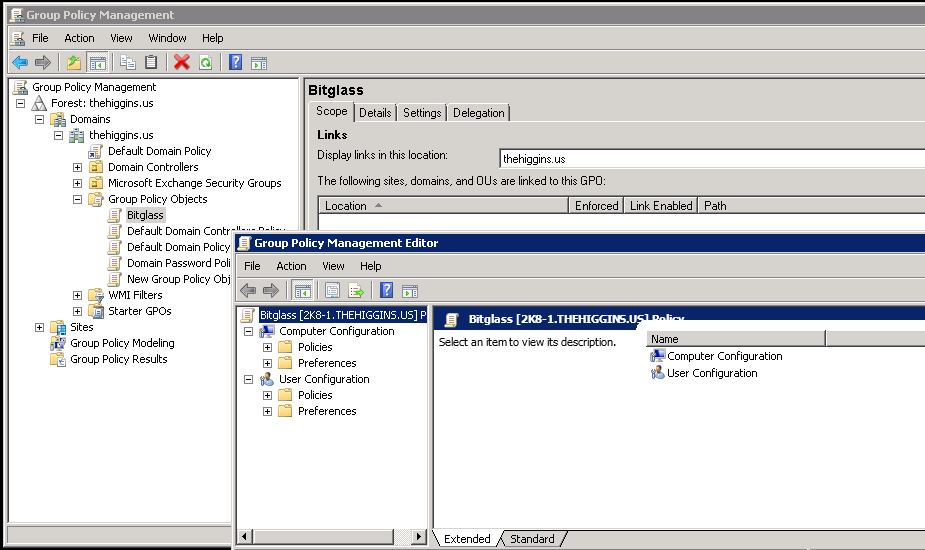
Right-click the new GPO in the right pane and select Edit from the menu.