Understanding predefined file type based DLP patterns
When predefined file type patterns are enabled, the Data Loss Prevention (DLP) Objects page displays three patterns for standard file types. Use them in inline (Zero Trust Network Access (ZTNA) and Cloud Access Security Broker (CASB)), Secure Web Gateway (SWG) content and API policies.
Following are the three predefined DLP patterns for standard file types:
| Data Pattern Name | Description | File Types |
|---|---|---|
| Executable Files | This data pattern matches all executable files. | Windows, linux, and macOS executables
|
| Rich Internet Application Files | This data pattern matches all Rich Internet Application files. |
MacroMedia Flash and Microsoft Silverlight files
|
| Document and PDF Files | This data pattern matches all documents and office-related files. |
|
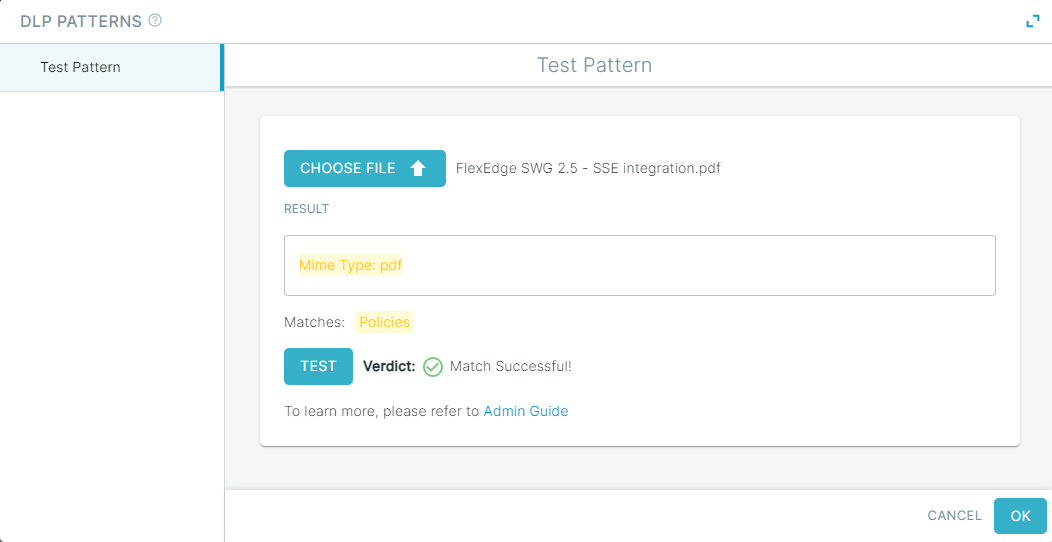
When you click any of the predefined file type based DLP patterns, then data patterns will only display Test Pattern tab. You can test against the DLP Pattern by uploading file and clicking the Test button. The Test result shows a success or failure of the match against the file type and displays the mime type of the file uploaded.