Configuring Attributes for API scanning
Configure Google Drive file attributes in App Security to use the file searchability setting as a condition in API scanning policies.
Google Drive files have a Searchable attribute that controls whether a file can be found in search results or is accessible only via a direct link. App Security can read this attribute and enforce policies when a file's searchability setting changes to a less restrictive state.
Enabling file attributes in Google Drive
The Searchable attribute is set by users in Google Drive when sharing a file. The following steps show where this attribute appears in Google Drive.
- In Google Drive, navigate to My Drive and open the folder containing the file.
- Right click the file and click Share.
- In the Share dialog, under General access, select the sharing scope from the dropdown (for example, Anyone with the link).
- Under Searchable, select one of the following options:
Table 1. Value Description Can find in search results The file is discoverable by anyone in the organization through Google Drive search. Must have link to access The file is accessible only to users who have the direct link. It does not appear in search results. 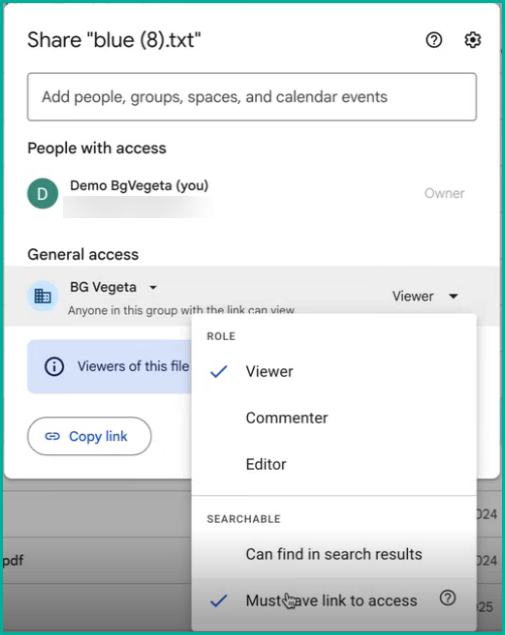
Enabling file attributes in App Security
- In App Security, navigate to .
- Scroll to the Attributes section.
- Select the Enable Attributes checkbox.
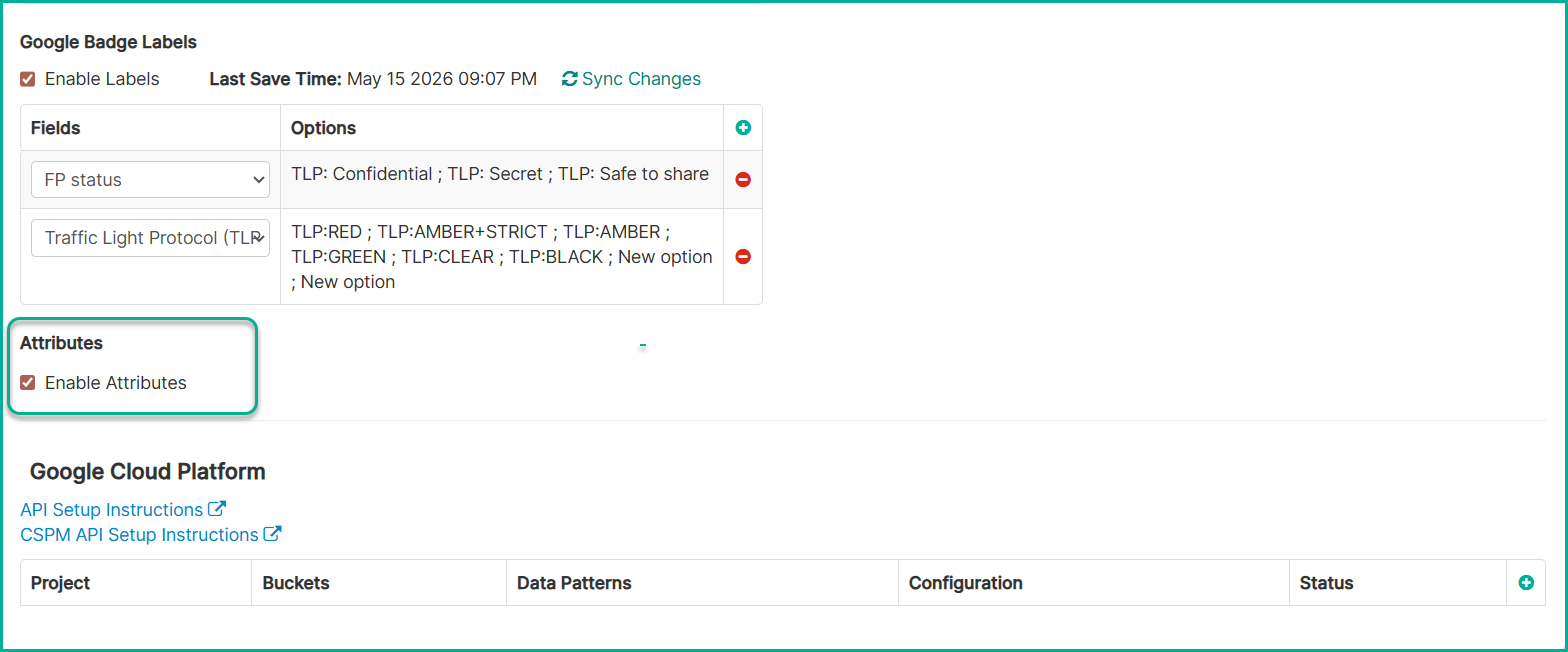
- Click Save.
Result
Once attributes are enabled, the API Google Attributes policy section becomes available under Google Workspace policies. See Configuring API Google Attributes policies.