How to restore access to sites blocked by CDN verification loops
Condition
If you experience a site being inaccessible due to an automated CDN verification loop, such as a Cloudflare Turnstile verification, you should bypass SSL inspection to restore access.
Resolution
Steps
-
Create a custom category for the relevant sites:
For example, Bypass Problem Sites
-
Navigate to .
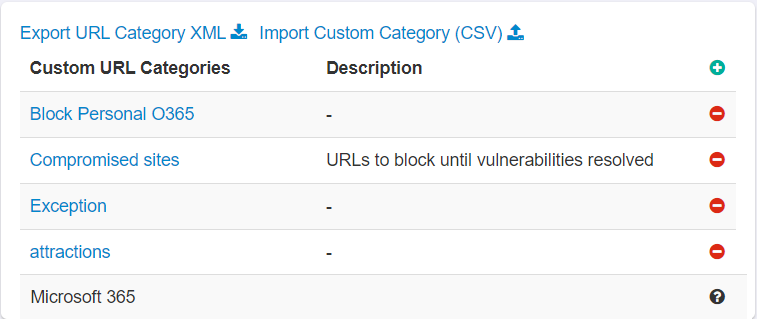
-
Enter a unique name for the custom URL category name.
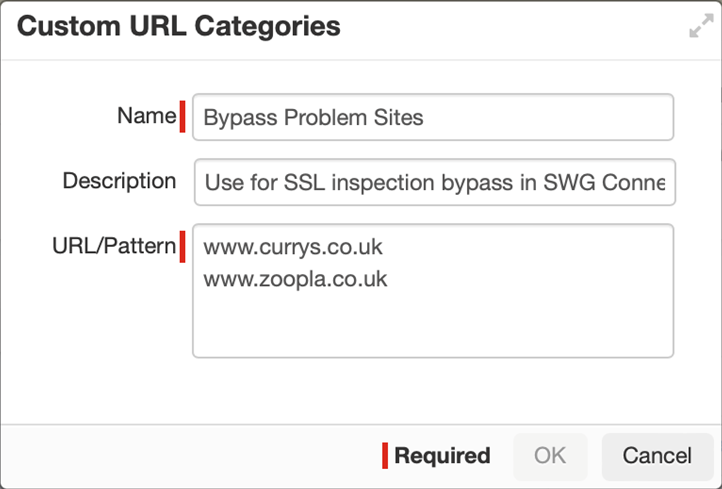
-
Navigate to .
-
Create a new SWG Connection Policy rule, with the action Do Not Decrypt & Log (this is the default).
For example:
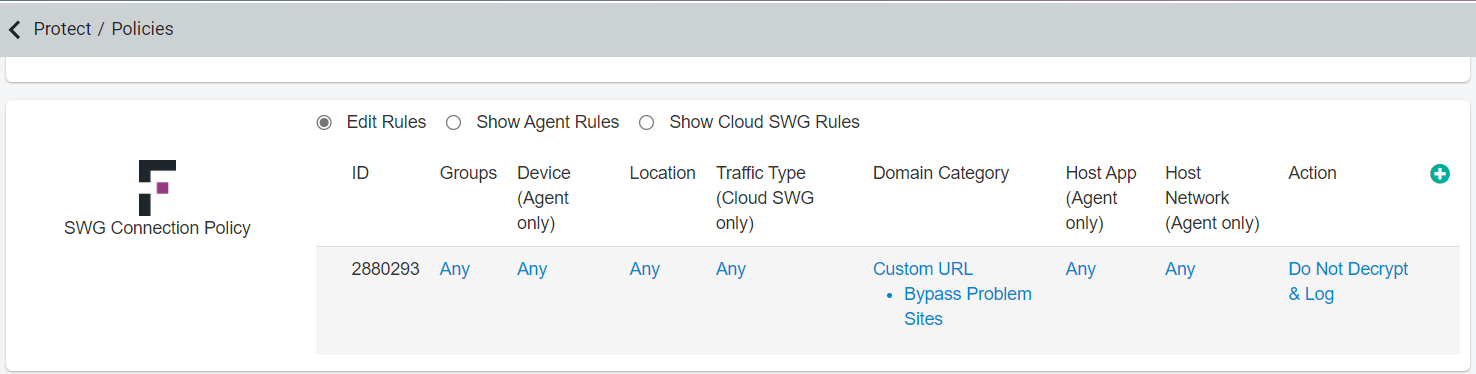
To understand the SWG Connection policy in detail, refer to Configuring a SWG Connection Policy.