Using Multi-Link with Server Pools in inbound traffic management
If you have configured Multi-Link, it can be used to improve Server Pool availability.
You can also use Multi-Link with just one server in the Server Pool to take advantage of dynamic DNS updates.
Figure: Multi-Link configuration for a Server Pool
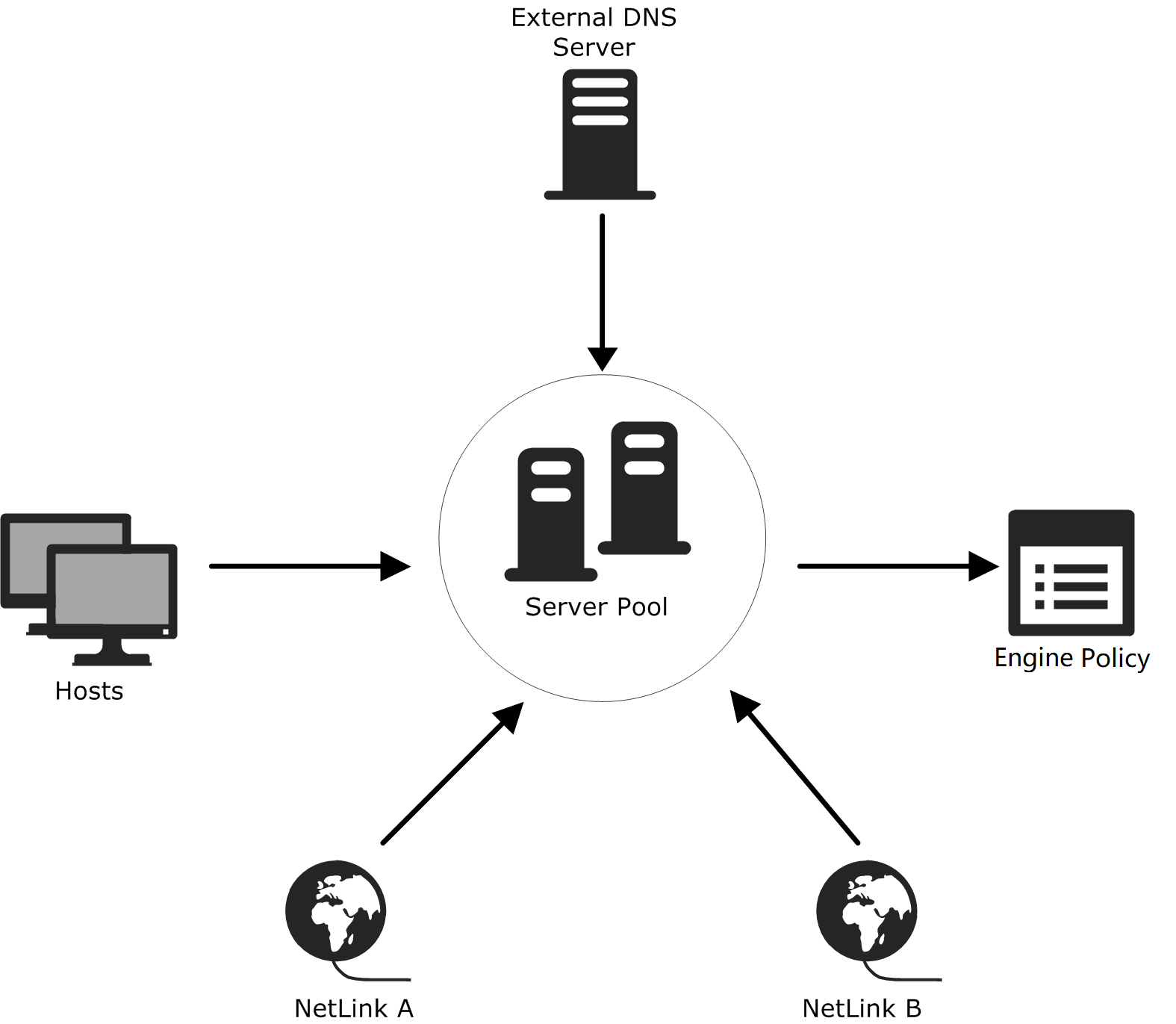
As an addition to the basic configuration, the NetLinks and (optionally) the External DNS Server are also specified for the Server Pool.
When dynamic DNS updates are not used, Multi-Link assigns an IP address for the Server Pool in each NetLink. The external DNS server must be configured with a Server Pool IP address for each NetLink, allowing clients to access the servers through different NetLinks.
When a client requests the Server Pool's DNS name, the DNS server returns the corresponding IP addresses for all available NetLinks. The client connects to one of these addresses, and the Engine allocates the connection to a Server Pool member. If the primary Server Pool IP address is unreachable, the client can connect to the Server Pool's next IP address on a different NetLink, depending on the client application.
When dynamic DNS updates are used, the Engine automatically updates DNS entries based on NetLink availability. When a NetLink becomes unavailable, its corresponding Server Pool IP address is automatically removed from the external DNS server entry. When the NetLink becomes available again, the IP address is automatically restored to the DNS entry.