Getting started workflow
Steps
-
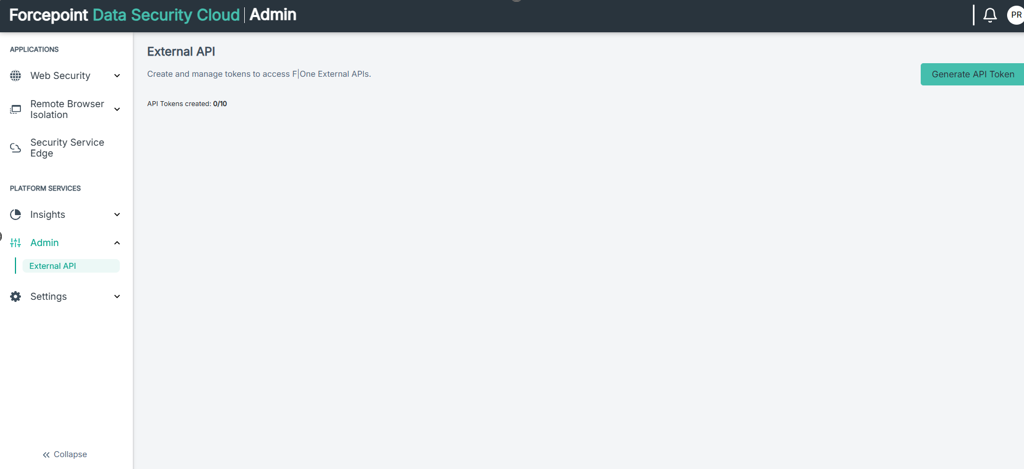
Creating the API token via the UI: An API token (api-key-string) must be created in the Web Security Cloud. Navigate to the and click the Generate API Token button.
-
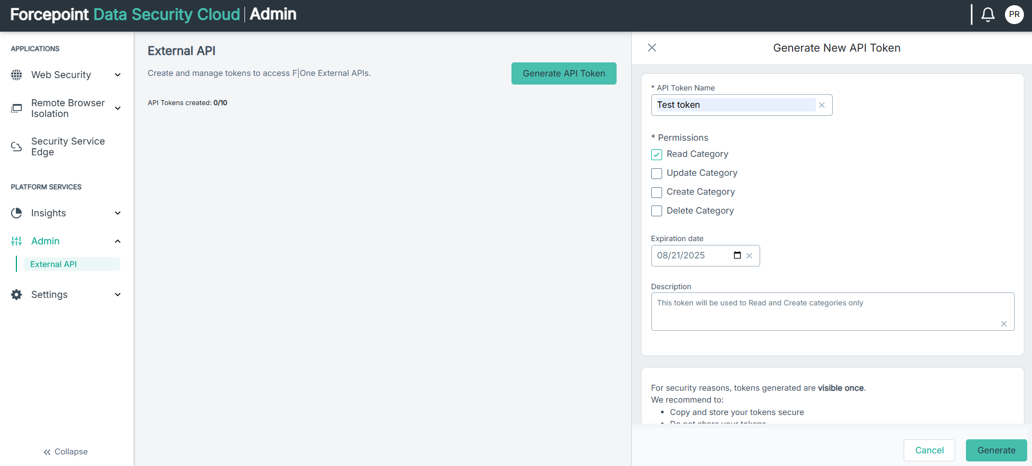
Enter the token details and select the relevant Permissions.
-
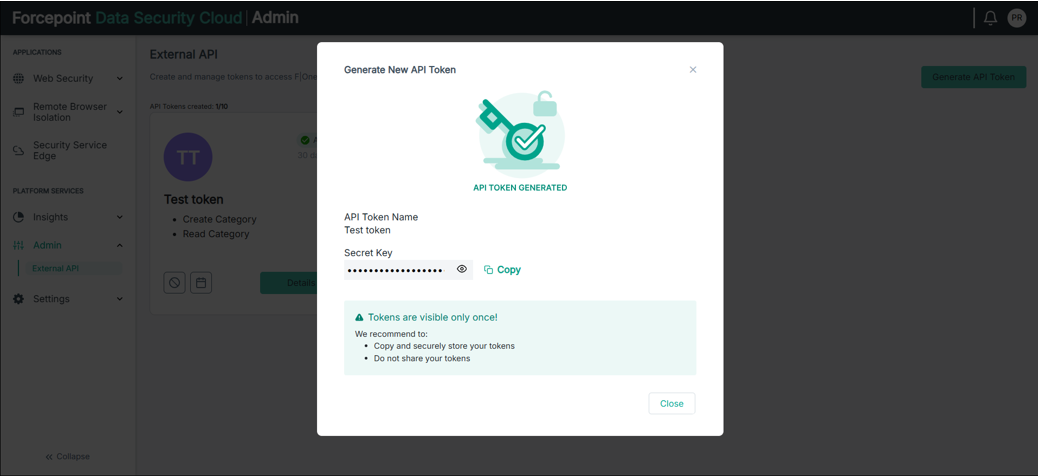
Select the Generate button and copy the token.
-
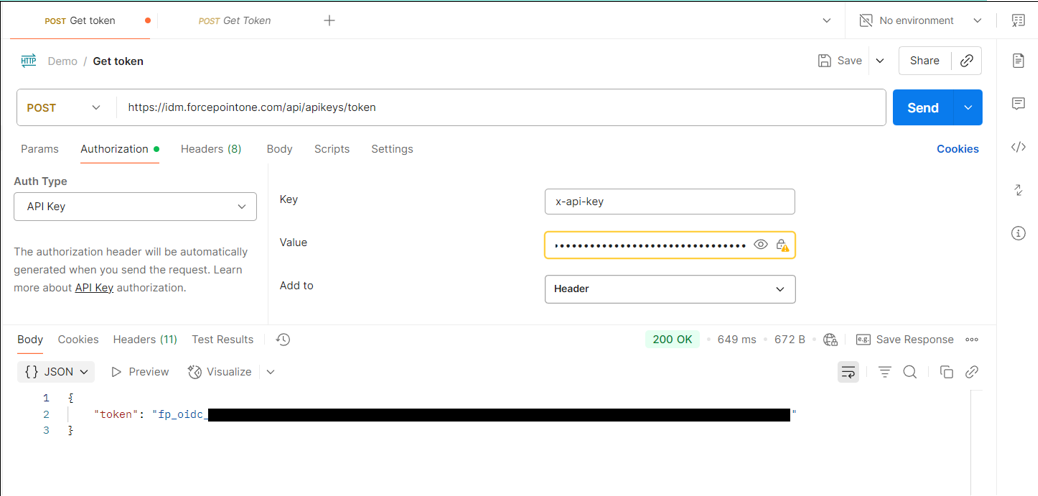
Generating the Bearer Access token: The client calls the Token Management API Generate Bearer Access Token endpoint to generate a Bearer Access token using the
api-key-string generated in step a. Any API client can be used. The example bellow shows an example using Postman as well as cURL.

-
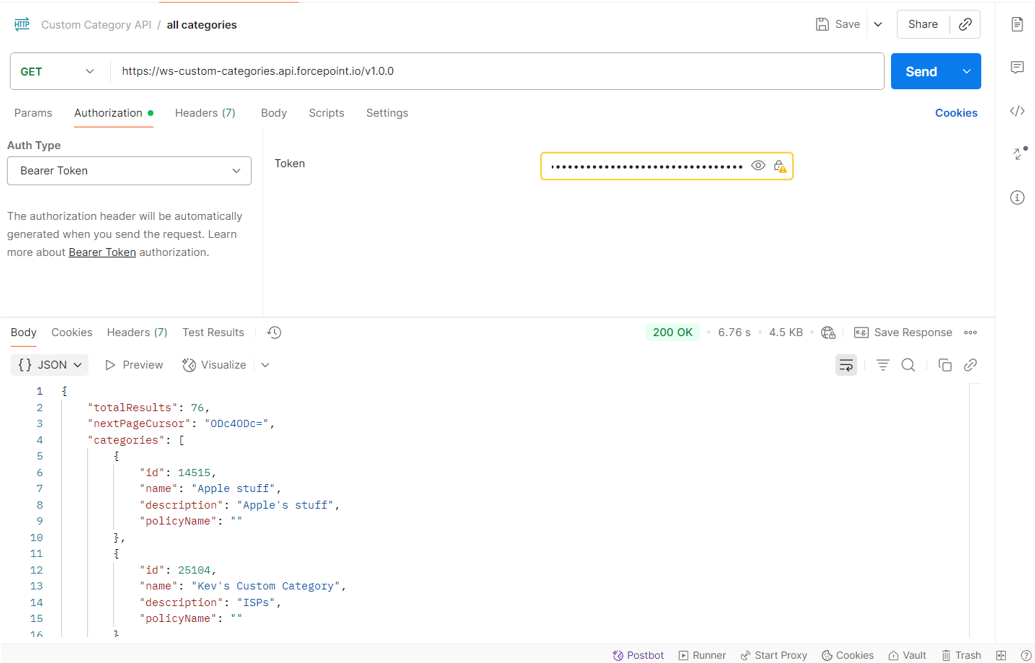
Using the token to connect: The client makes a call to the Custom Categories API to create, read, update or delete categories. Clients must include the bearer access token
(generated in step b) in the Authorization header of each request. The example below shows an example to Get All custom categories using Postman. For more information about the
other API endpoints, see the Custom Categories API help document.
 Note: The API adheres to the same category and url limits that are used in the Web security UI. To increase limits please contact Technical Support.