Configure Geographic Controls
Geographic Controls allow administrators to restrict web access based on destination country. Using this feature, you can block or allow traffic to specific countries at the account level, and apply these restrictions across selected policies. This granular control helps organizations enforce regional compliance and data residency requirements.
Use the page to configure country-based blocking rules.
Steps
-
Select countries to block:
- Select one or more countries from the Available countries list on the left.
-
Use the > arrow to move selected countries to the Blocked countries column on the right as shown in the screenshot
below:
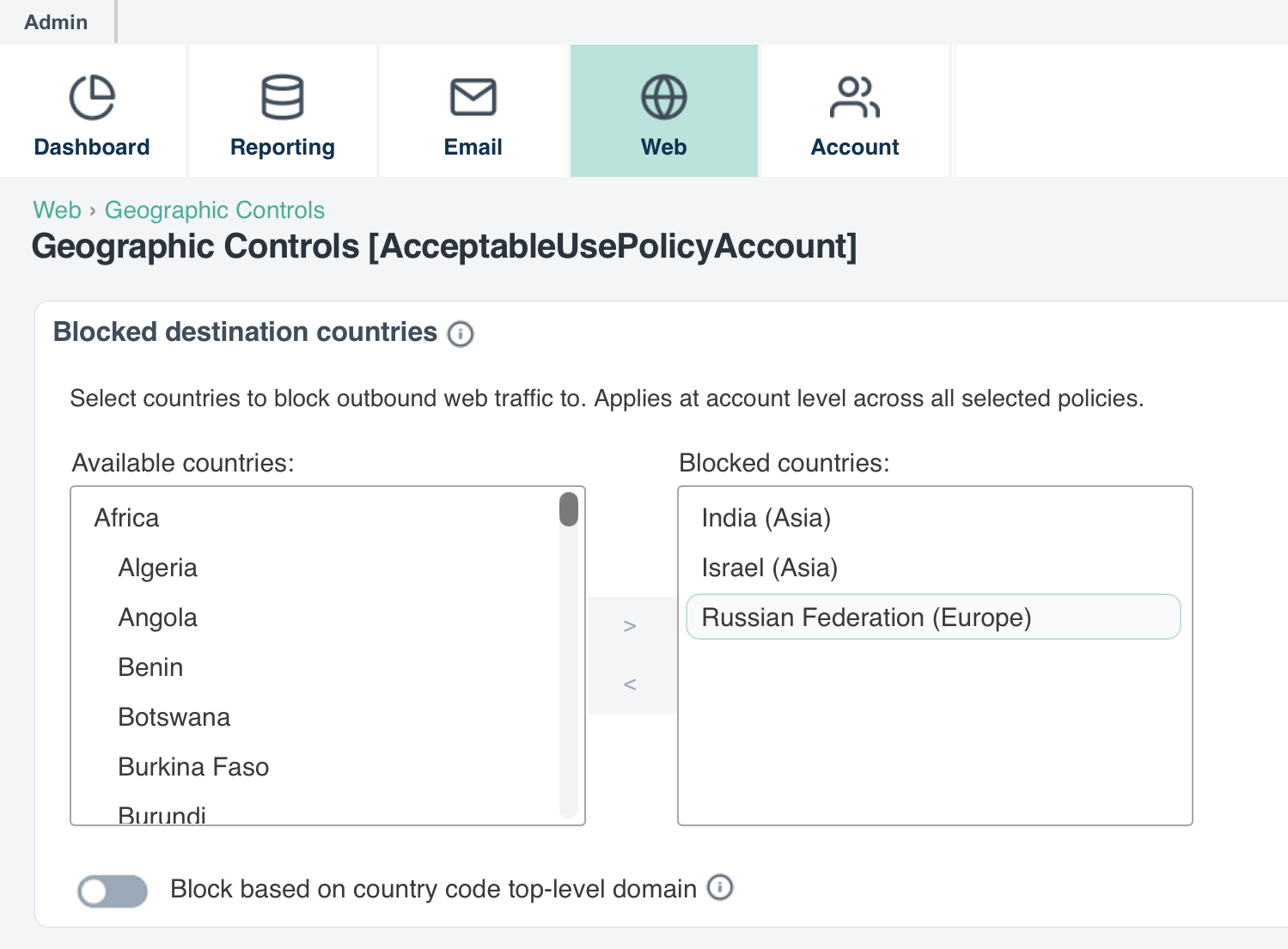
- To remove countries from the blocked list, select them in the right column and use the < arrow to move them back.
-
Add hostname exceptions to exclude specific sites from geographic blocks:
- Enter a hostname (e.g., yahoo.com) in the Add Hostname field and click Add.
-
Excepted hostnames are always permitted, even if their destination country or domain extension is blocked.
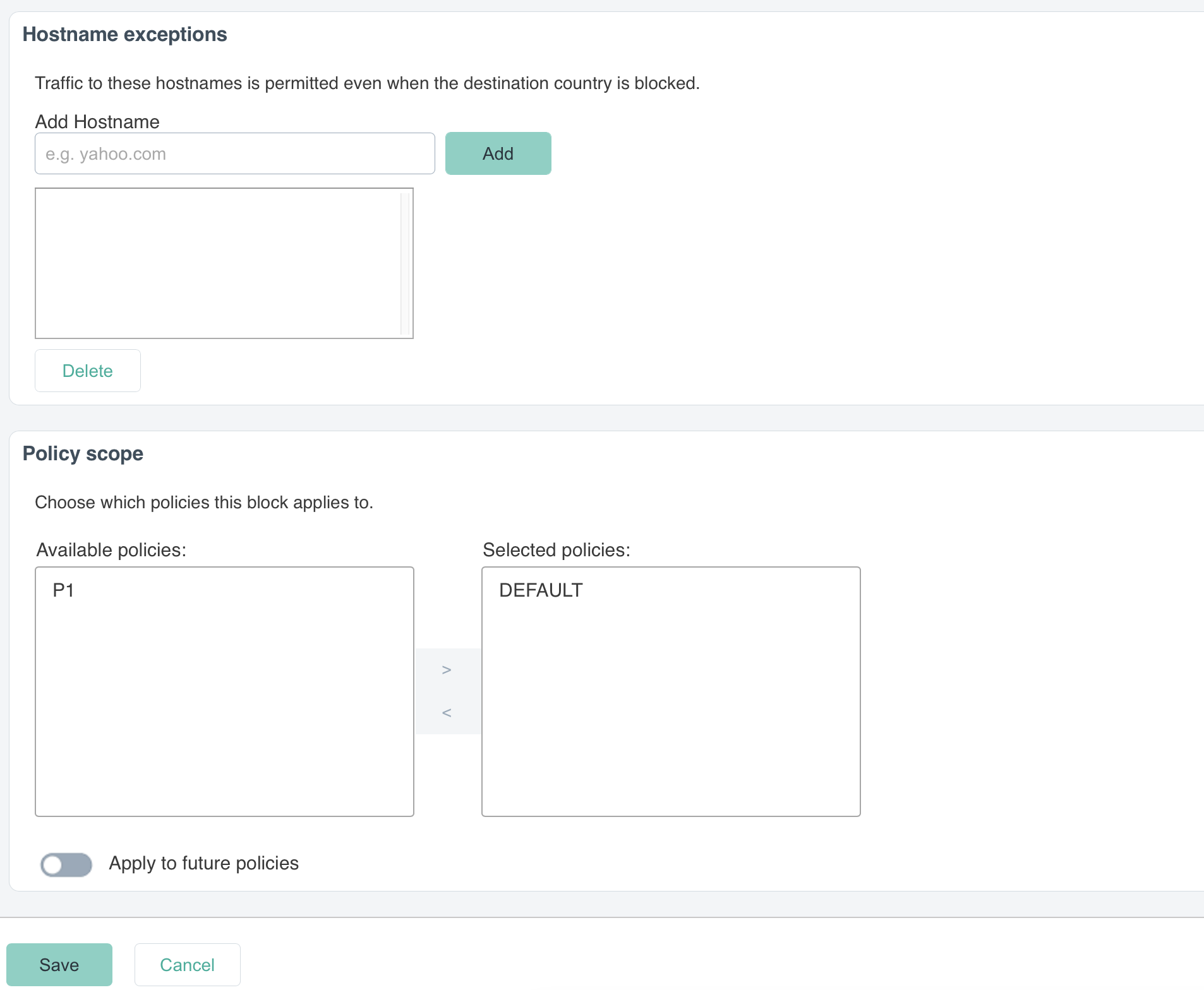
Use case: You block Russia and enable TLD blocking, but need to allow access to a critical vendor site (vendor.ru). Add vendor.ru as a hostname exception to permit access while keeping other Russian sites blocked.
Result
The geographic controls are now active and will block traffic to the selected countries based on your configuration.
- Geographic restrictions are enforced at the account level and apply across all selected policies.
- Hostname exceptions override blocked country settings. Use exceptions to permit access to critical services in otherwise blocked regions.
- The Block based on country code top-level domain toggle enables domain-level filtering (e.g., blocking .ru, .in domains) in addition to IP-based geographic filtering. Enable both for comprehensive regional access control.
- The Apply to future policies option automatically applies geographic restrictions to newly created policies, ensuring consistent enforcement across your organization.
- Test policy scope settings in a non-production environment before applying to critical policies.