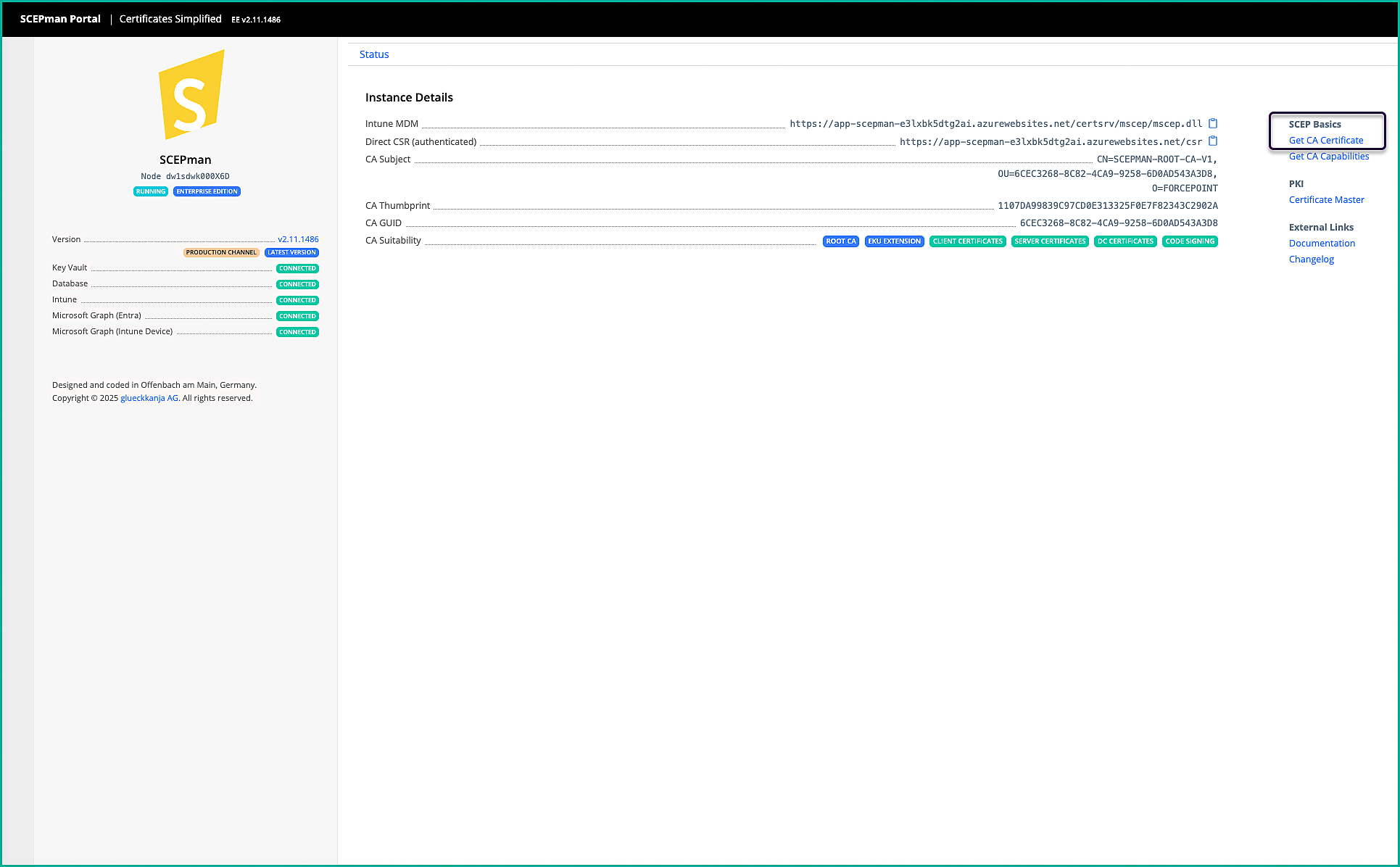
Deploying SCEPman in Azure (if using certificate-based)
This task explains how to deploy SCEPman in Microsoft Azure using the Enterprise (subscription-based) edition, which is recommended for Mobile Endpoint Agent deployments on the iOS/iPadOS platform when using certificate-based authentication.
In this deployment model, Intune works with SCEPman to validate device identity and issue certificates automatically. These certificates are later used to securely authenticate mobile devices when they communicate with Forcepoint services.
Steps
-
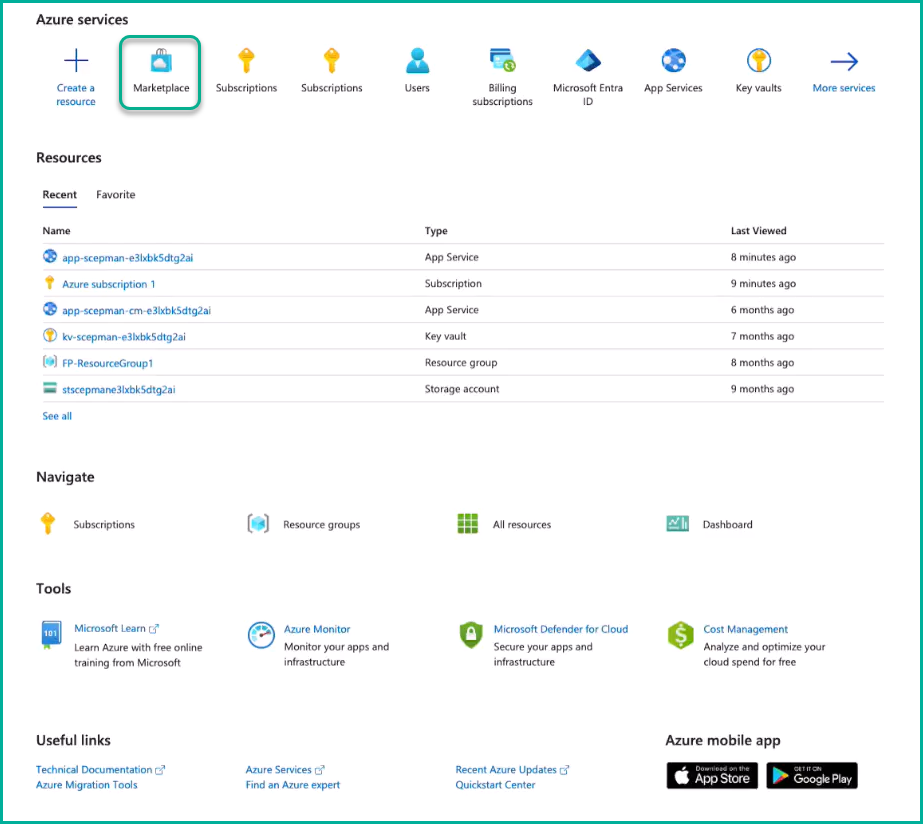
Navigate to Marketplace and search for SCEPman.
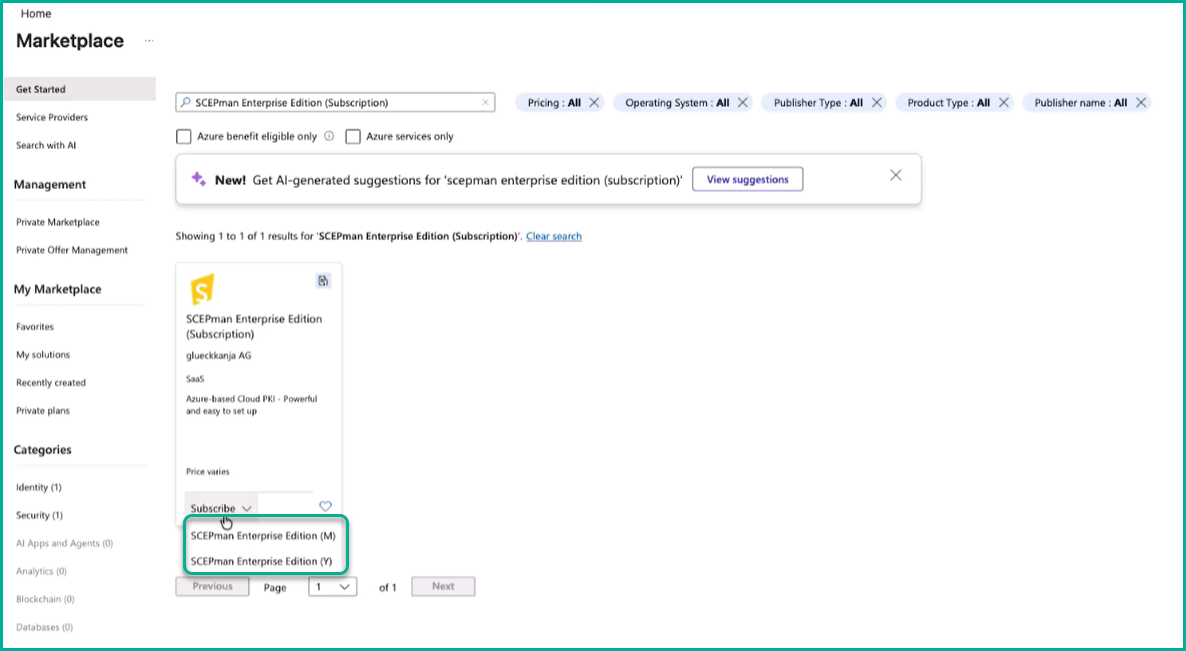
From the search results, select SCEPman Enterprise Edition (Subscription).
-
Select a subscription plan. Choose either Monthly or Yearly.
Selecting a plan opens the subscription configuration page.
-
On the Basics page, provide the following information:
- Subscription: Select the Azure subscription to associate with SCEPman.
- Resource group: Select an existing resource group or create a new one.
- Name: Enter a meaningful name for the deployment.
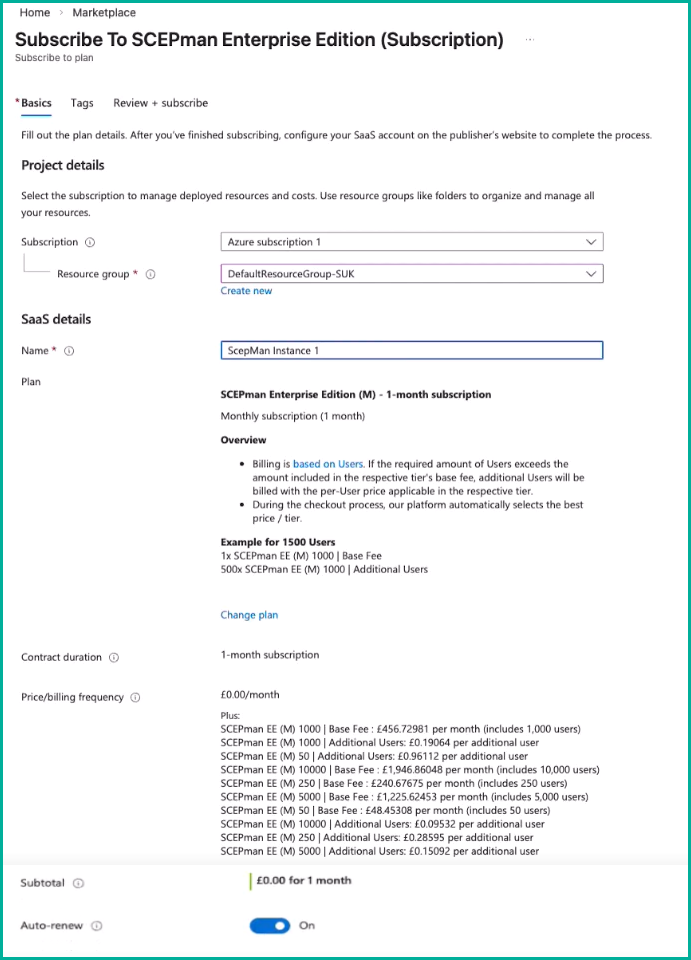 Click Next after reviewing the details. Tags section is optional.
 -
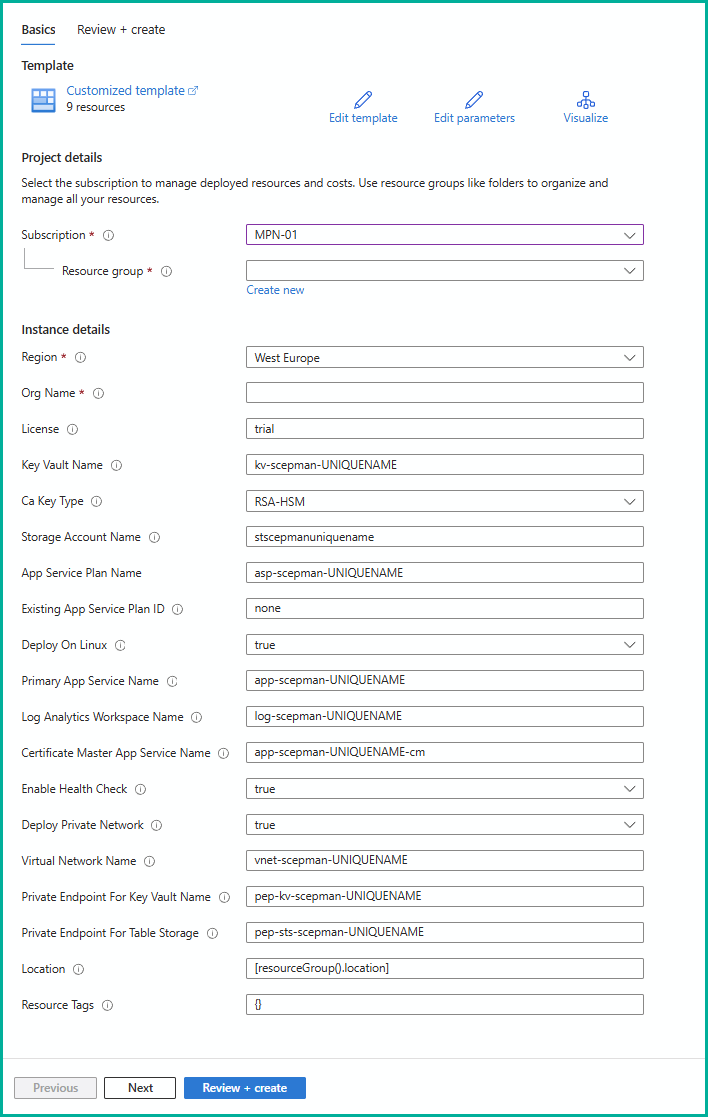
In the Azure deployment template, enter the required details, such as subscription, resource group, region, org name, ca key type, and other required certificate settings.
-
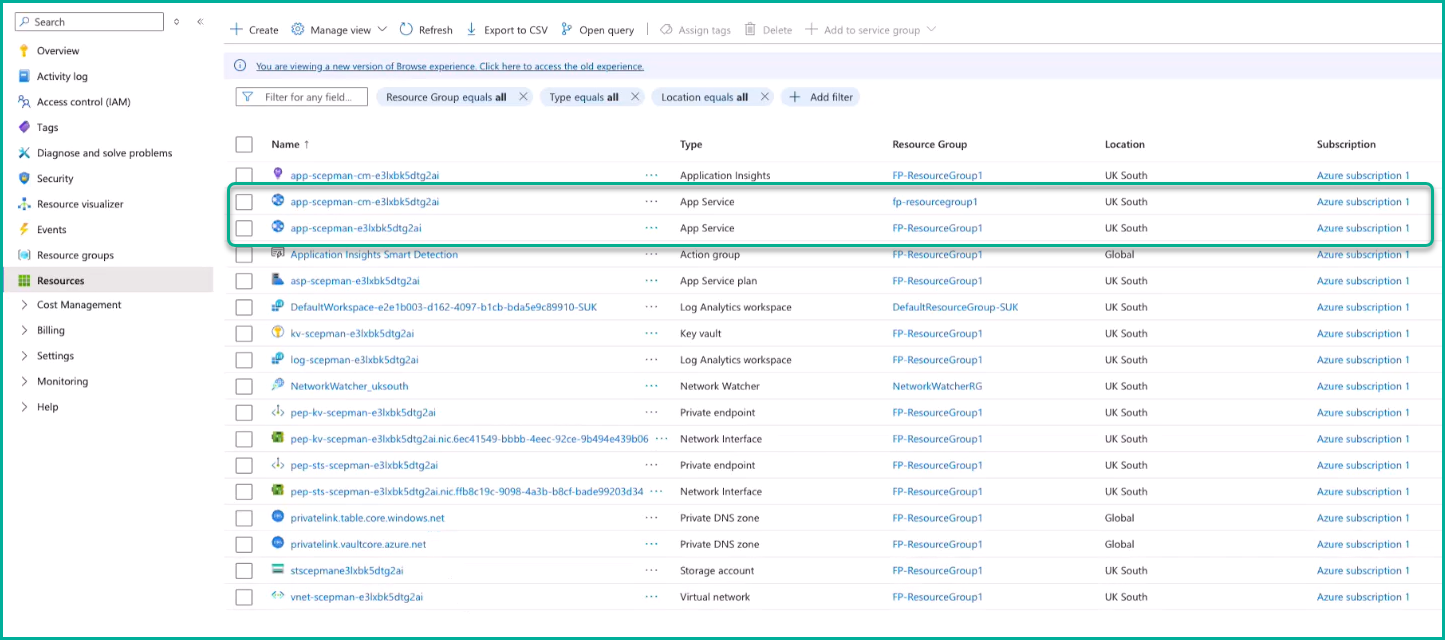
After deployment completes, open the Azure home page and navigate to . Verify that two SCEPman app services are created.
-
Locate and copy the Default Domain URL and open it in a new browser tab.
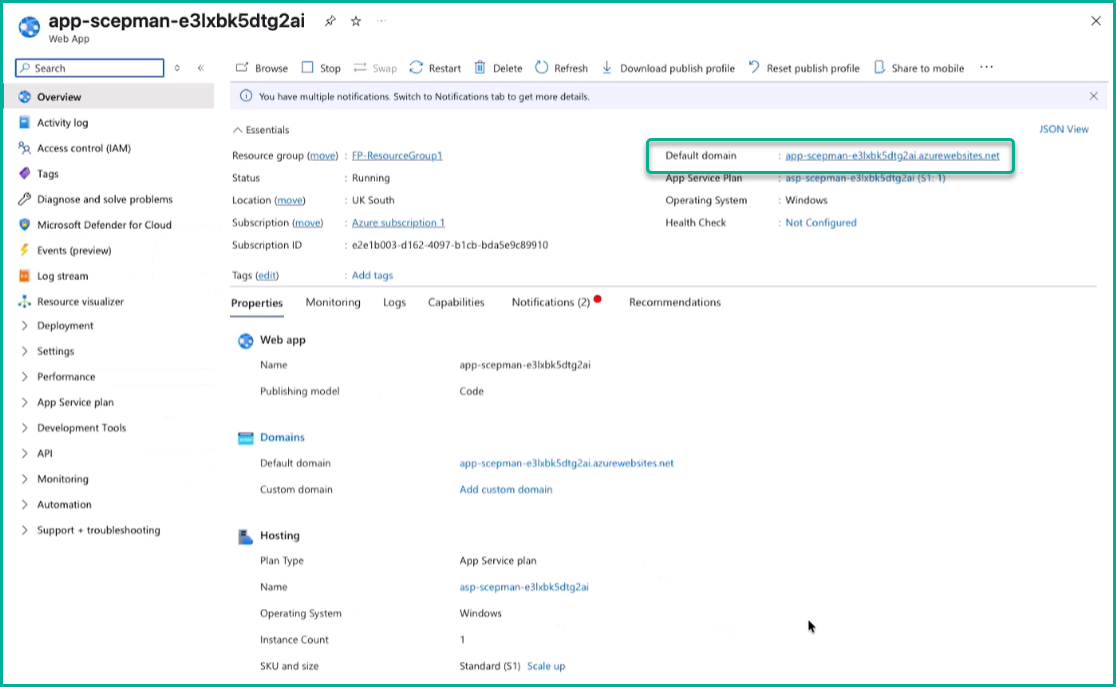
Opens the SCEPman app service.
-
For the Mobile Endpoint Agent MDM deployment:
- Download the CA certificate
- Copy the Intune MDM URL