Prerequisites
This topic outlines the prerequisites that must be completed before deploying the Mobile Endpoint Agent.
Before you begin
- Internet Connectivity: The administrator system must be connected to the internet.
- Access to Forcepoint Data Security Cloud portal:
- You must have enable the initial setup in the Web Security application.
Open the application and navigate to , then enable the Only authenticate when: option.
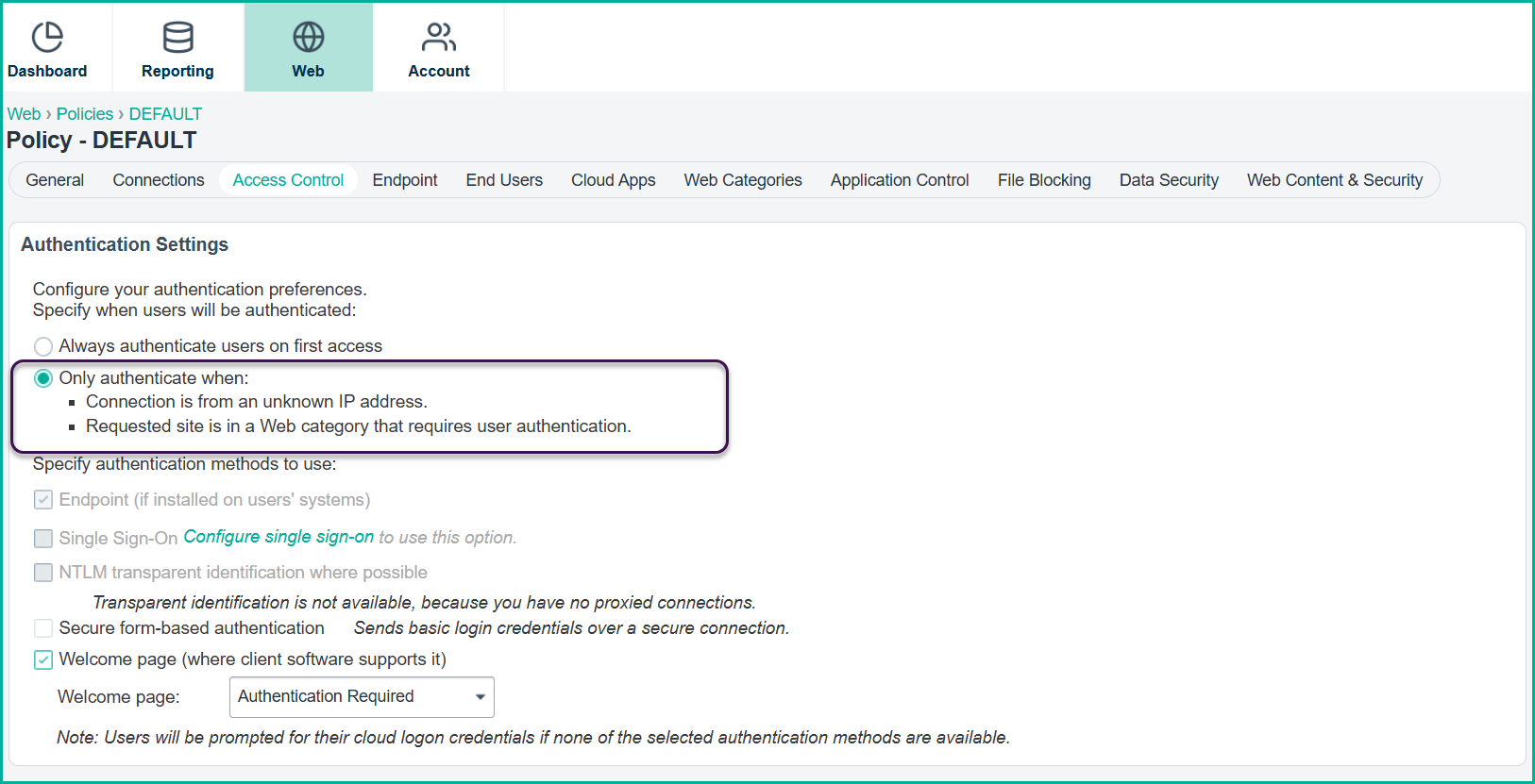
- Also, you must be able to access the Global Settings in the Mobile Endpoint Agent page to retrieve the configuration values required for deployment.
- You must have enable the initial setup in the Web Security application.
- Admin Access to Microsoft Intune: You must have the necessary administrative permissions in Microsoft Intune to create, configure, and deploy policies.
- Access to SCEPman Enterprise Edition (This applies only to certificate-based authentication): Required for certificate management and integration with Microsoft Intune. SCEPman is used
to issue and manage certificates for Mobile Endpoint Agent deployments on the iOS/iPadOS platform when using certificate-based authentication. . Forcepoint
recommends using the latest available version of the SCEPman Enterprise Edition to ensure compatibility and access to supported features.For instructions on deploying and configuring SCEPman, see the following resources: