Configuring inline proxy integration
This section Provides an overview of how to configure Forcepoint CASB and Forcepoint Web Security Cloud using inline proxy integration.
Before you begin
- If you already use CASB service and want to add Web Security Cloud service:
- Uninstall the SEA agent. For more information, see the Uninstall SEA page.
- Install the F1E or F1A agent in PCEP mode. For details, see:
- If you have Web Security Cloud service and want to add CASB service:
- Change your F1E/F1A agent deployment from DCEP mode to PCEP mode. For details, see:
- If you use DLP Endpoint and want to add CASB and Web Security Cloud services:
- Install the F1E agent in hybrid mode to support both web proxy and DLP endpoint functionality. For more details, see the F1E hybrid deployments page.
- If you use the agentless mode:
- You can still integrate CASB with Web Security Cloud and the traffic will be routed through the Web Security Cloud proxy using IPsec or GRE tunnels.
Important: User provisioning must be consistent across CASB and Web Security. The same user identity (for example, user@domain.com) must exist in both systems to avoid policy
enforcement issues.
Steps
-
Navigate to .
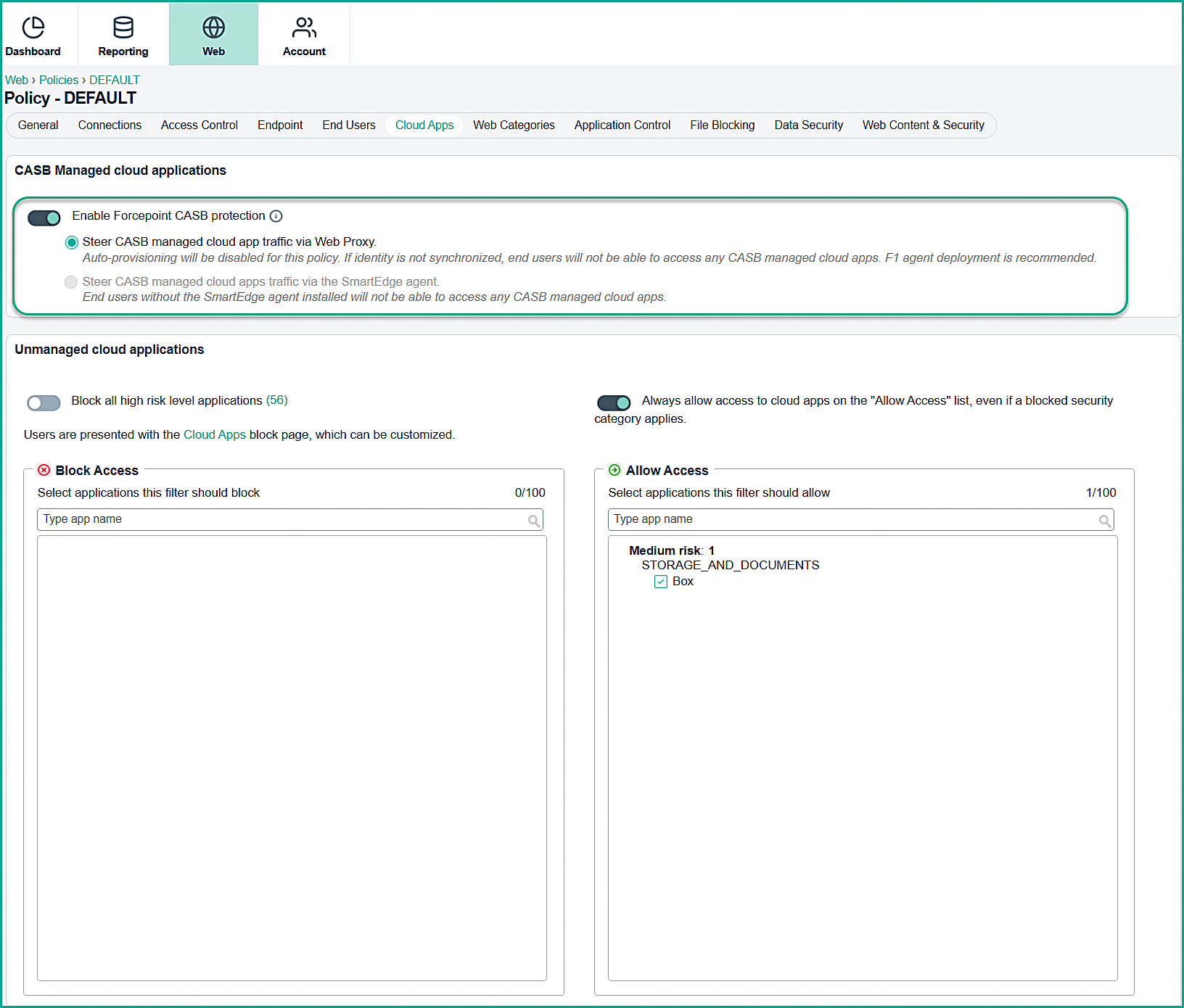
-
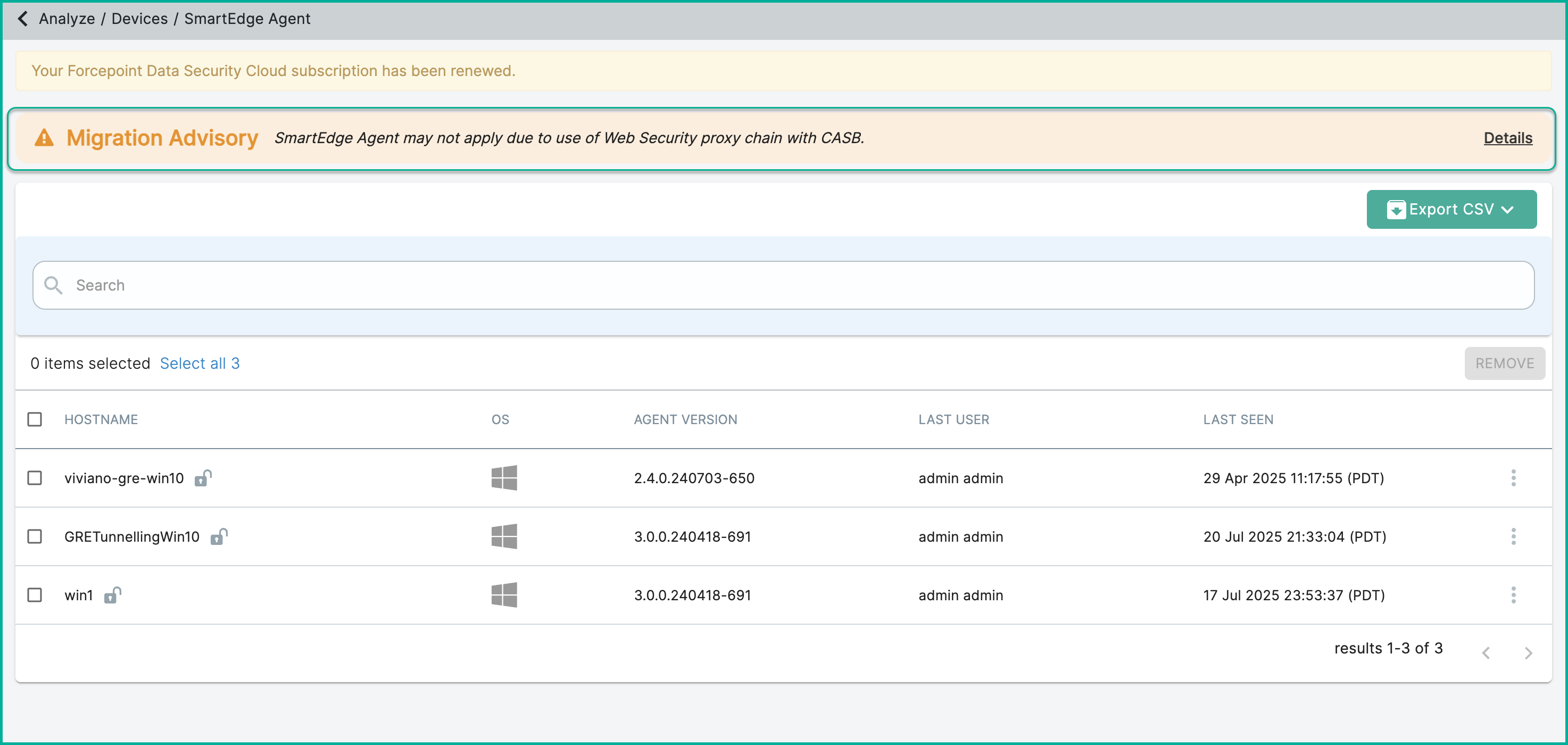
After enabling inline proxy integration, certain CASB features (such as Forward Proxy) will no longer be supported because they are unnecessary. Unsupported features will display a
Custom Notification at the top of the page.
-
Clicking Details opens a dialog with more information.
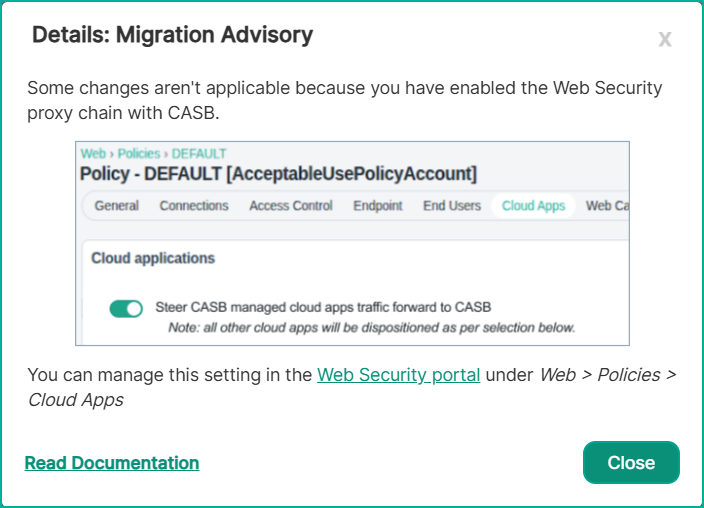
-
Clicking Details opens a dialog with more information.