This section describes the steps to configure Forcepoint Web Security Cloud to enable F1E-SEA agent co-existence.
To complete this configuration, you must have access to the Forcepoint Web Security Cloud portal. You must also enable portal functionality that allows the
coexistence of endpoint agents with Forcepoint CASB. This requires configuring policies that use Unified PAC and adding specific applications to
the endpoint bypass list.
Steps
-
Log in to the Forcepoint Web Security Cloud portal.
-
To enable the setting for policies that use Unified PAC, do the following:
-
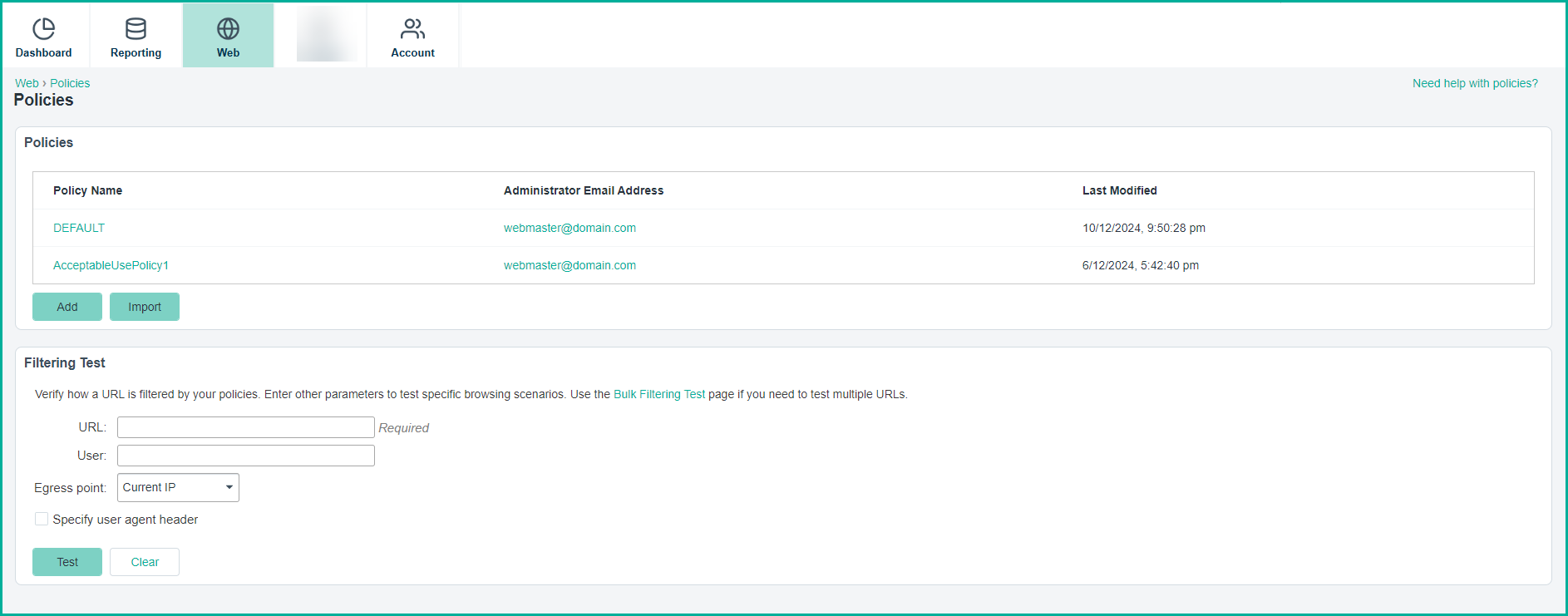
Navigate to , and then select a policy.
-
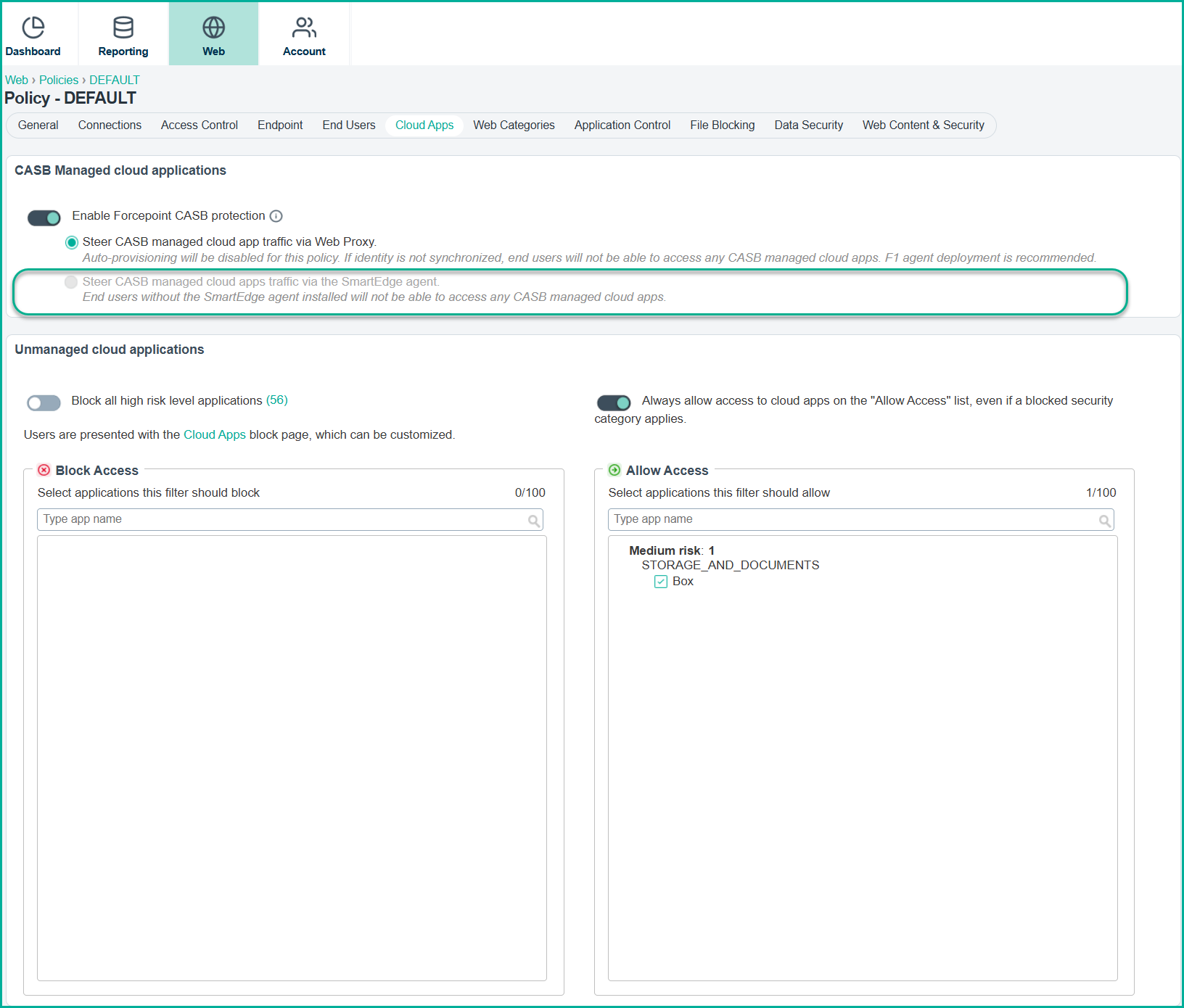
Go to Cloud Apps. Then turn on Steer CASB managed cloud apps traffic via the SmartEdge Agent, and then click
Save.
-
If you are using the F1A agent, perform the following additional steps:
- Navigate to the Endpoint section within the same policy.
- In the Neo Configuration section, select Proxy Connect and click Submit.
Note: Intelligent auto-switching connection mode is not currently supported and may cause compatibility issues.
-
To add applications to the endpoint bypass list, do the following:
-
Navigate to . Opens the endpoint page.
-
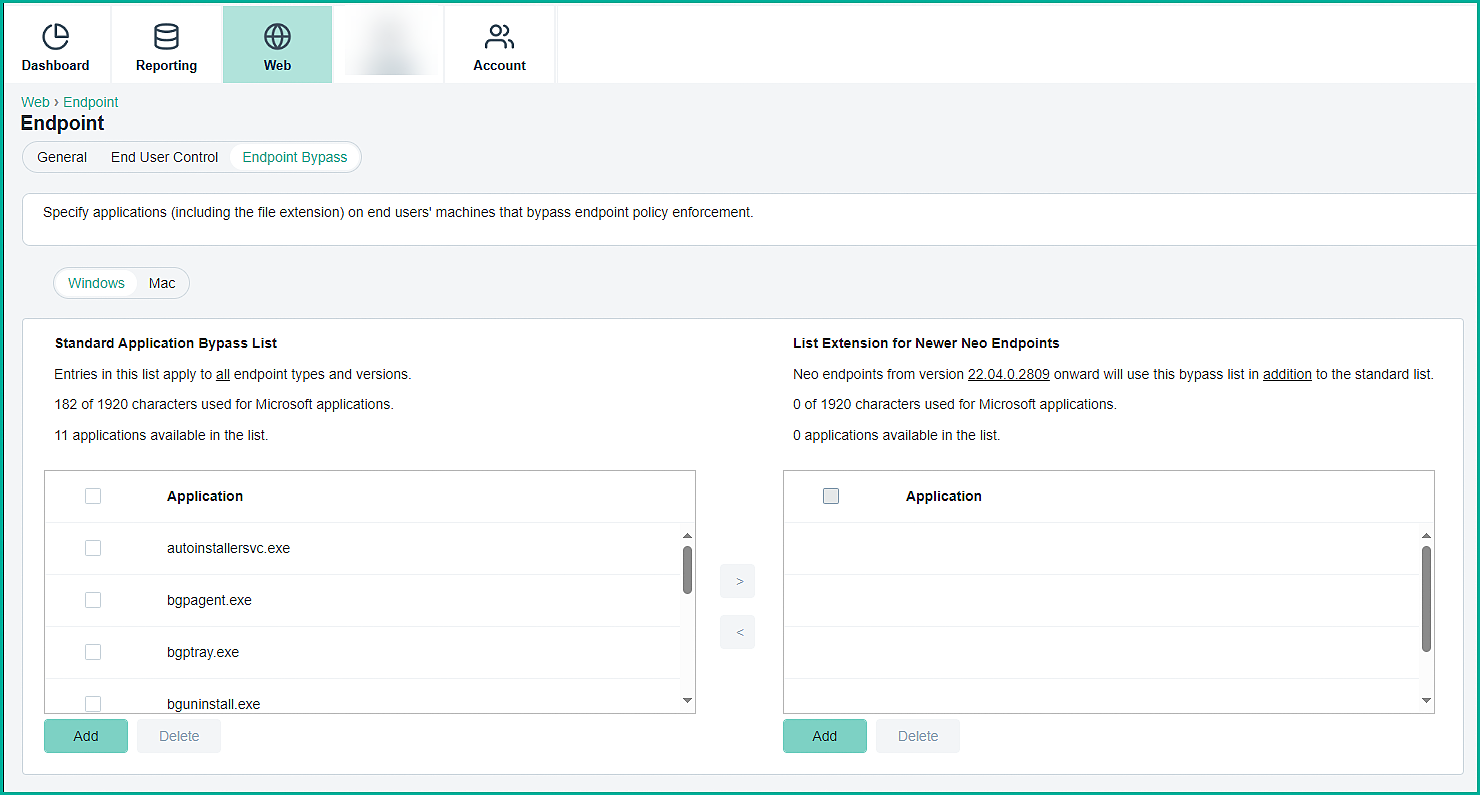
Select Endpoint Bypass.
-
In the Standard Application Bypass List, include the following:
-
- autoinstallersvc.exe
- bgpagent.exe
- bgptray.exe
- bguninstall.exe
- dnsserver.exe
- ProxyConfiguration.exe
- seproxy.exe
- seproxysvc.exe
- windnstest.exe
- winifcfg.exe