Enabling Safari extension manually
The Forcepoint DLP Endpoint Safari extension must be enabled for Safari 12 and above on macOS environments v10.14 and above.
If the Forcepoint Safari extension is disabled, the following notification displays when you open the Safari browser:
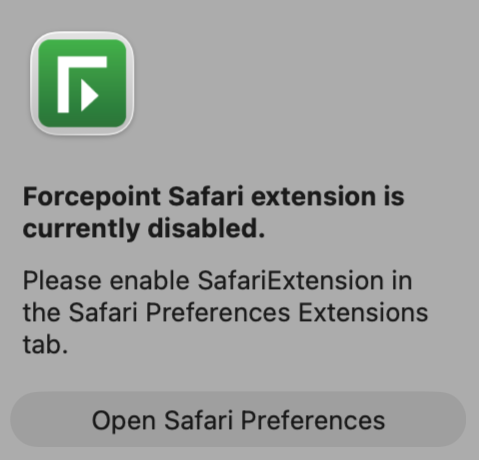
To enable the Forcepoint Safari extension from this notification, click the Open Safari Preferences button. In the Extensions tab of Safari settings, select the SafariExtension check box to enable the Forcepoint Safari extension.
Apple has made it a requirement for any Safari extensions to not be loaded without the user's consent. Therefore in modern macOS and Safari versions, it is not possible to enable a Safari extension without the user personally enabling it.