Step 3: View the imported URL categories
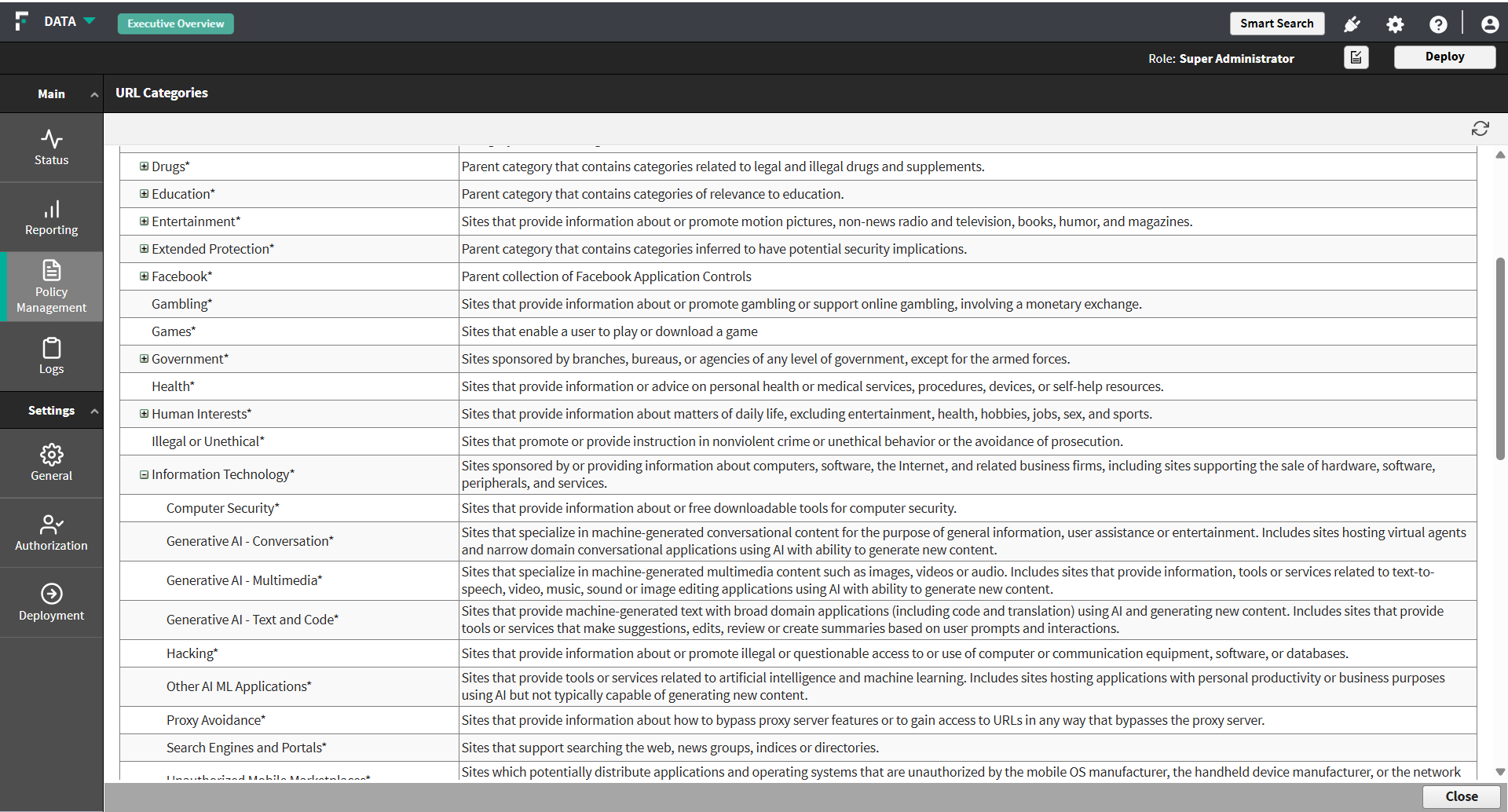
Confirm which categories were imported, and identify the ones that correspond to AI sites.
Steps
- Expand the tree to find the categories to use in a rule.
Categories are listed as a tree. A parent category can be expanded to show the categories it contains, and the Description column explains what each one covers.
For example, the categories used to identify AI sites are grouped beneath a parent category named Information Technology. Expand it to see the categories it contains:
Category Covers Generative AI - Conversation Conversational AI assistants and chat interfaces. Generative AI - Multimedia AI services that generate or edit images, audio, or video. Generative AI - Text and Code AI services that generate text or source code. Other AI ML Applications AI and machine learning services that do not fall into the other categories. Selecting the parent category covers every category beneath it. Selecting an individual category narrows the rule to that kind of AI service.