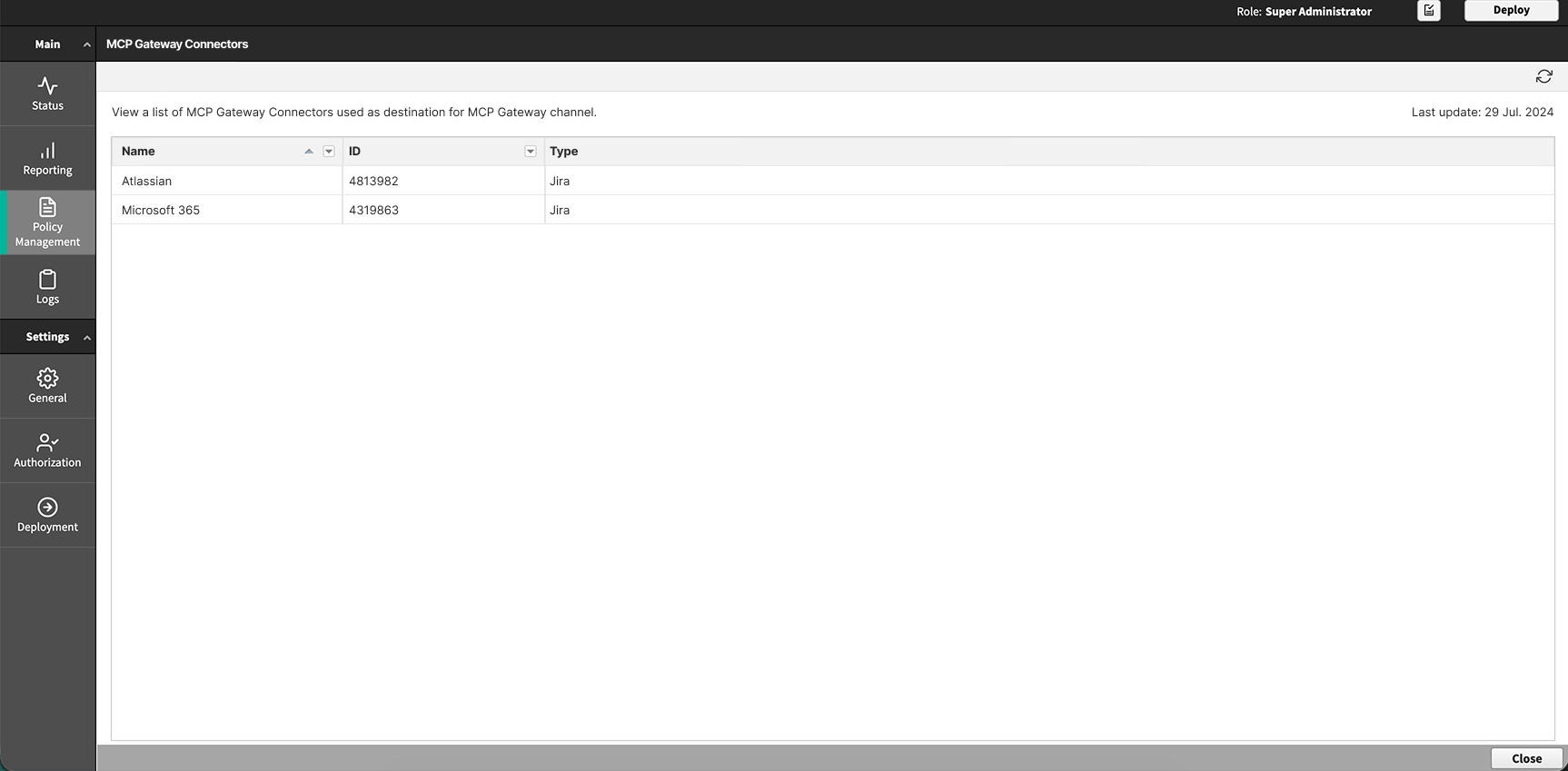
Step 1: View the synchronized MCP Gateway (AI Agent Gateway) resources
Confirm that the AI agents, AI agent groups, and MCP Gateway (AI Agent Gateway) connectors resources defined on the Forcepoint Data Security Cloud Platform have synchronized into the Forcepoint Security Manager. See Configuring Data Security Cloud in the Forcepoint Security Manager Help.
Steps
-
Select AI Agents and review the list.
Column Description Name The agent name as registered on the Forcepoint Data Security Cloud Platform. ID The agent identifier. Membership The AI agent groups the agent belongs to. An agent can belong to more than one group. 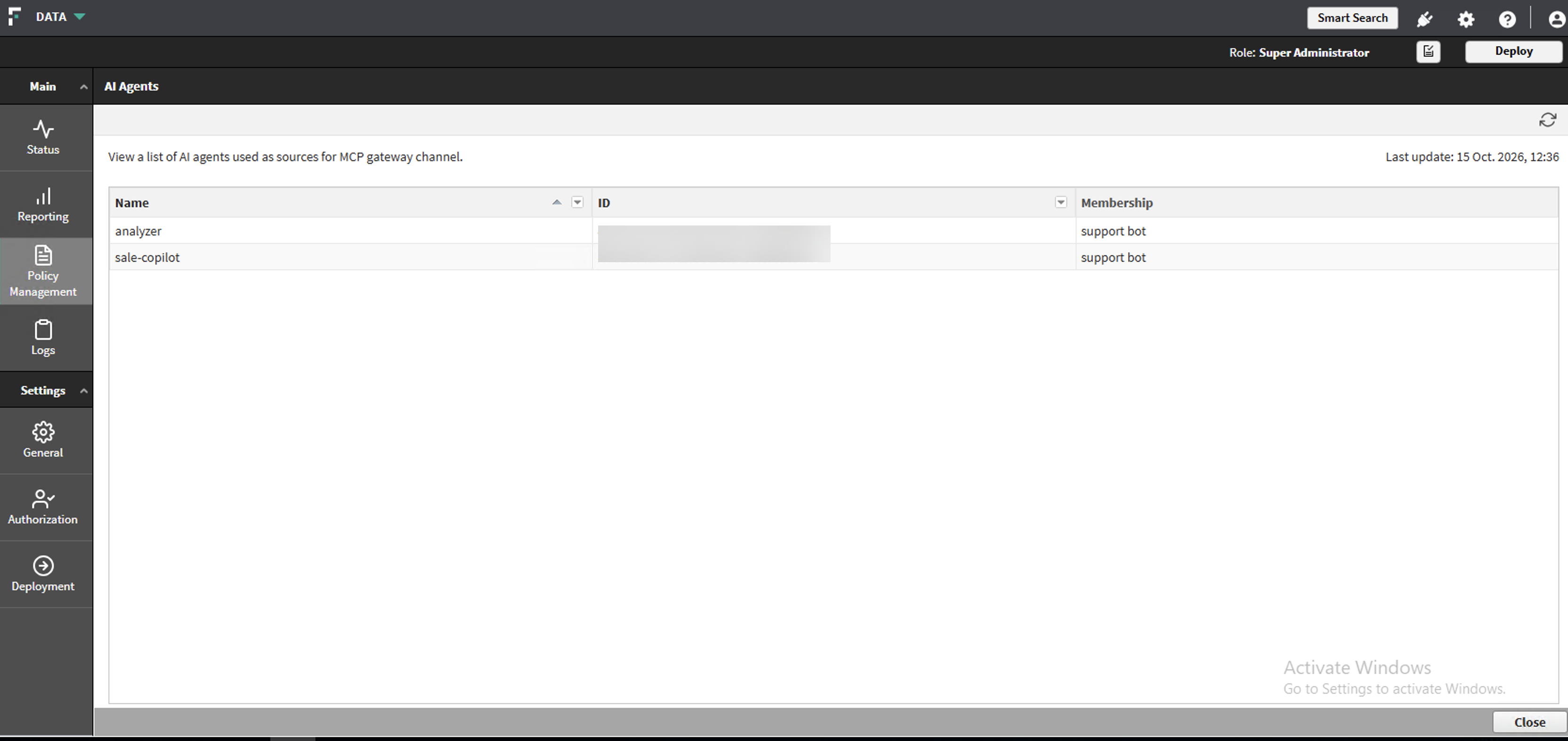
-
Select AI Agent Groups and review the list.
Column Description Name The group name as defined on the Forcepoint Data Security Cloud Platform. ID The group identifier. Agents The agents that belong to the group. Description The description recorded for the group on the Forcepoint Data Security Cloud Platform. 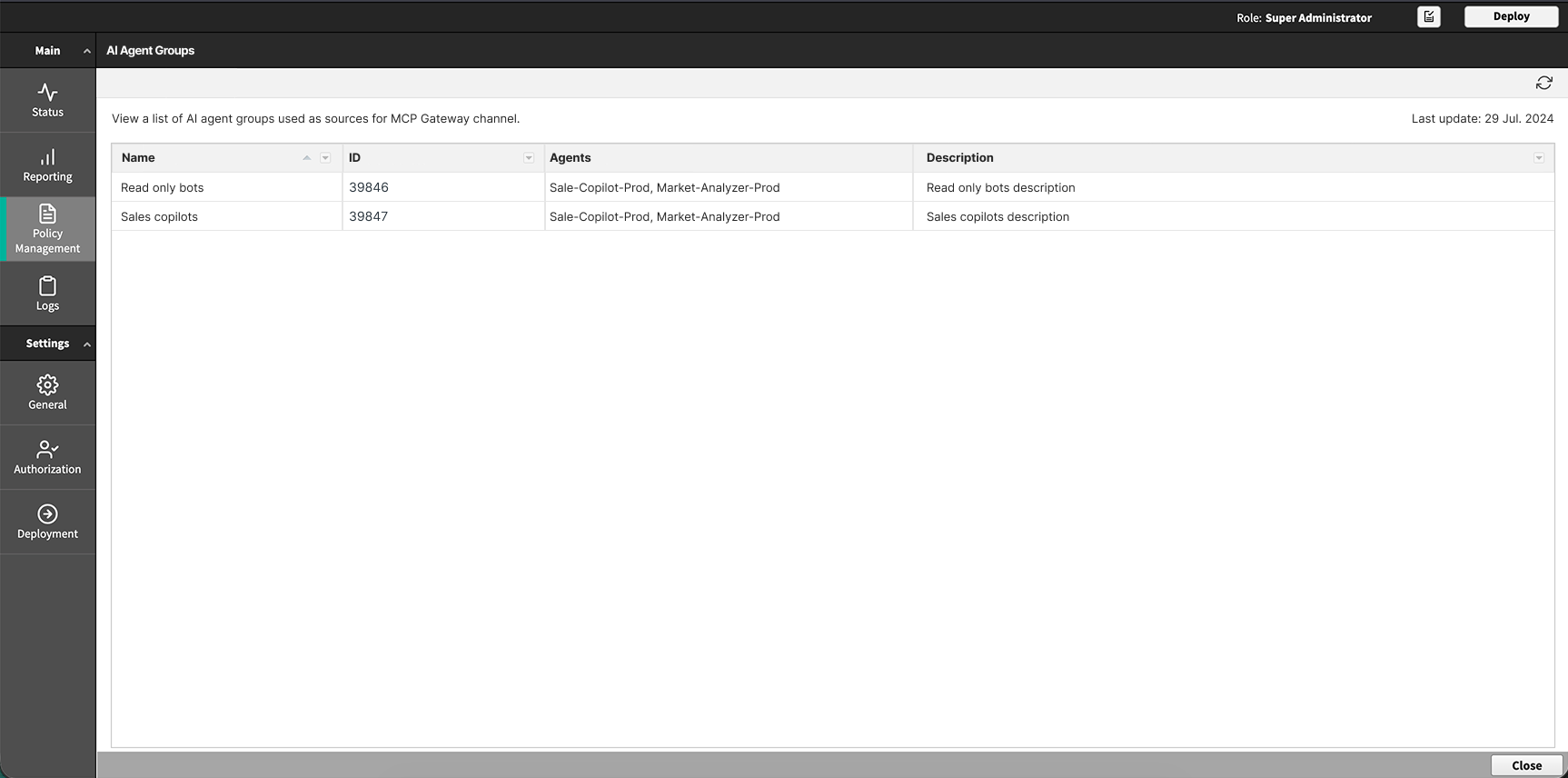
-
Select MCP Gateway Connectors and review the list.
Column Description Name The connector instance display name, for example MyInstance Jira.
ID The connector instance identifier Type The connector catalog name, for example Jira. A connector instance is named separately, for example MyInstance Jira.