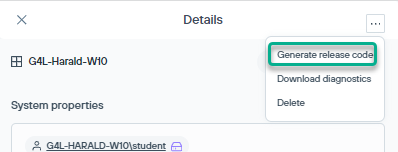
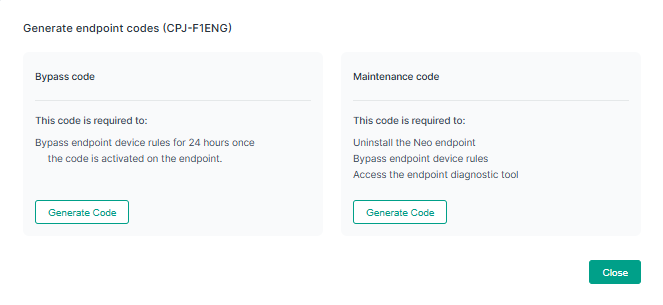
Use the Generate Release Code menu option on the section to generate an endpoint specific release code.You can select to generate the below code:
- Maintenance code: This code is required to uninstall the agent.
Steps
-
Go to Endpoint management.
-
Click a specific endpoint in the displayed list of endpoints. It displays the Details pane.
-
On the top right click the three dots, and select the Generate release code menu option.
-
Click Generate Code from the Maintenance code section.
-
Copy the generated code that suits your requirement and share the same with the user.
-
Provide the release code to the user. It allows the user to uninstall the agent and unlocks the agent diagnostic tool for advanced troubleshooting scenarios.