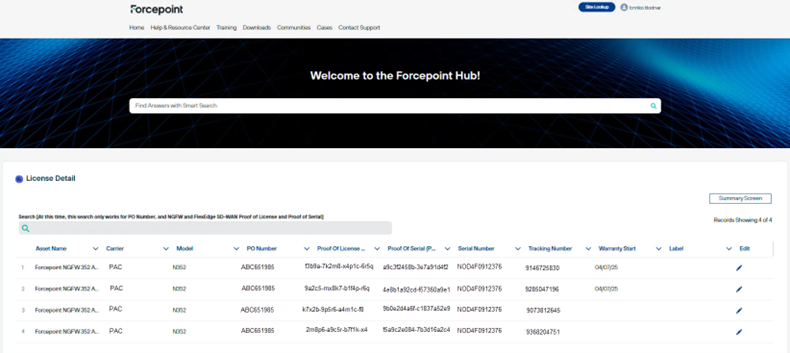
Retrieve Your POL and POS Numbers You must be logged in to the Forcepoint Customer Hub. See Access the Forcepoint Customer Hub. Steps In the Customer Hub, navigate to your confirmed order to view the license details. Note the POS and POL numbers displayed for your order. Figure: License Details ResultYou now have the license numbers required to register your license in the Forcepoint License Center. Next stepsProceed to Register Your License in the License Center.