Step 5: Verify Connection Status in Forcepoint Security Manager

Steps

  1. Return to Forcepoint Security Manager (FSM) and navigate to Global Settings > General > Insights.

    Once registration is complete, the connection status updates to Connected.
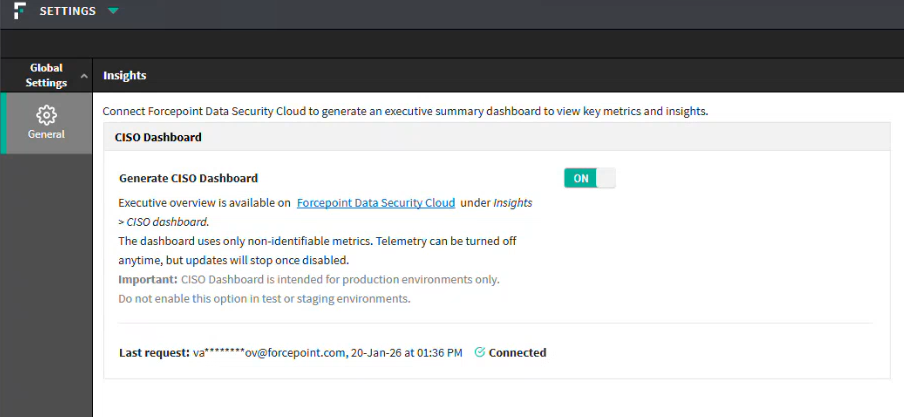
  2. A direct link to access the Forcepoint Data Security Cloud platform now appears. Click it to access the dashboard anytime.
  3. If Connection Remains Pending:, do the following:
    1. Ensure the registration was completed successfully.
    2. Verify internet connectivity from FSM to Forcepoint cloud services.
    3. Click Recheck to manually refresh the status.