Manually creating the MDM profile
You can manually create the MDM profile if you have issues importing the MDM profile provided by Forcepoint.
In order to suppress any dialogs related to the "fpneone" and "Forcepoint Neo NE App" processes, you can manually create the MDM profile. Do the following prior to upgrade:
Steps
-
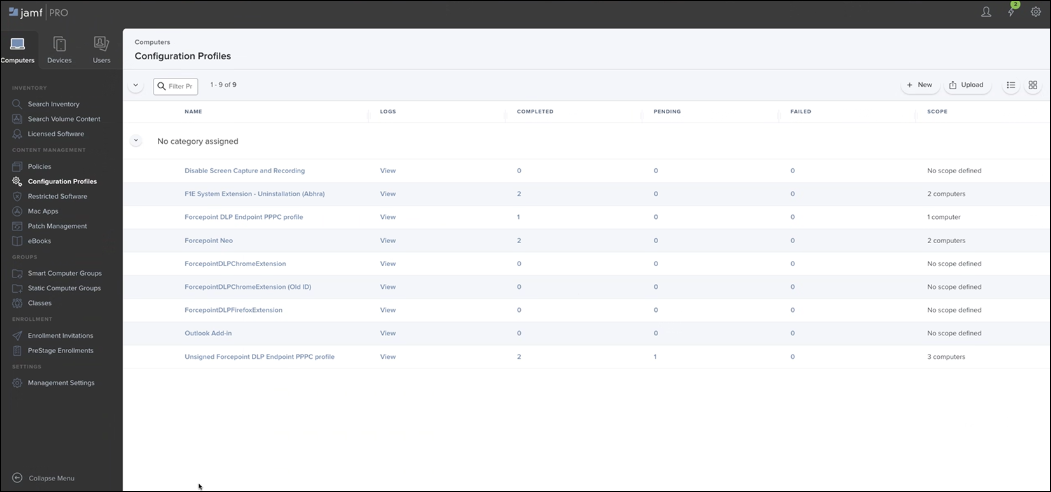
On the Computers tab, select Configuration Profiles, and then click New.
-
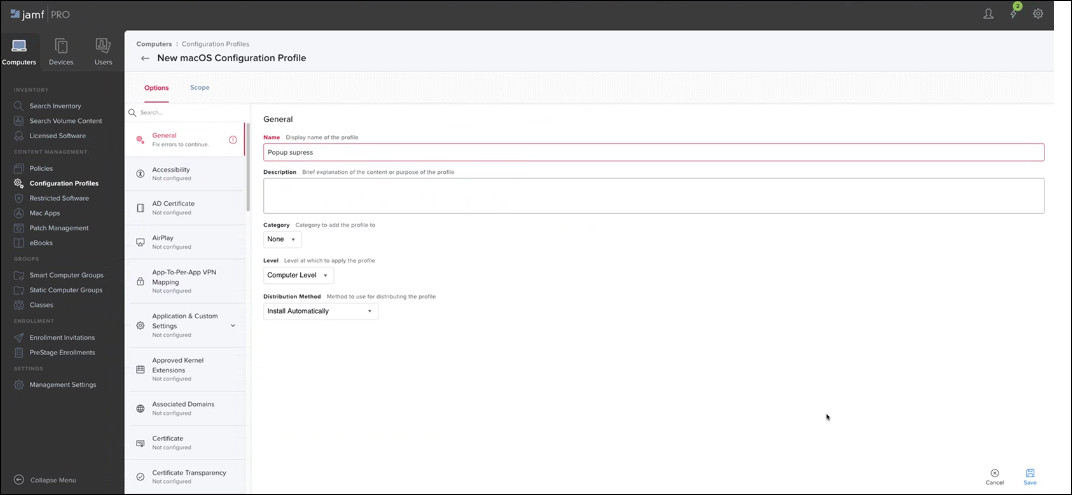
To create a new configuration profile, provide the required details under General.
-
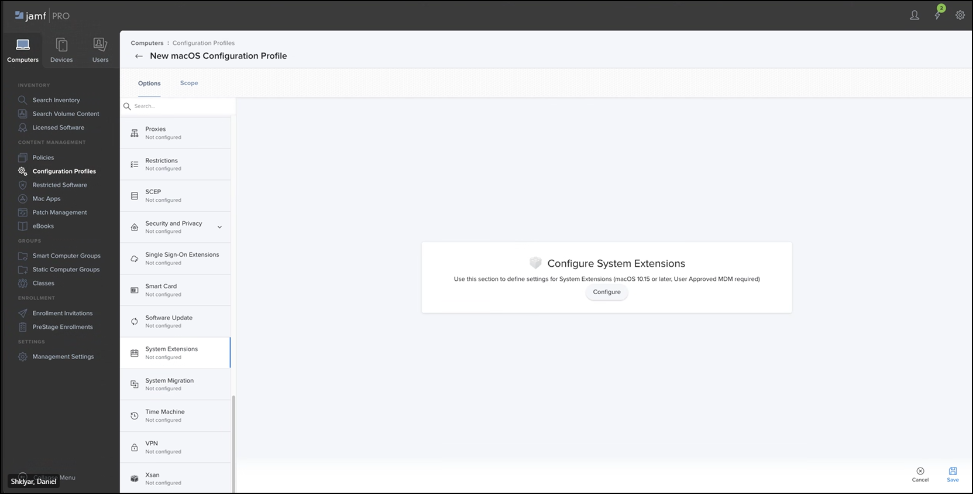
Under System Extensions, click Configure.
-
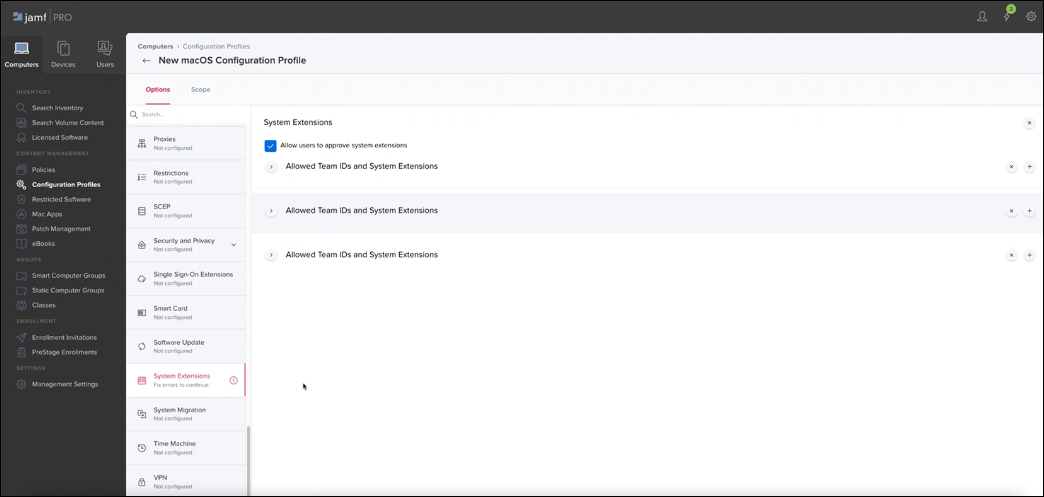
Add the System Extension objects, using the
 button.
-
Modify the extension as the following:
-
Use button, and enter the values:
com.forcepoint.neandcom.forcepoint.proxyne.Extension.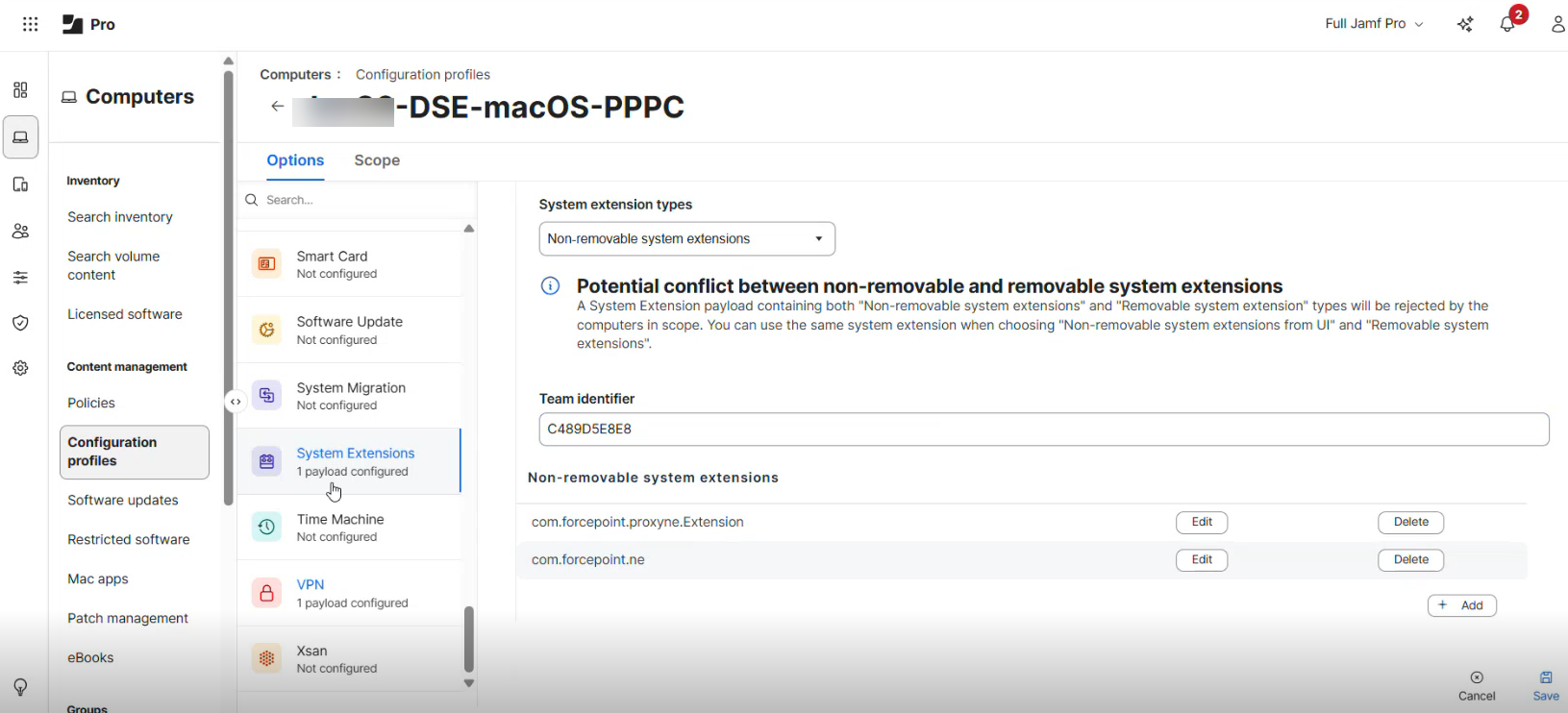
-
Use