(MDM) Installing the agent for Web Security
This section outlines the steps to install the macOS Forcepoint Agent using Jamf for Web Security Proxy Connect (PCEP) or Direct Connect (DCEP).
Steps
-
Obtain the Forcepoint Cloud CA certificate:
- Go to the Forcepoint Cloud Security Gateway portal.
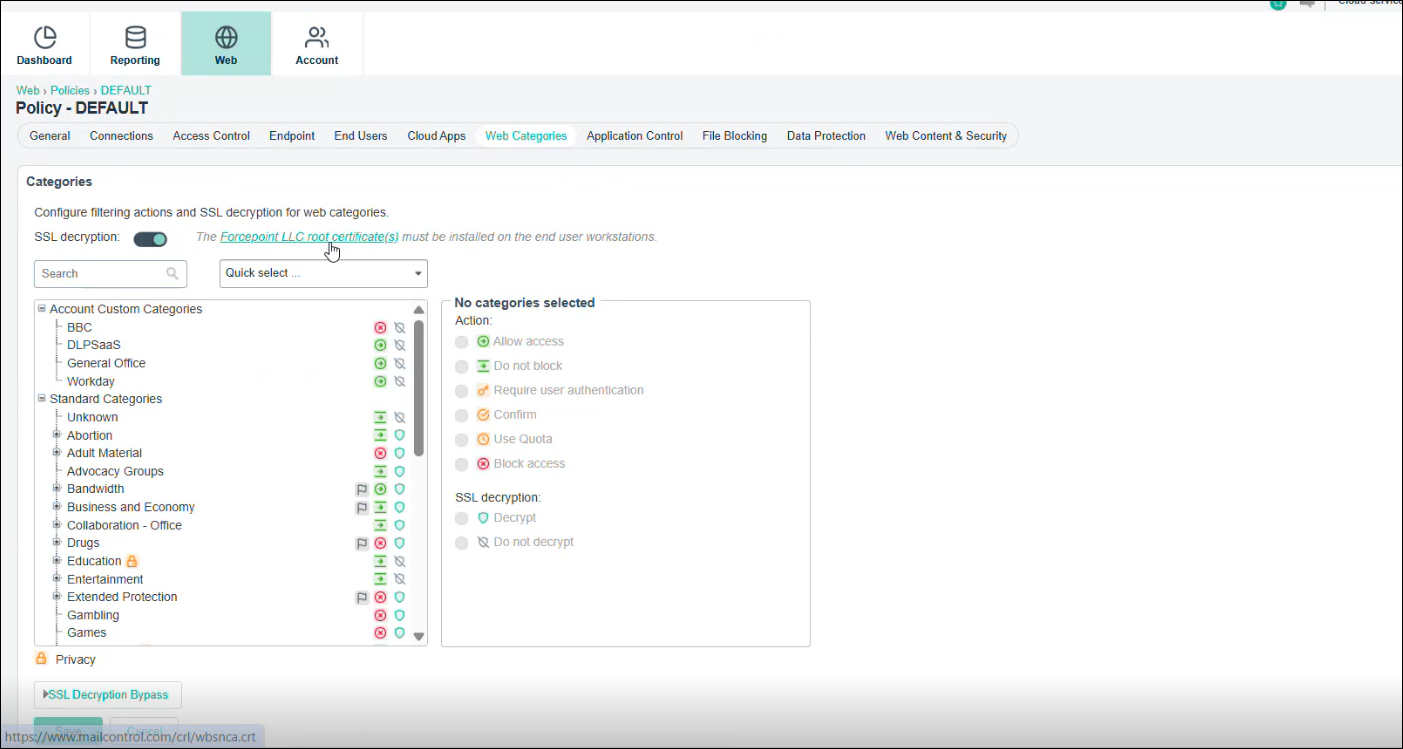
- Select the policy from Account > Policies, and then click Web Categories.
-
Click Forcepoint LLC root certificate(s), and save the certificate.
- Obtain the generate_root_ca tool from here.
-
Run the chmod +x /Users/<username>/Downloads/generate_root_ca (replace <> with your user name) command to convert the downloaded file to .exe format,
and then run the generate_root_ca.exe file in the terminal:
The _ca.cer certificate and the fpnpd.dat file generates in the installer folder.
-
Create an installer package for Jamf MDM deployment:
- Obtain the downloaded agent package and extract its contents.
- Create a new folder named DSEInstaller.
-
Copy the following files(downloaded in the previous steps) into the DSEInstaller folder:
- fpnpd.dat
- manifest.json
- WebsenseEndpoint.pkg
- Compress the DSEInstaller folder into a zip file.
-
Open Jamf Pro and in Computers > Configuration Profiles, deploy the following files through Jamf:
- The _ca.cer certificate.
- The Forcepoint Cloud CA certificate.
- Privacy Preferences Policy Control (pppc) profile (for enabling FDA & fpneone process).
- Outlook add-in
-
Deploy the package in Jamf.
The enrolled profiles will display under the Device (Managed) section in System Settings > General > Device Management in your system, and the Full Disk Access will be enabled for the following applications configured by the profiles.
Application Path ESDaemonBundle Library/Application Support/Websense Endpoint/DLP/ESDaemonBundle.app AEserver System/Library/Frameworks/CoreServices.framework/Versions/A/Frameworks/AE.framework/Versions/A/Support/AEServer FPEPAgent Library/Application Support/Websense Endpoint/Cloud/FPEPAgent Websense Endpoint Helper Library/Application Support/Websense Endpoint/DLP/Websense Endpoint Helper.app F1EHelper Library/Application Support/Websense Endpoint/F1E/F1E Helper.app fpprotectiond Library/Application Support/Websense Endpoint/Cloud/fpprotectiond fpbrokerd Library/Application Support/Websense Endpoint/Cloud/fpbrokerd