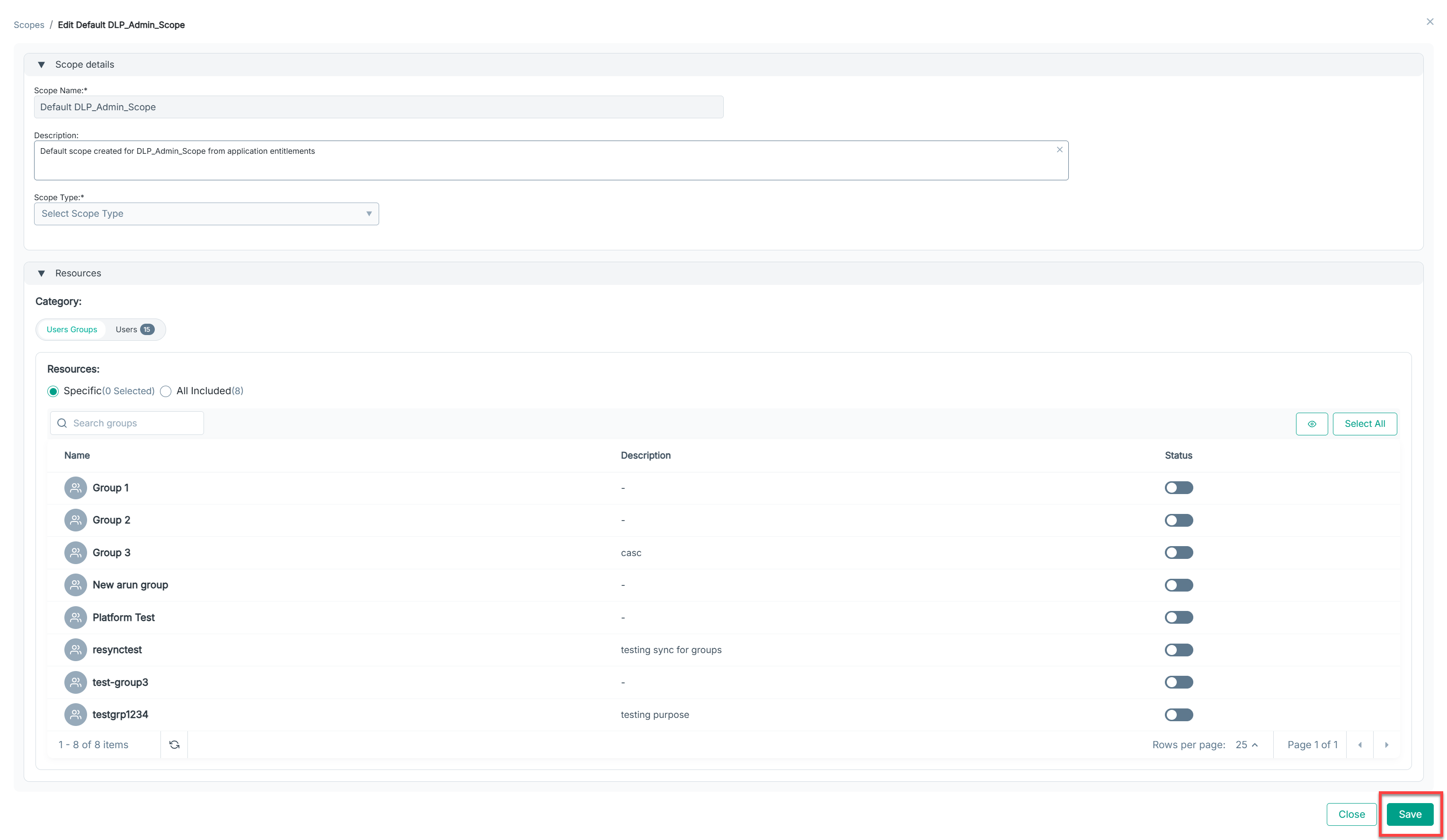
Editing an existing scope
Steps
-
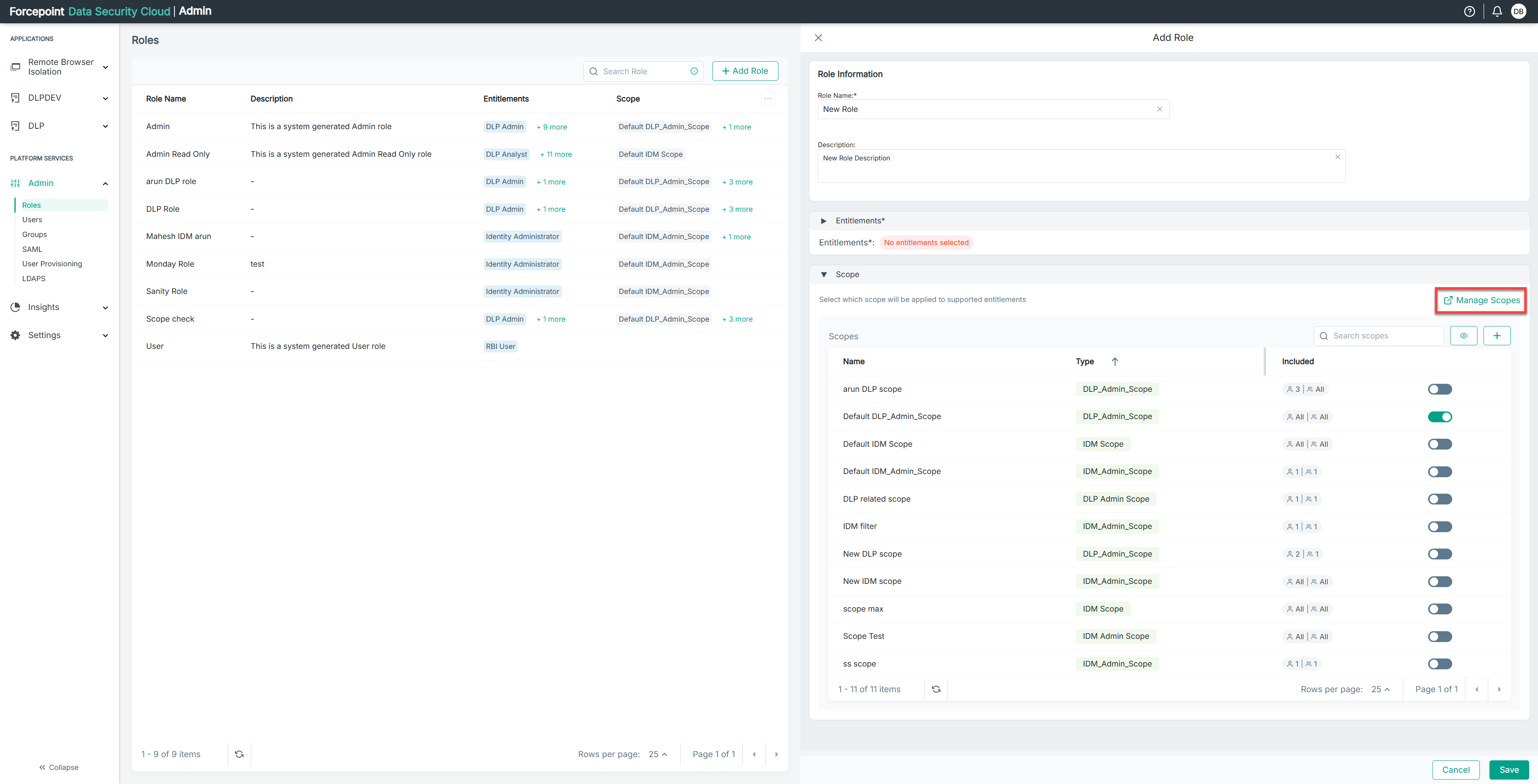
In Roles, click Manage Scopes.as shown below:
-
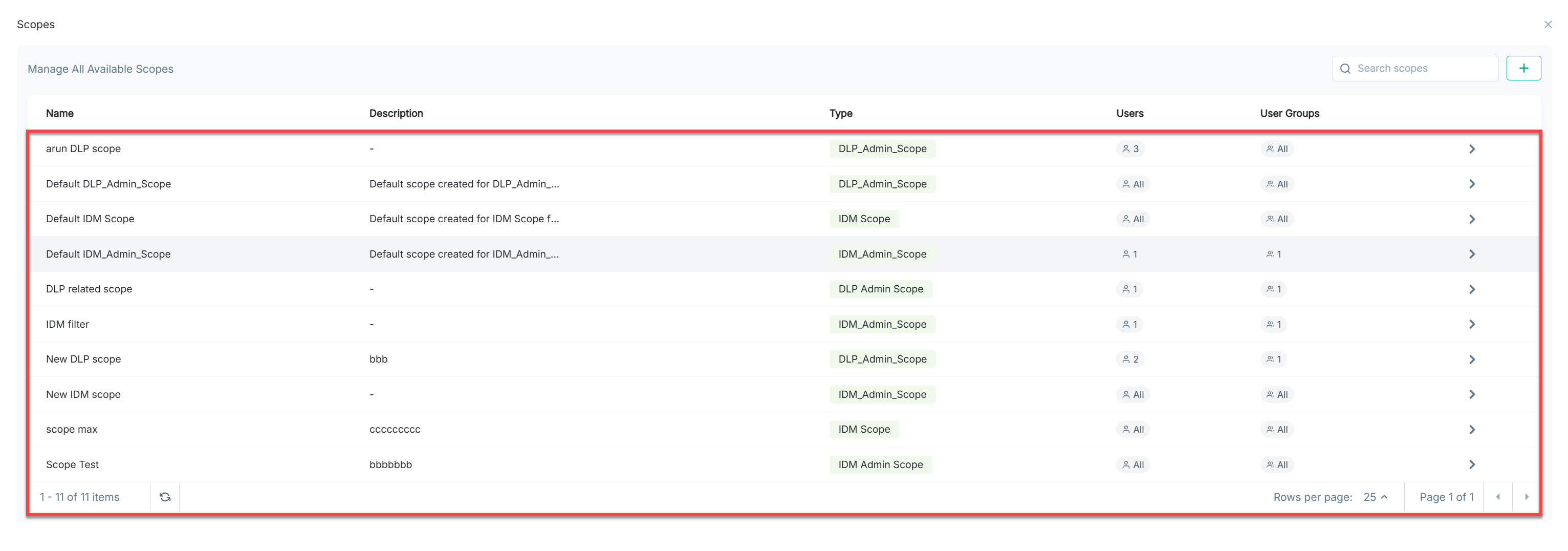
Select the scope you wish to edit.
-
You can modify the Description and assigned Users Groups or Users in the Resources Categories.
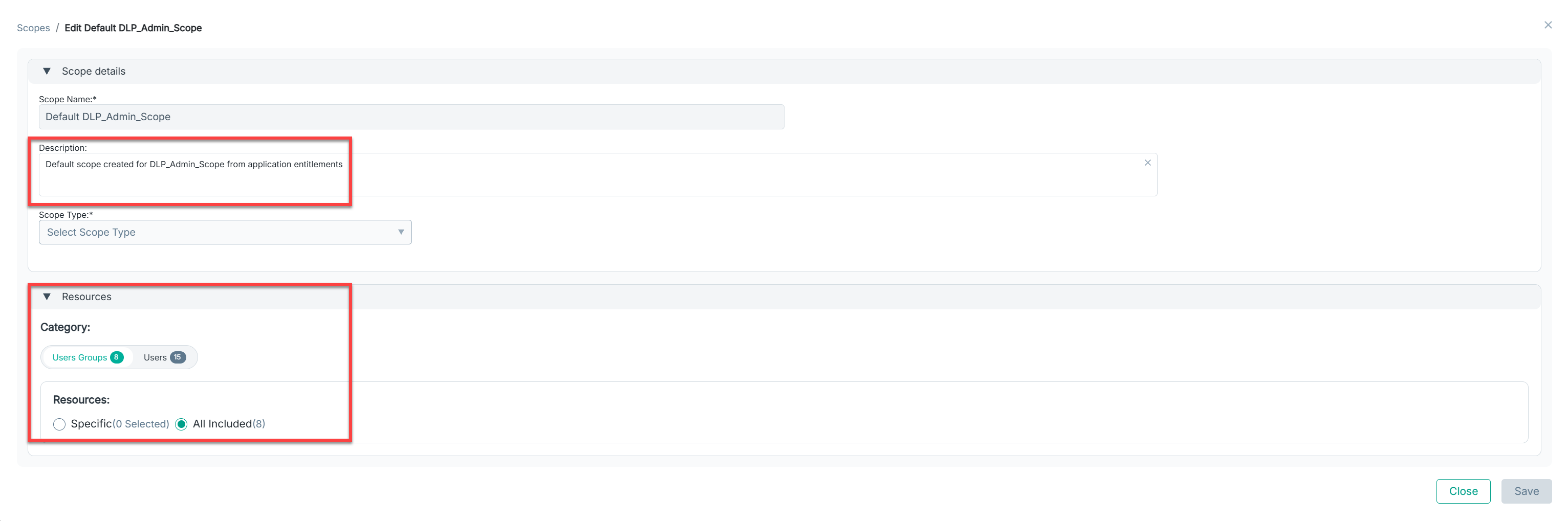
Note: You cannot modify the scope name and its type. -
Click on save. The scope updates immediately for all associated roles or updated details.