How to Connect Forcepoint MCP Server to ChatGPT
Use this topic to connect Forcepoint MCP Gateway to Chatgpt.
- Log in to your ChatGPT account.
- Navigate to Plugins.
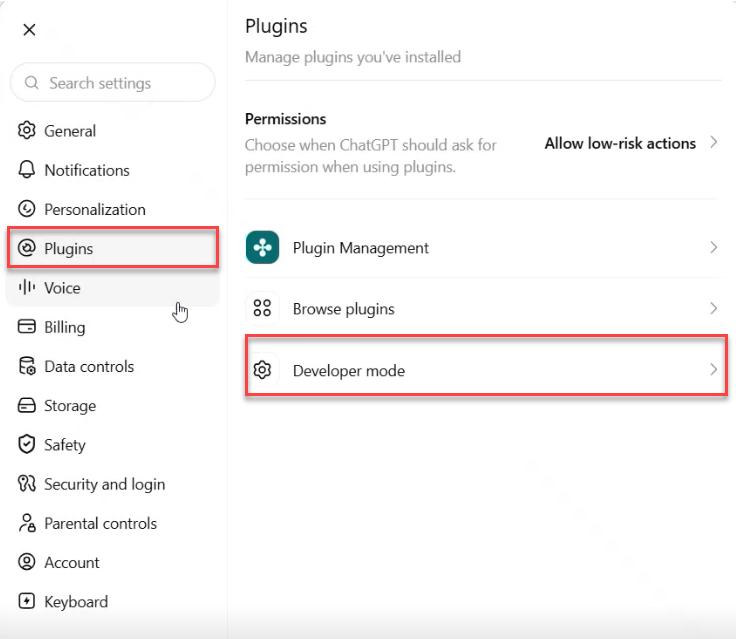
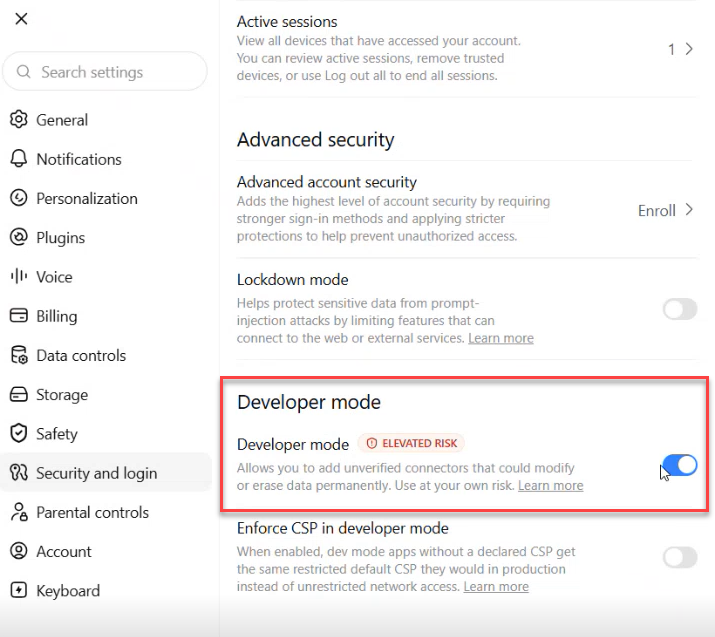
- Click on Developer mode and turn the toggle to enable Developer Mode.
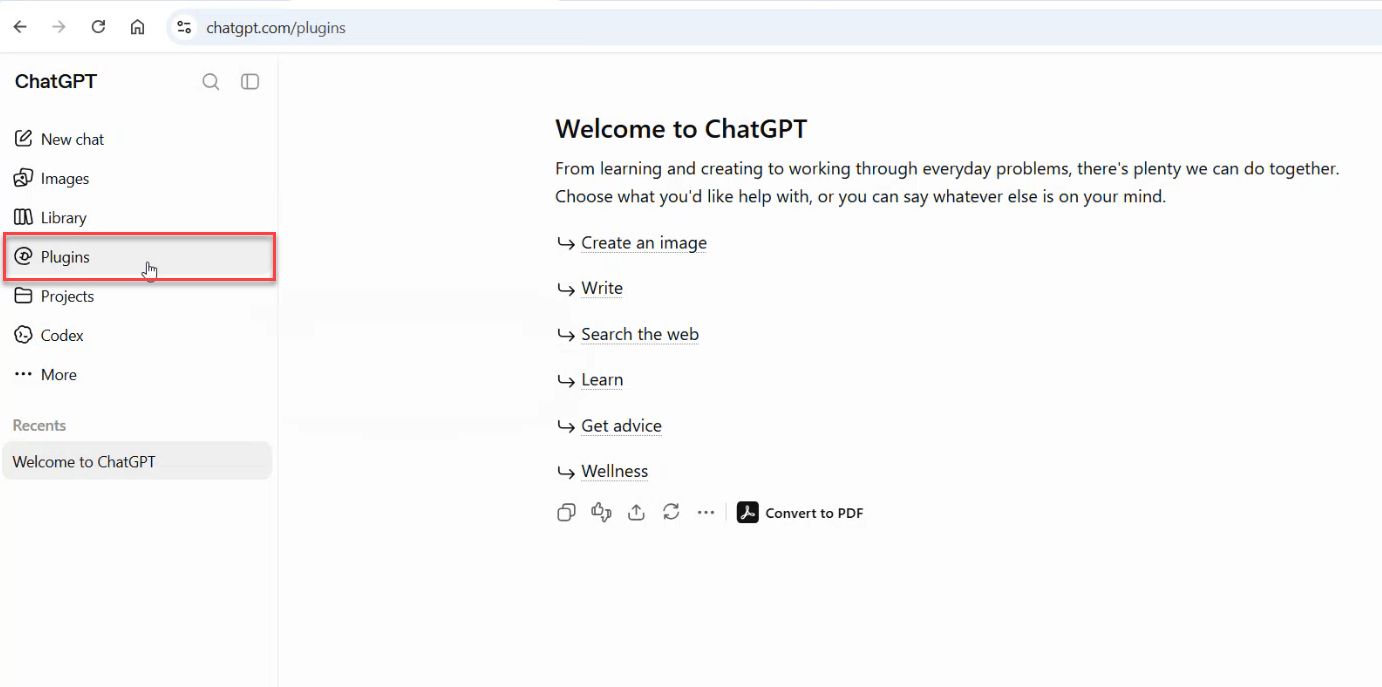
- Browse to the Plugins page and click Add a plugin.
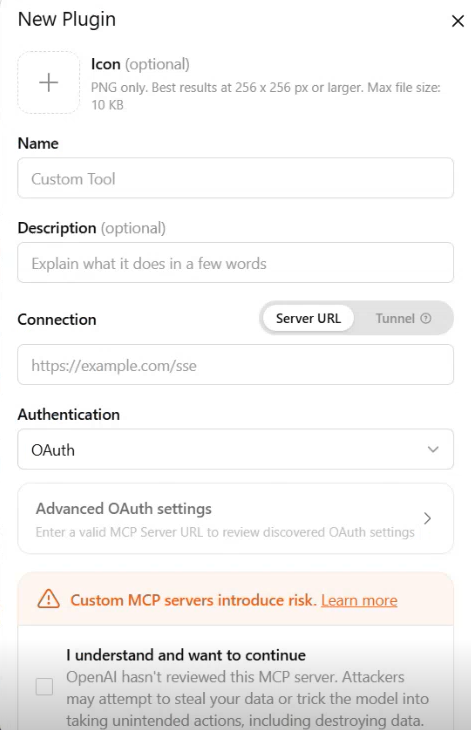
- Enter a name for the connector (e.g., "Forcepoint").
- Paste the MCP Server URL (copied from AI Assistant settings) as the connection URL.
- ChatGPT will open the Forcepoint login page — log in with your Forcepoint credentials.
- Once authenticated, the connector is created and available in your chat.
- You can now interact with Forcepoint in your ChatGPT conversation (e.g., "Show me my Forcepoint users"), and ChatGPT will invoke the Forcepoint MCP Gateway plugin.