Scope an MCP Gateway (AI Agent Gateway) rule to particular agents rather than to all agent traffic.
Steps
- Go to the page, select a rule, and click Edit.
- Select the Source tab, then click Edit.
-
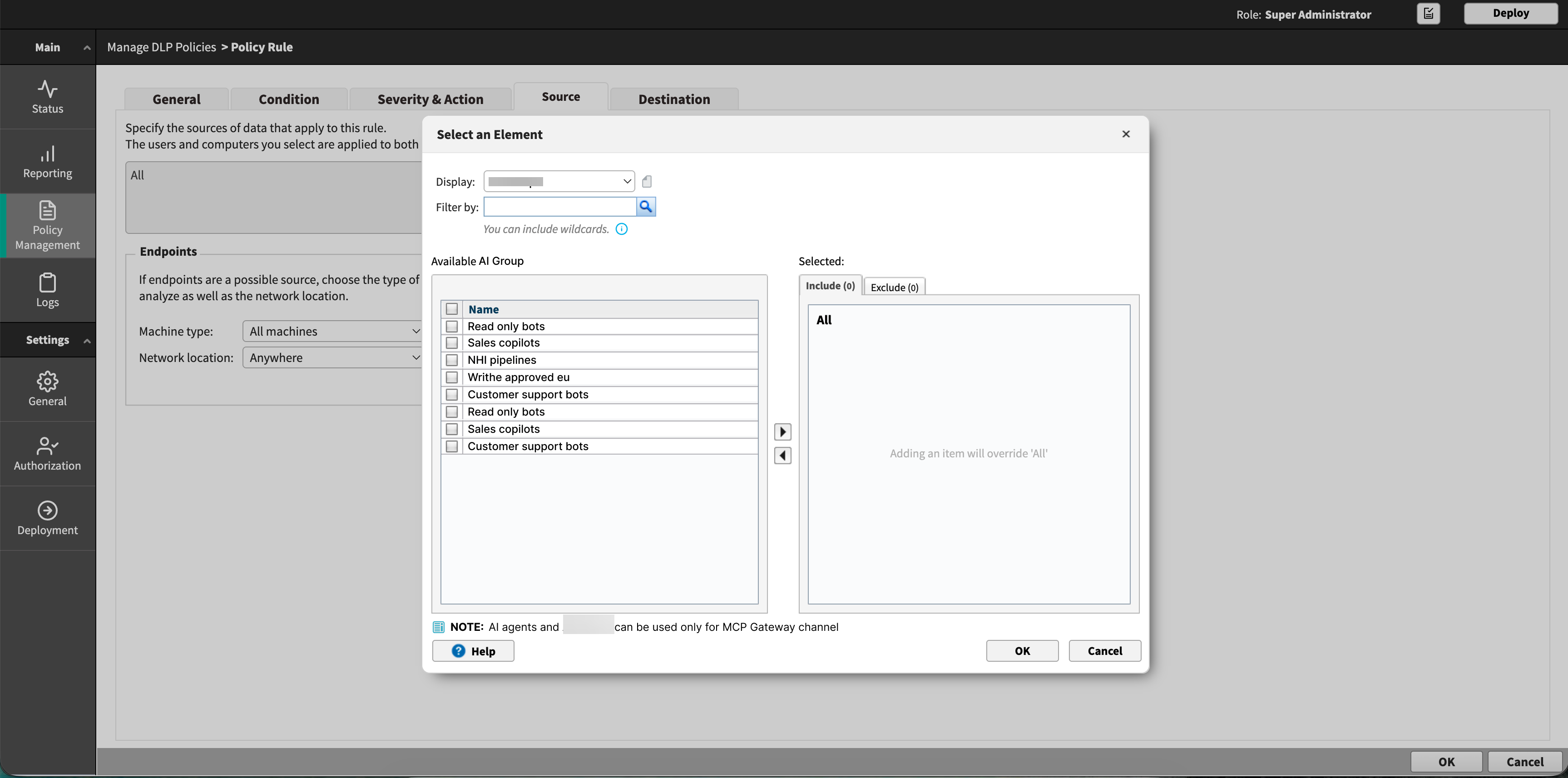
In the Select an Element dialog box, set Display to AI Agents or AI Agent Groups.
The solution supports custom users, directory users and groups, business units, AI Agents, and AI Agent Groups as rule sources. Set Display to whichever of
these the rule should be scoped to.
- Use Filter by to search the list. The search matches any part of the name.
- Move the agents or groups you want into the Include list, or into Exclude to omit them from an otherwise broad rule.
Adding any item overrides the default value of All.
- Click OK.
Note: AI agents and AI agent groups apply only to the MCP Gateway channel. If a rule uses them as a source and also covers another channel, they have no effect on that other channel.
You can add AI agents and AI agent groups to a business unit.