Configuring the MCP Gateway (AI Agent Gateway) destination and operations
Select the MCP Gateway (AI Agent Gateway) connectors this rule covers and the operations to analyze.
Steps
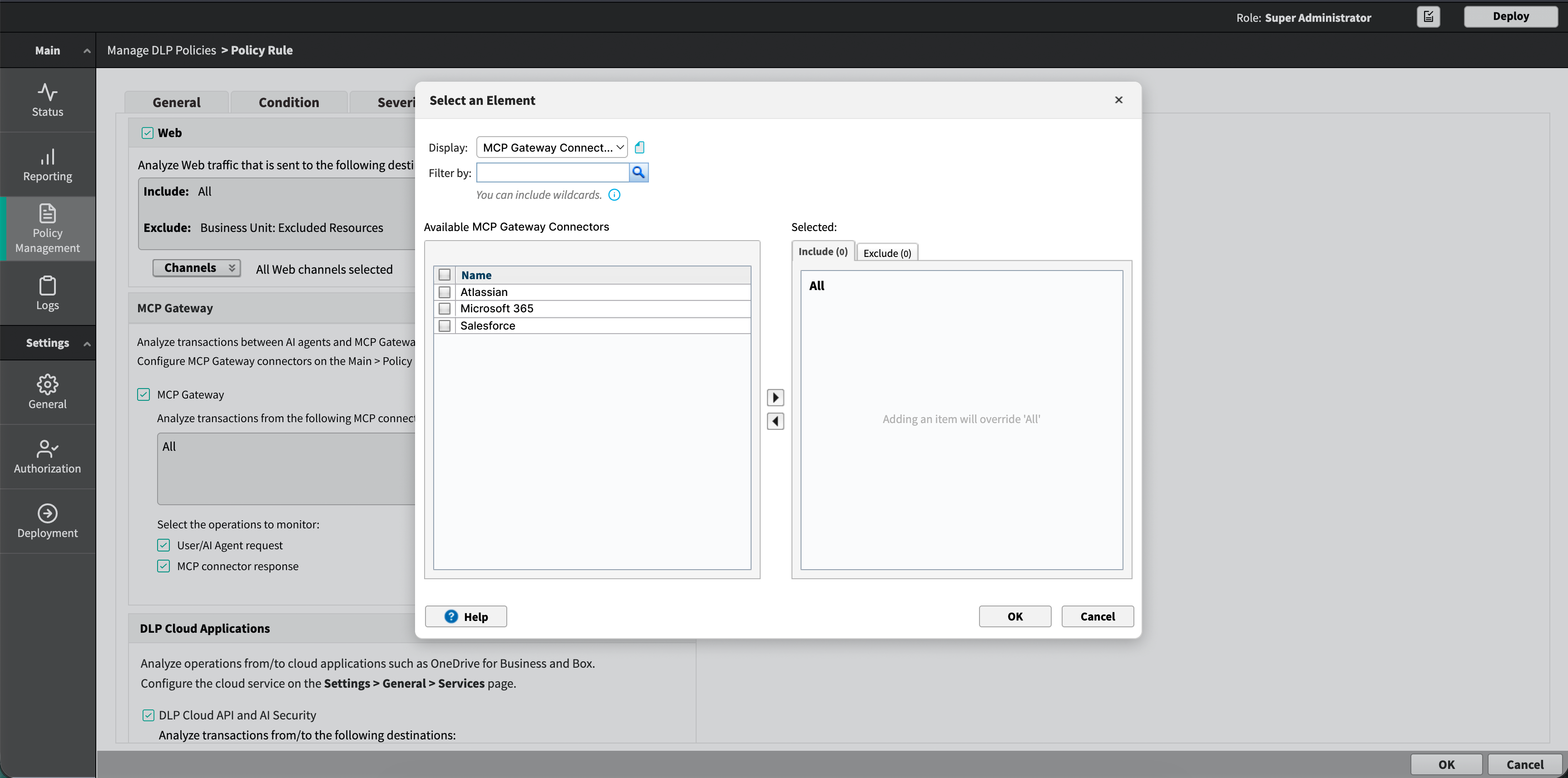
- Click Edit and select the connectors to analyze.
The picker lists connectors by name and supports searching. Leave the value as All to analyze traffic to every connector.
- Under Select the operations to monitor, select the operations to apply.
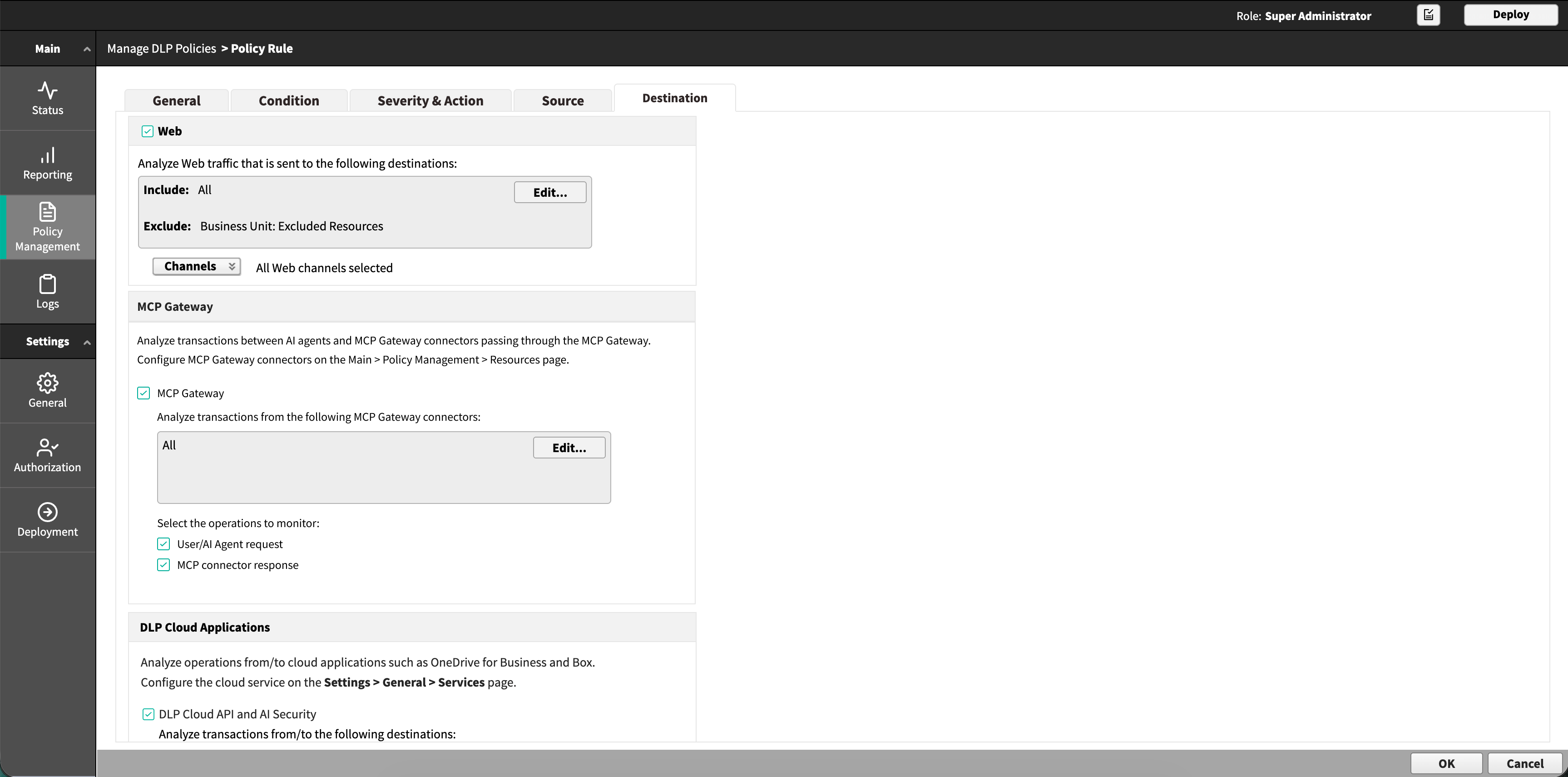
- User/AI Agent request
- MCP connector response