Binding a License to the Engine
Bind an available software license to the newly created engine from the Administration panel.
Steps
-
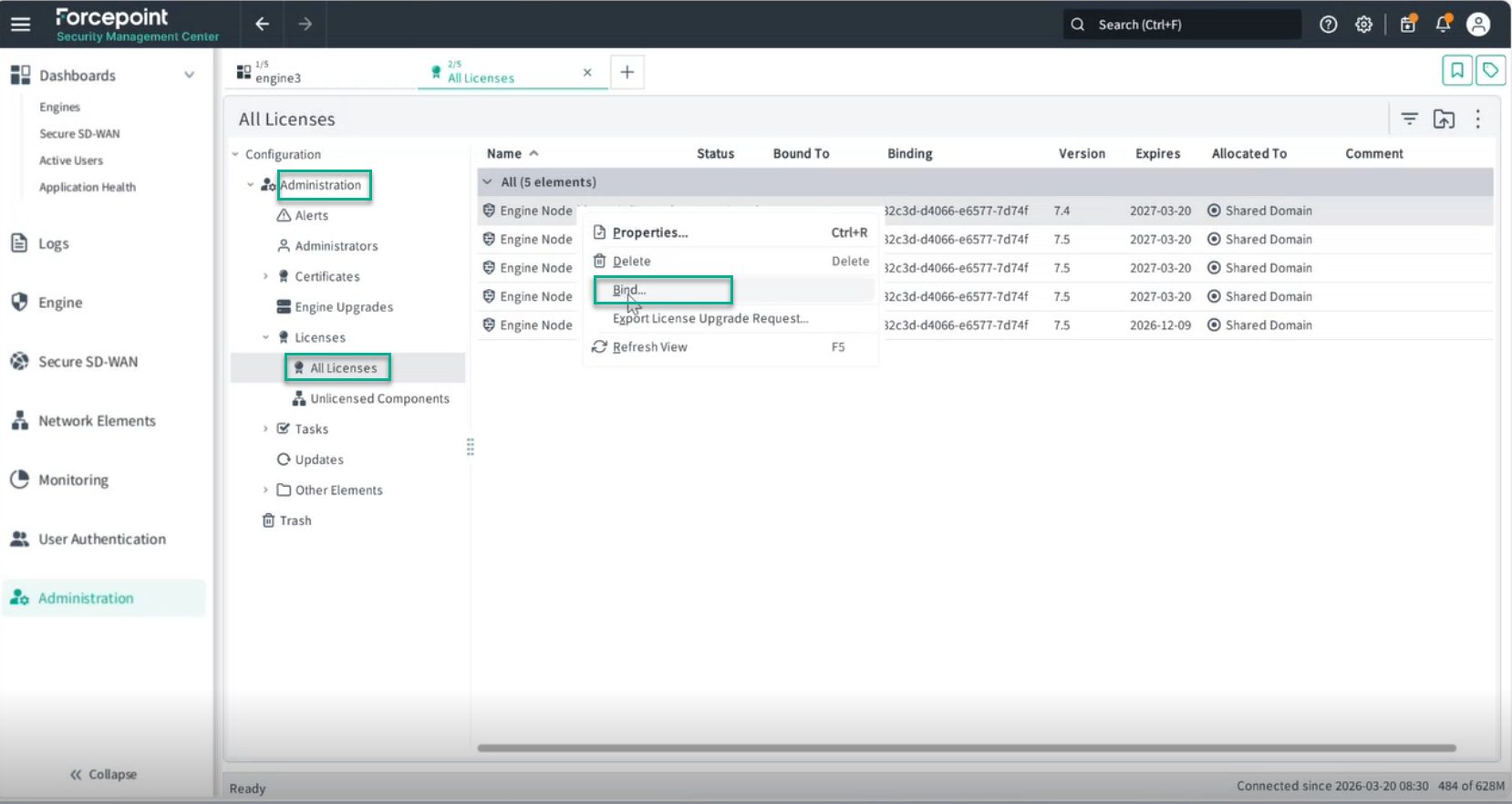
From the list of available licenses, right-click the license you want to bind to the engine and select Bind from the context menu.
 A pop-up window will appear displaying the engine to which you want to bind the license, for example, engine3.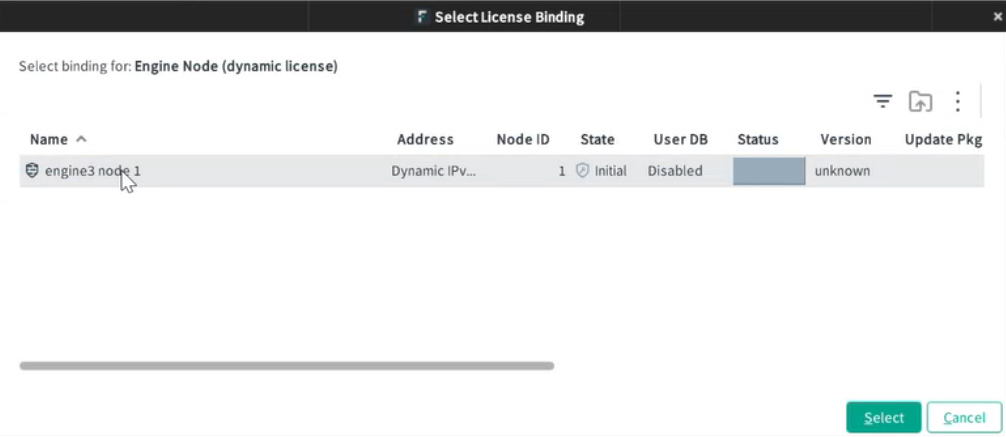
-
Click the engine name, then click the Select button in the bottom-right corner.
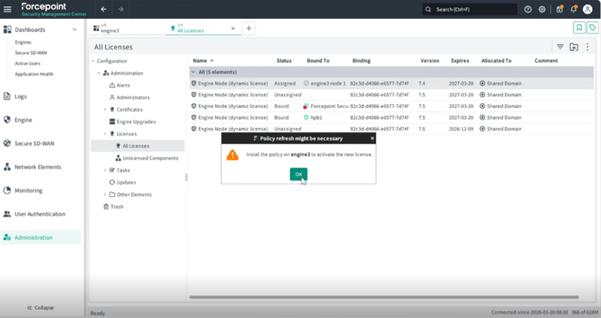
A pop-up message will appear indicating that the policy must be installed on the engine to activate the new license.