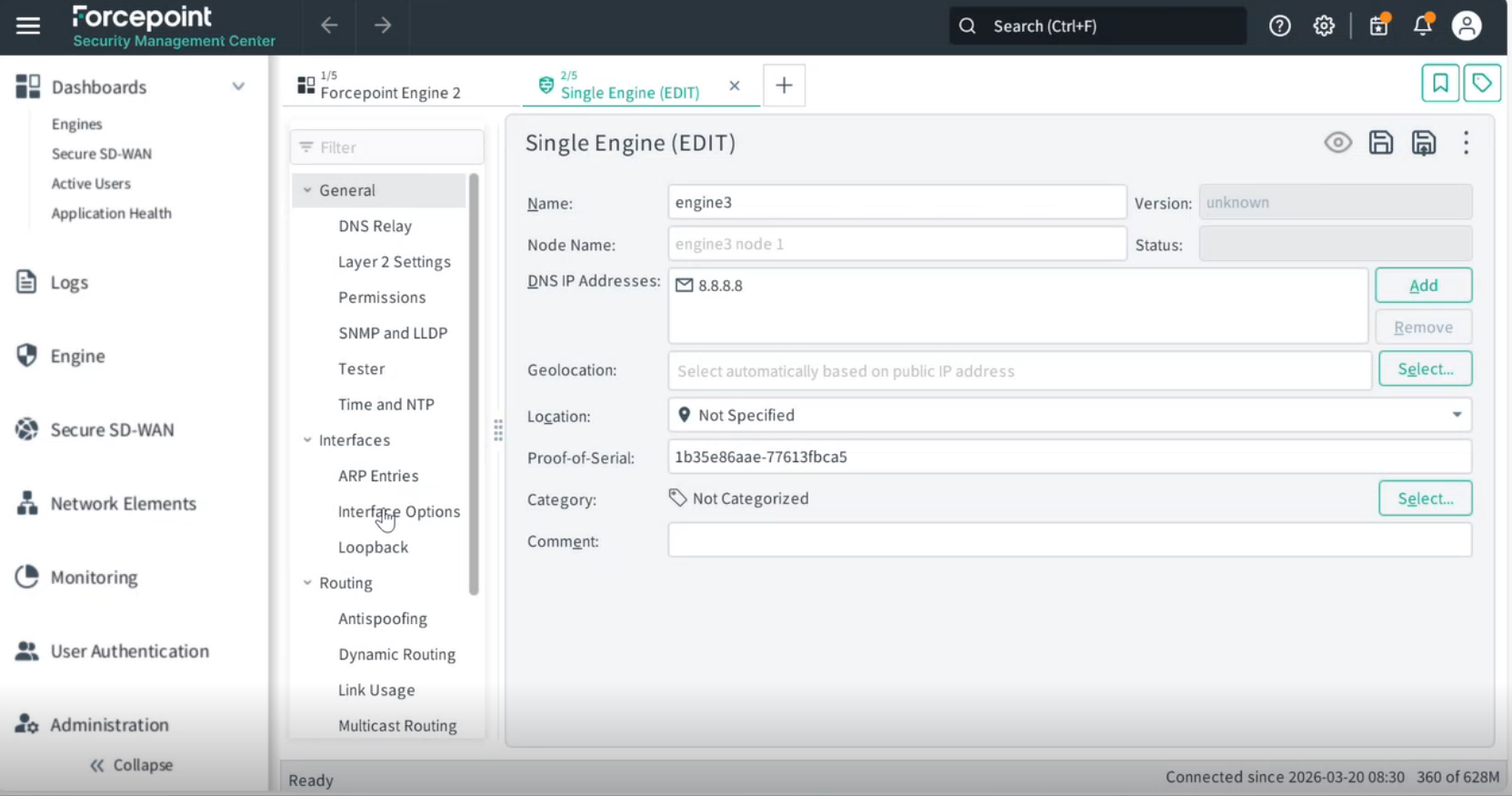
Creating a single element engine
Create a new single engine on the SMC as a Service dashboard and enter its initial configuration details.
Steps
- Go to the SMC as a Service dashboard and click Engine.
-
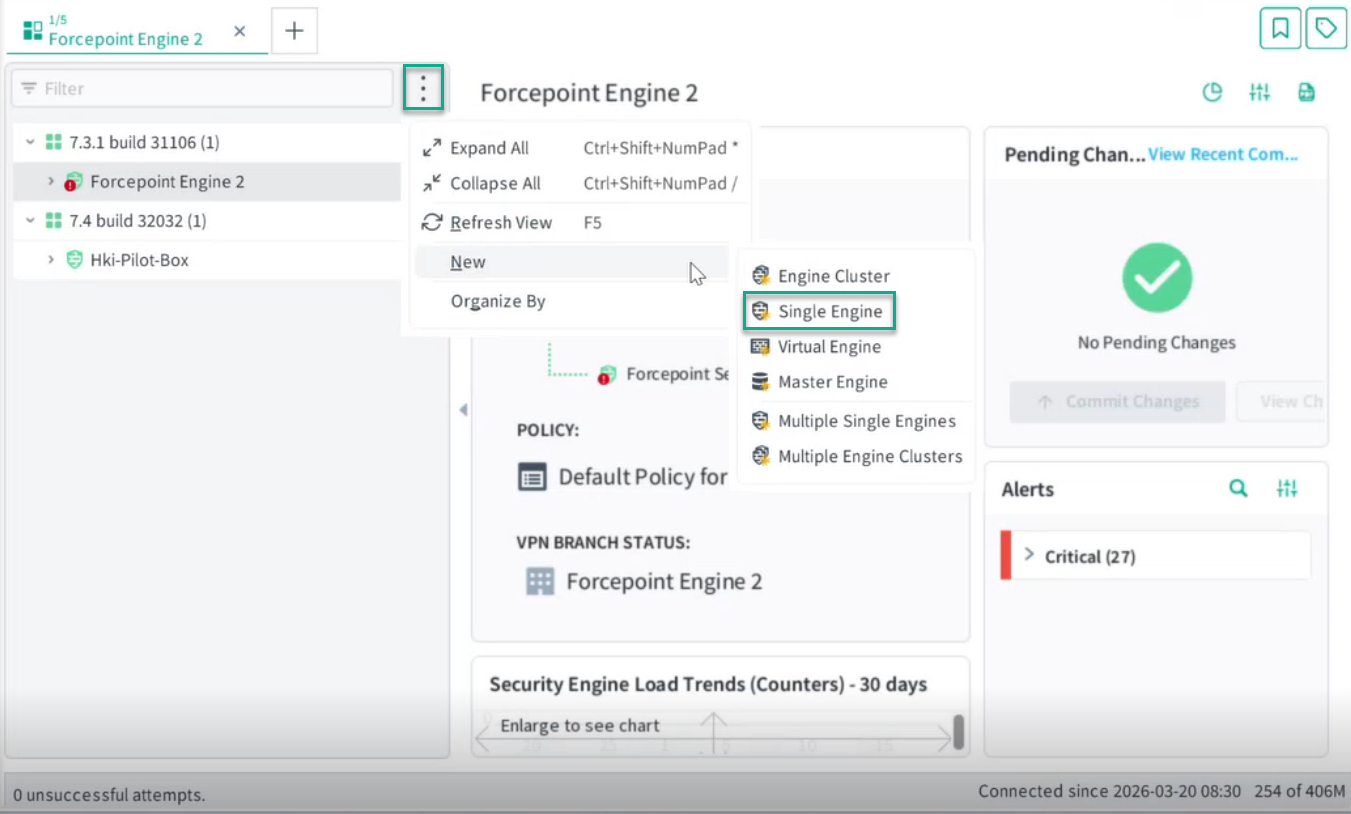
Click
.
-
Click New and select Single Engine.
Note: The type of engine selected when creating a new engine can be edited or converted to an engine cluster later.
A pop-up window will appear where you must enter the details of the new engine.
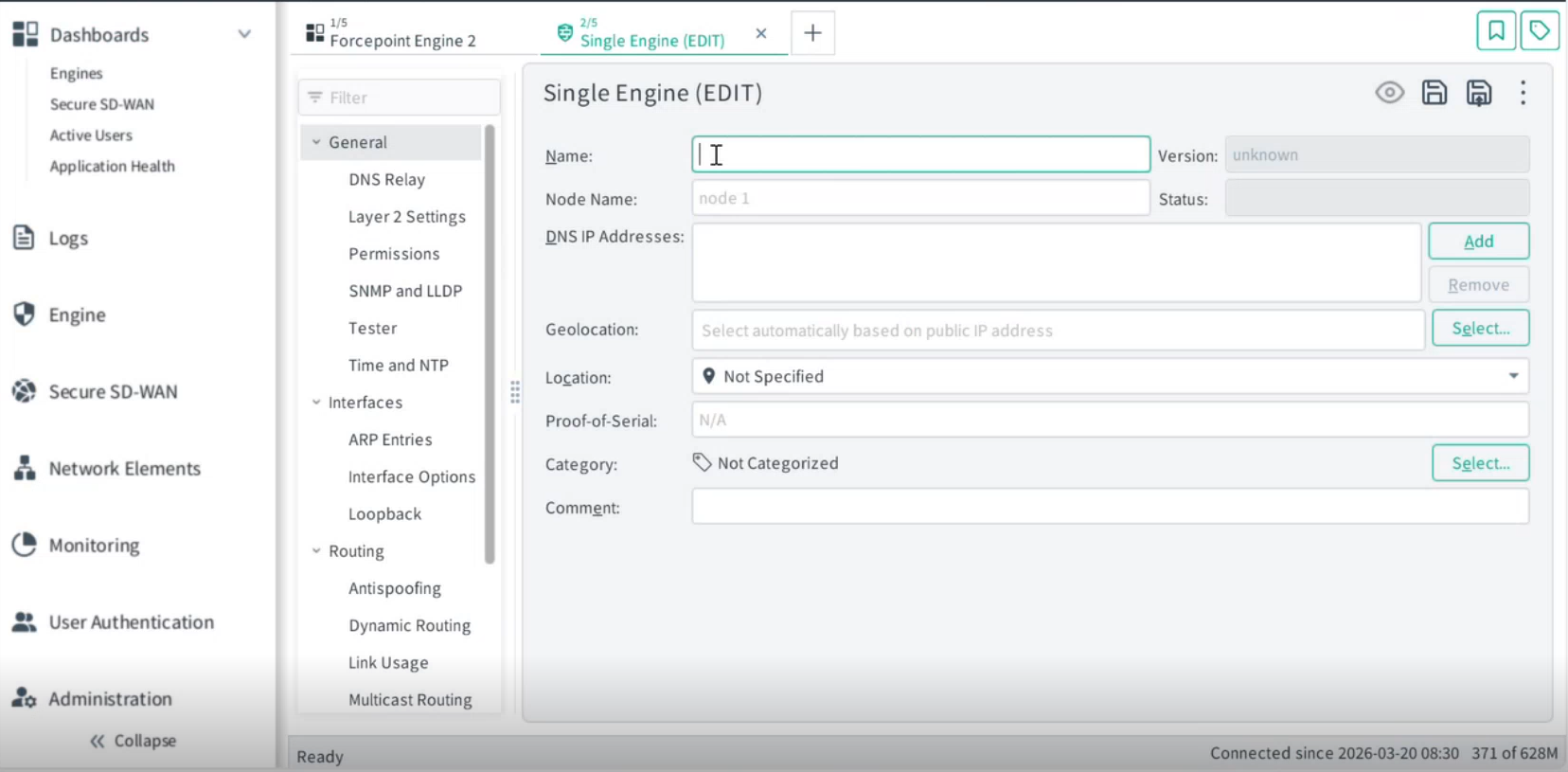
-
Fill in the following fields:
- Name — Enter a name for the engine, for example, engine3.
-
DNS IP Address — Enter the DNS IP address, for example, 8.8.8.8.
Note: This is required to verify that the engine has internet access.
-
Proof of Serial — Enter the Proof-of-Serial of the physical device with which you are establishing a connection. Note: The Proof-of-Serial (PoS) binds the software license to a specific device, preventing the license from being used on any other device.
Result