PostgreSQL Backup
Backup Essentials
Purpose: PostgreSQL is the relational database for structured data and transactions.
Backup Content: Database dumps for all relevant databases (e.g., auth.dump, agent.dump, audit.dump,
bunzi.dump, keycloak.dump, shared.dump, regex.dump, db01.dump, db02.dump,
ops.dump, trustee.dump, classification_tags.dump).
Accessing PostgreSQL backup using terminal
auth.dump
agent.dump
audit.dump
bunzi.dump
keycloak.dump
shared.dump
regex.dump
db01.dump
db02.dump
ops.dump
trustee.dump
classification_tags.dump$ kubectl get secret gv-essentials-minio -o go-template='{{.data.rootUser | base64decode}}{{"\n"}}'
NsdlLiCEZBHRLzIb5PdI
$ kubectl get secret gv-essentials-minio -o go-template='{{.data.rootPassword | base64decode}}{{"\n"}}'
fFeIh8VyxRf45HUIJDgQxn0AcViJV20qa5cRkiP1
$ kubectl run -it --rm --image=docker.io/getvisibility/backup:0.1.4 debug -- /bin/bash
If you don't see a command prompt, try pressing enter.
root@debug:/# mc alias set myminio http://gv-essentials-minio:9000 NsdlLiCEZBHRLzIb5PdI fFeIh8VyxRf45HUIJDgQxn0AcViJV20qa5cRkiP1
mc: Configuration written to `/root/.mc/config.json`. Please update your access credentials.
mc: Successfully created `/root/.mc/share`.
mc: Initialized share uploads `/root/.mc/share/uploads.json` file.
mc: Initialized share downloads `/root/.mc/share/downloads.json` file.
Added `myminio` successfully.
root@debug:/# mc ls myminio/postgresql-backup | sort
[...]
[2024-10-25 01:37:30 IST] 32KiB STANDARD 2024-10-25-00-37-30-db02.dump
[2024-10-25 01:37:30 IST] 80KiB STANDARD 2024-10-25-00-37-29-postgres.dump
[2024-10-25 01:37:31 IST] 32KiB STANDARD 2024-10-25-00-37-31-audit.dump
[2024-10-25 01:37:31 IST] 48KiB STANDARD 2024-10-25-00-37-31-regex.dump
[2024-10-25 01:37:32 IST] 32KiB STANDARD 2024-10-25-00-37-32-agent.dump
[2024-10-25 01:37:33 IST] 32KiB STANDARD 2024-10-25-00-37-32-bunzi.dump
[2024-10-25 01:37:34 IST] 32KiB STANDARD 2024-10-25-00-37-34-shared.dump
[2024-10-25 01:37:34 IST] 237KiB STANDARD 2024-10-25-00-37-33-keycloak.dump
[2024-10-25 01:37:35 IST] 32KiB STANDARD 2024-10-25-00-37-35-db01.dump
[2024-10-25 01:37:35 IST] 43KiB STANDARD 2024-10-25-00-37-34-classification_tags.dump
[2024-10-25 01:37:36 IST] 32KiB STANDARD 2024-10-25-00-37-36-ops.dump
[2024-10-25 01:37:37 IST] 32KiB STANDARD 2024-10-25-00-37-36-trustee.dump
[2024-10-25 01:37:37 IST] 32KiB STANDARD 2024-10-25-00-37-37-auth.dump
[2024-10-25 01:37:38 IST] 32KiB STANDARD 2024-10-25-00-37-37-test.dump
[2024-10-25 03:00:03 IST] 80KiB STANDARD 2024-10-25-02-00-02-postgres.dump
[2024-10-25 03:00:04 IST] 32KiB STANDARD 2024-10-25-02-00-03-db02.dump
[2024-10-25 03:00:04 IST] 48KiB STANDARD 2024-10-25-02-00-04-regex.dump
[2024-10-25 03:00:05 IST] 32KiB STANDARD 2024-10-25-02-00-05-audit.dump
[2024-10-25 03:00:06 IST] 32KiB STANDARD 2024-10-25-02-00-05-agent.dump
[2024-10-25 03:00:06 IST] 32KiB STANDARD 2024-10-25-02-00-06-bunzi.dump
[2024-10-25 03:00:07 IST] 237KiB STANDARD 2024-10-25-02-00-07-keycloak.dump
[2024-10-25 03:00:08 IST] 32KiB STANDARD 2024-10-25-02-00-08-shared.dump
[2024-10-25 03:00:09 IST] 32KiB STANDARD 2024-10-25-02-00-09-db01.dump
[2024-10-25 03:00:09 IST] 43KiB STANDARD 2024-10-25-02-00-08-classification_tags.dump
[2024-10-25 03:00:10 IST] 32KiB STANDARD 2024-10-25-02-00-10-ops.dump
[2024-10-25 03:00:10 IST] 32KiB STANDARD 2024-10-25-02-00-10-trustee.dump
[2024-10-25 03:00:11 IST] 32KiB STANDARD 2024-10-25-02-00-11-auth.dump
[2024-10-25 03:00:11 IST] 32KiB STANDARD 2024-10-25-02-00-11-test.dump
root@debug:/# mkdir postgres
root@debug:/# mc mirror myminio/postgresql-backup/ postgres
...25-02-00-11-test.dump: 5.75 MiB / 5.75 MiB ┃▓▓▓▓▓▓▓▓▓▓▓▓▓▓▓▓▓▓▓▓▓▓▓▓▓▓▓▓▓▓▓▓▓▓▓▓▓▓▓▓▓▓▓▓▓▓▓▓▓┃ 8.53 MiB/s 0s
root@debug:/# tar -czf postgres.tar.gz postgres/2024-10-25*The […] above indicates that additional files were listed, but for brevity we are only showing those with the latest date; the others are not relevant to us.
We used mc mirror to copy the data into a local folder named postgres. Due to certain limitations in mc, we had to use a small workaround: we
first mirrored all PostgreSQL backup files into a single local directory, and then used tar to archive only the files from the specific date we were interested in.
$ kubectl cp debug:/postgres.tar.gz ./postgres.tar.gz
$ ls postgres*
postgres.tar.gz
Our postgres.tar.gz archive now only includes the .dump files created on the 2024-10-25. You can now transfer your backup to the target machine.
Accessing your PostgreSQL backup using MinIO console
Using terminal to retrieve MinIO credentials
$ kubectl get secret gv-essentials-minio -o go-template='{{.data.rootUser | base64decode}}{{"\n"}}'
NsdlLiCEZBHRLzIb5PdI
$$ kubectl get secret gv-essentials-minio -o go-template='{{.data.rootPassword | base64decode}}{{"\n"}}'
fFeIh8VyxRf45HUIJDgQxn0AcViJV20qa5cRkiP1
$You can access MinIO console by visiting your cluster IP/URL at /gv-essentials-minio/ endpoint (trailing slash is important).
- Navigate to https://10.20.30.40/gv-essentials-minio/ and enter
username/password.
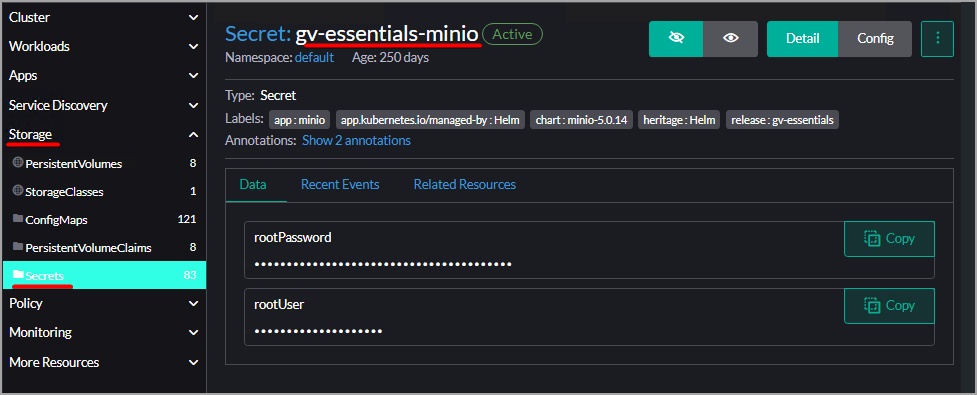
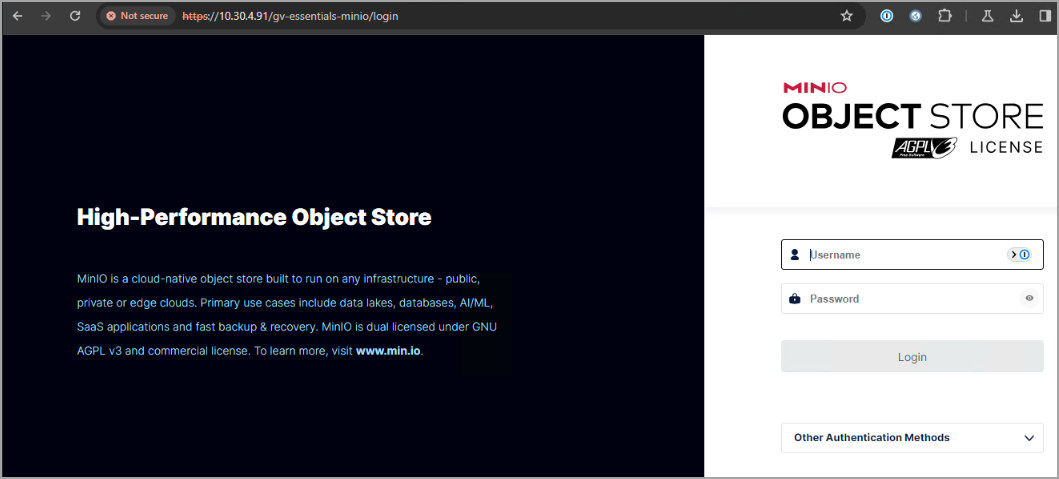 Important:
To retrieve username and password for MinIO using Rancher, locate your cluster and then click on
After logging in, you will see the main screen of the MinIO Console.
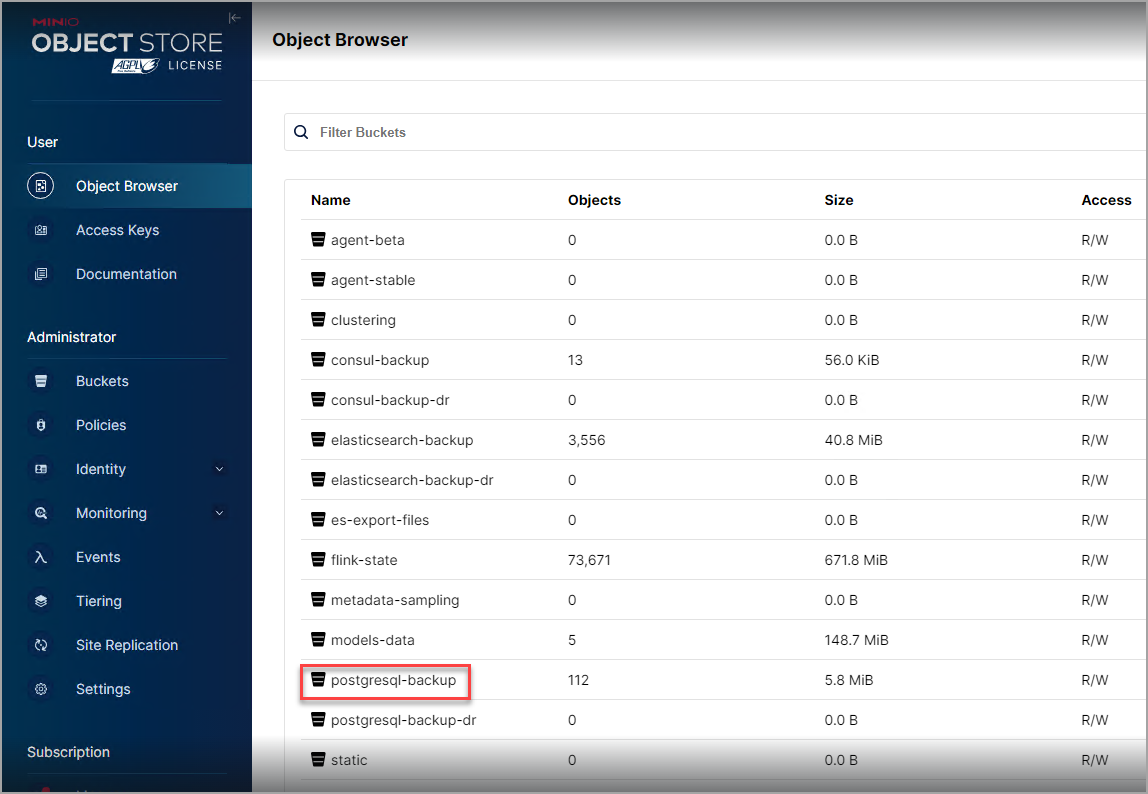
PostgreSQL stores multiple databases, each backed up individually, and a complete backup requires including all of them.
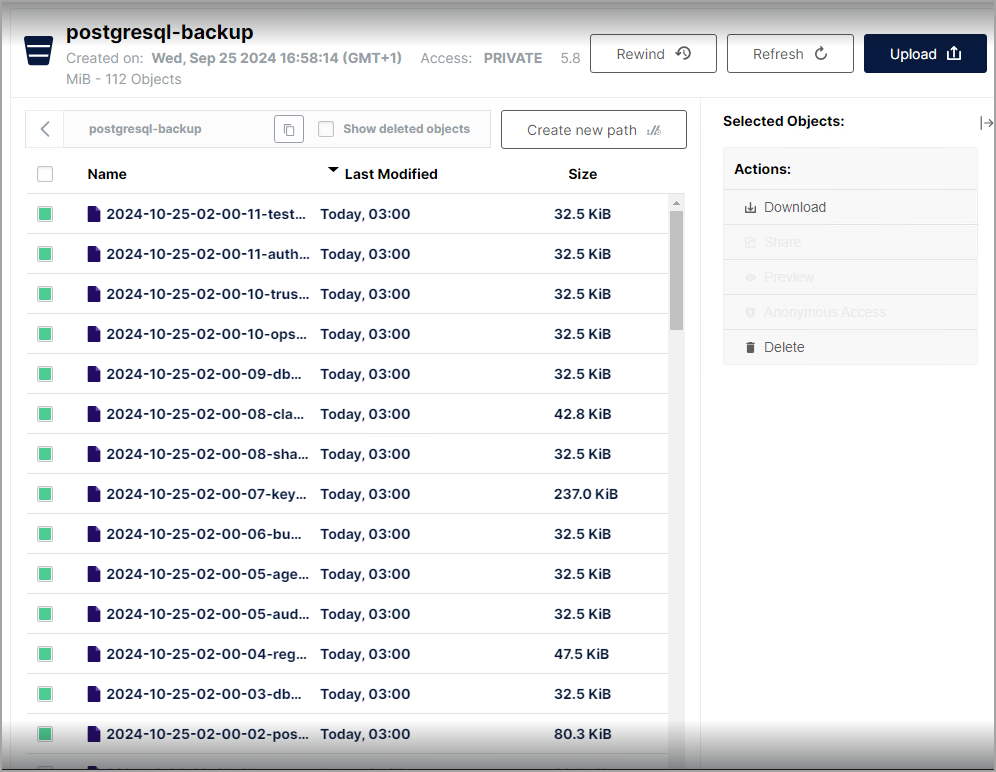
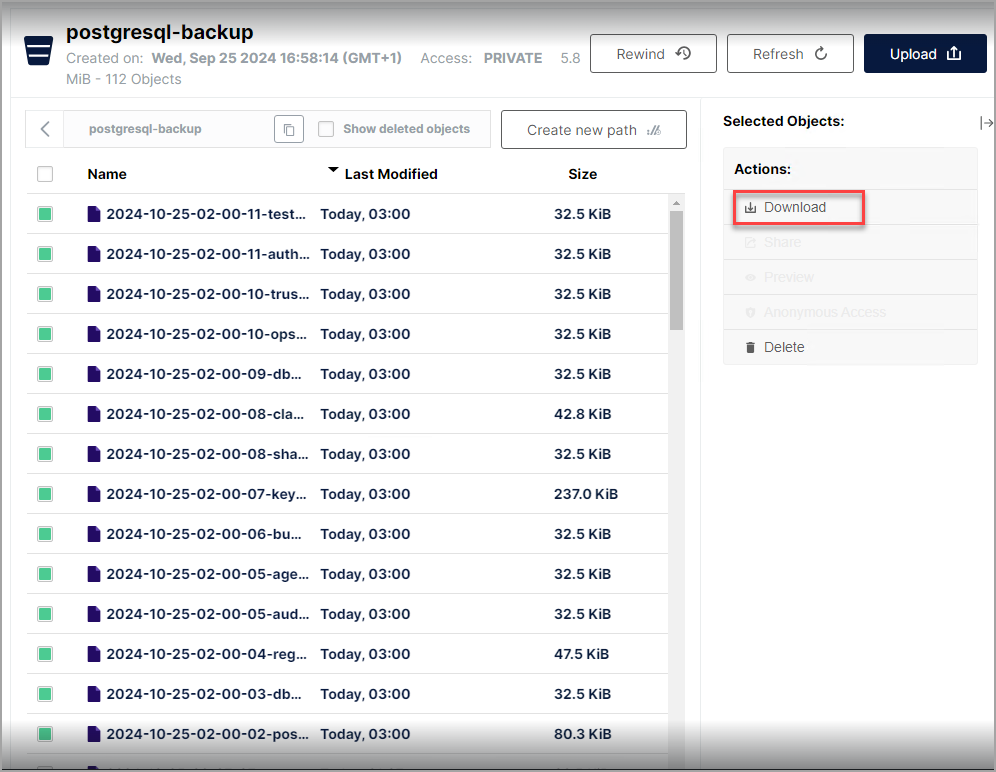
- Click Download to download the backups directly from the browser using the MinIO console.
Additional information about PostgreSQL backups
If you are looking for additional information about PostgreSQL backups, refer to this chapter.