Role Based Access Control (RBAC)
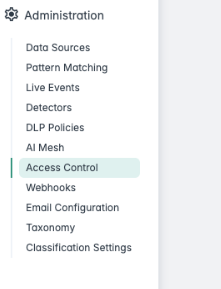
Note: Role-Based Access Control (RBAC) is disabled by default on all clusters. To enable RBAC, contact Forcepoint Support for the initial setup. Once enabled, Access Control options
will appear in the Dashboard.
To configure RBAC for the application, refer to the instructions provided here.
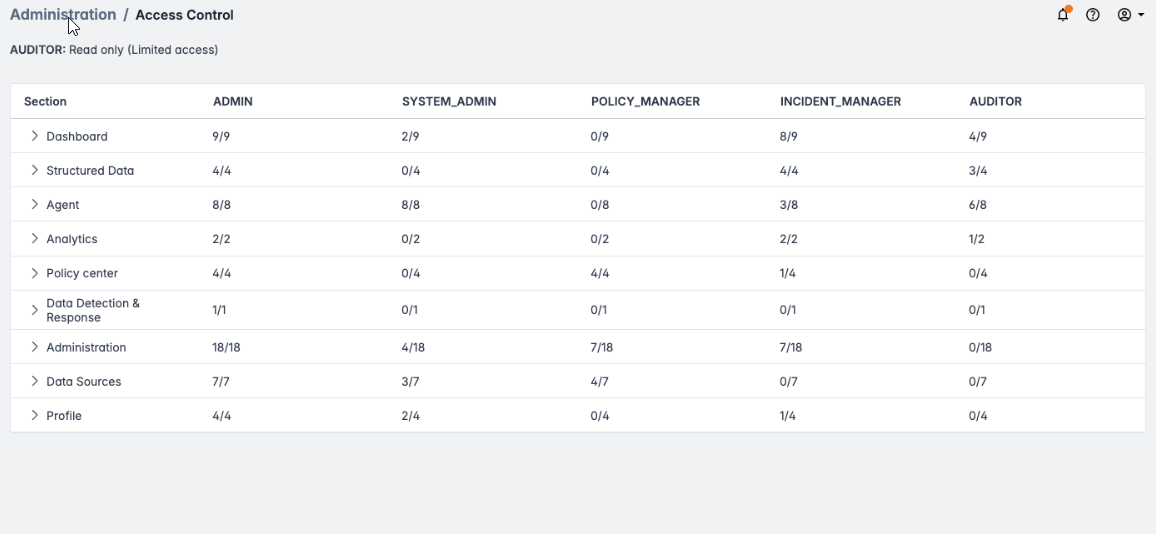
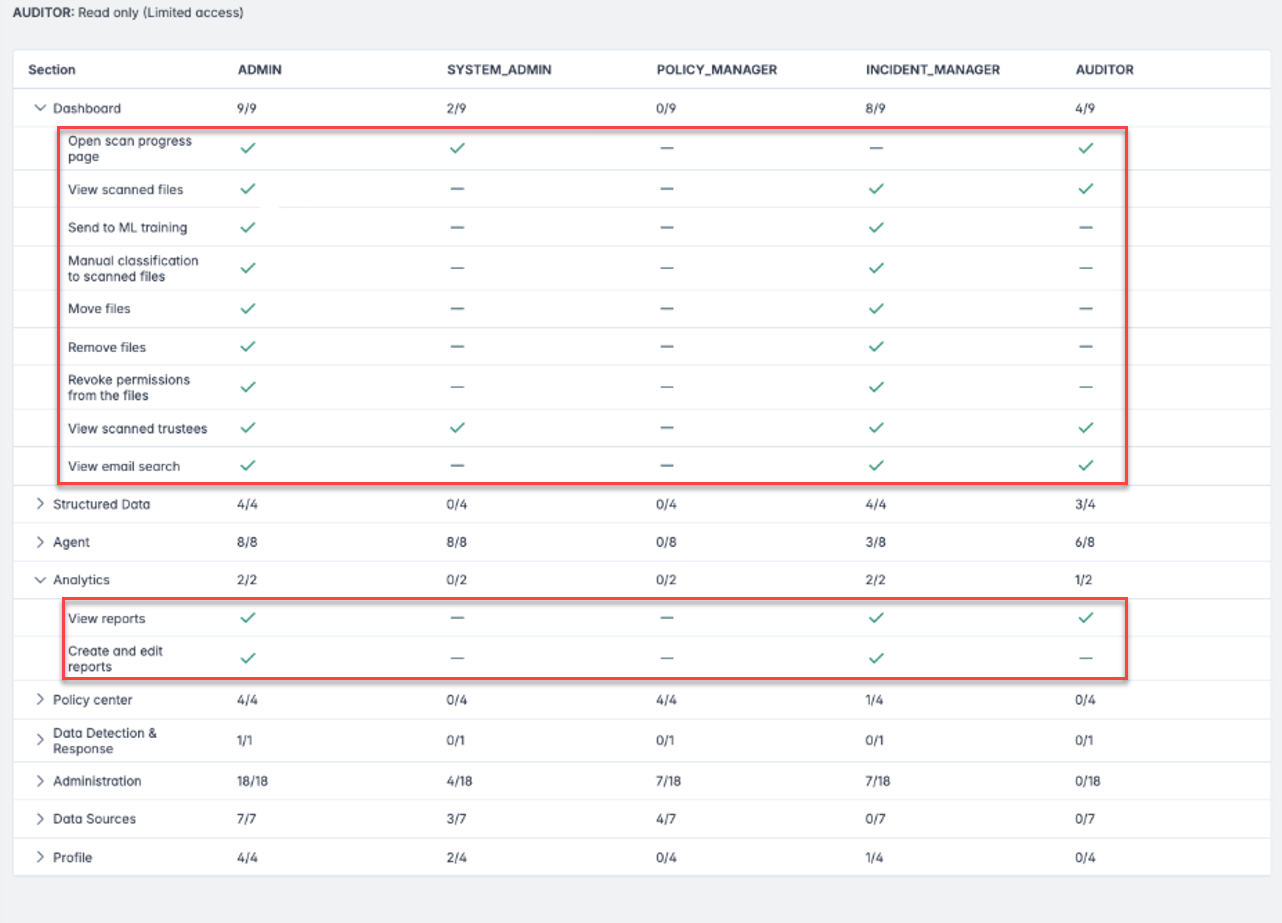
The current RBAC configuration is accessible via the dashboard in the section and is restricted to the ADMIN role.