Set the forensic data retention period
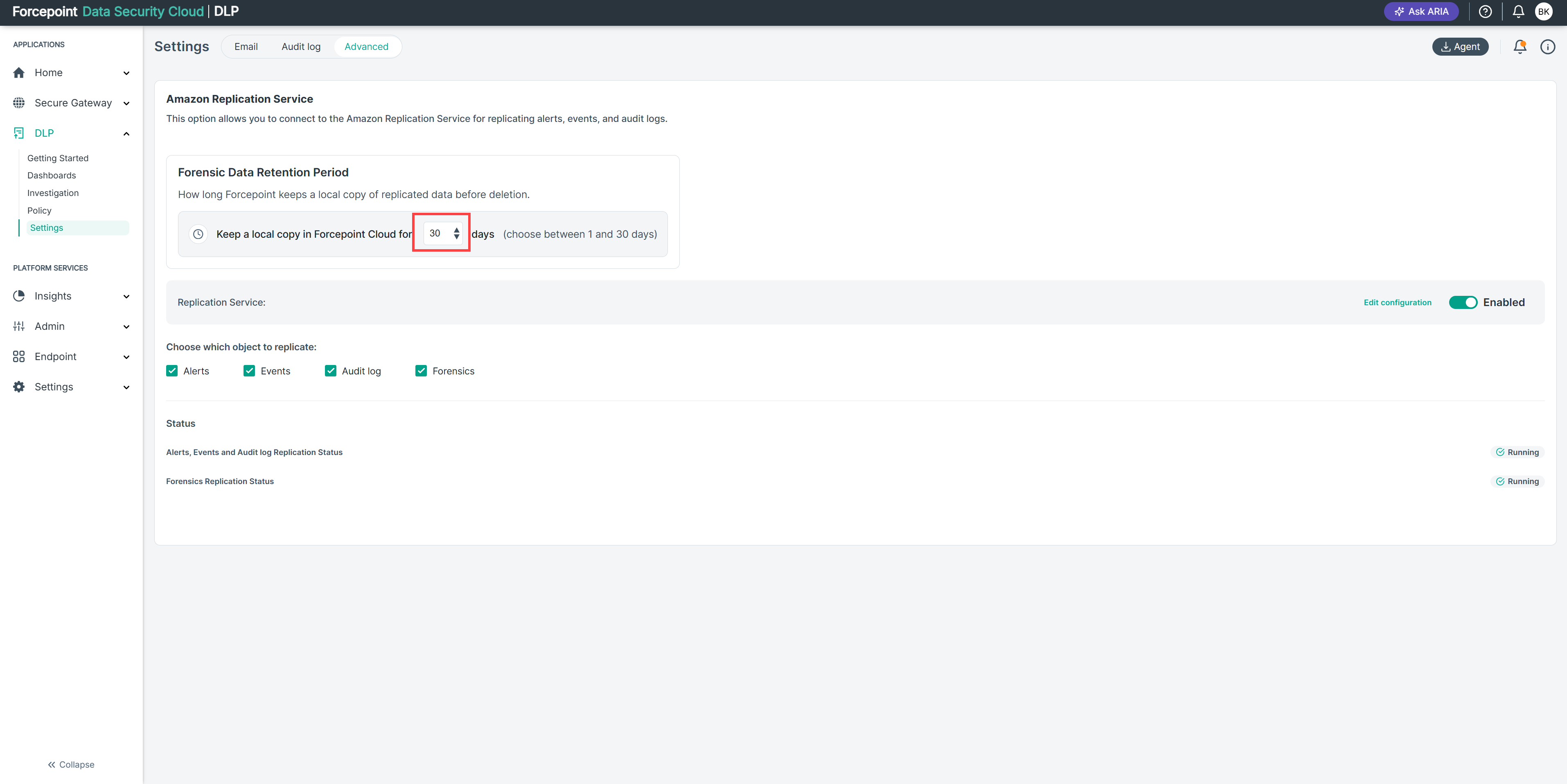
Limit how long Forcepoint Data Security Cloud | DLP keeps its own copy of forensic evidence after the evidence is replicated to your Amazon S3 bucket.
Before you begin
- You must be an administrator.
- The Amazon Replication Service must be configured with Forensics selected, and Forensics Replication Status must be Running. The Forensic Data Retention Period area is displayed only when forensic replication is enabled.
- Make sure the people who investigate alerts can access your S3 bucket. After Forcepoint's copy is deleted, evidence can be retrieved only from your bucket.
By default, Forcepoint keeps its copy of forensic evidence for 30 days. If your organization's policy limits how long data can stay with a cloud provider, you can shorten this period to as little as 1 day.
Steps
-
In Keep a local copy in Forcepoint Cloud for, enter or select the number of days, from 1 to 30.
Values outside this range are not accepted.
Result
Forcepoint deletes its copy of forensic evidence when the evidence is older than the number of days that you set. The copies in your S3 bucket are not affected.
For alerts whose evidence has been deleted from Forcepoint Cloud, Download Evidence is unavailable in the alert details and displays Forensic was deleted. Use the alert's Alert id to find the evidence in your bucket.
To keep Forcepoint's copy for as long as possible, set the value to 30.