Configuring IBM DB2 connector
Prerequisites
- The database must be reachable from the network where the product is deployed (for example, via a private DNS name or a routable IP address).
- If a firewall is in place, ensure the database port is open.
- Create a user account with read access to database metadata (schemas, tables, and views) with access to system tables data (required for users, permissions, and metrics extraction) for the product to run the scanning process. The classification process requires access to run "SELECT * queries" for all user tables and columns.
Creating IBM Db2 Database Credentials
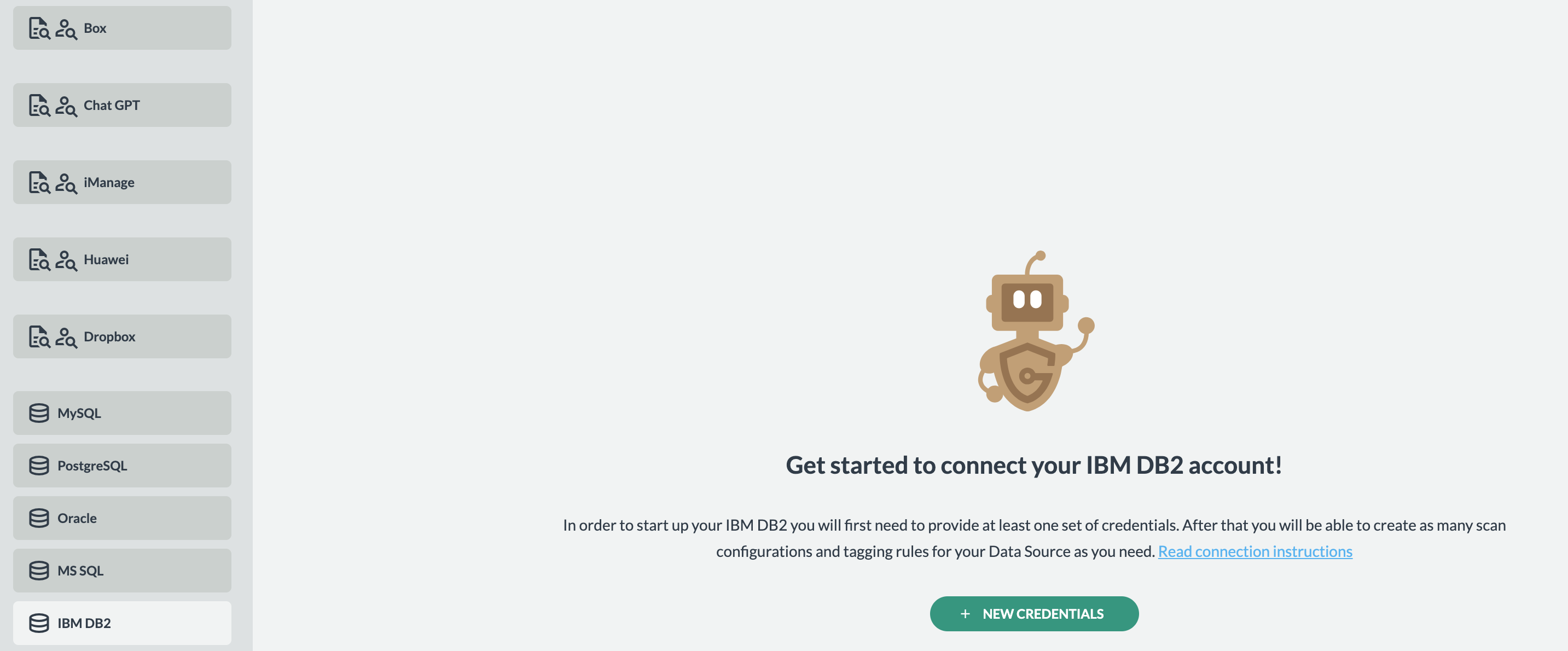
- Navigate to and select IBM DB2 from the left-hand menu.
- Click Add Credentials to create new Db2 connection credentials.
- Gather the required connection details:
- Credentials name — any unique name, e.g., `PROD HR DB Credentials`
- Hostname — e.g., `db2.hrdb.company.com`
- Port — e.g., `50000` (default DB2 port)
- Database name — e.g., `hrdb`
- Username — e.g., `hrdb`
- Password — e.g., `hrdb_password`
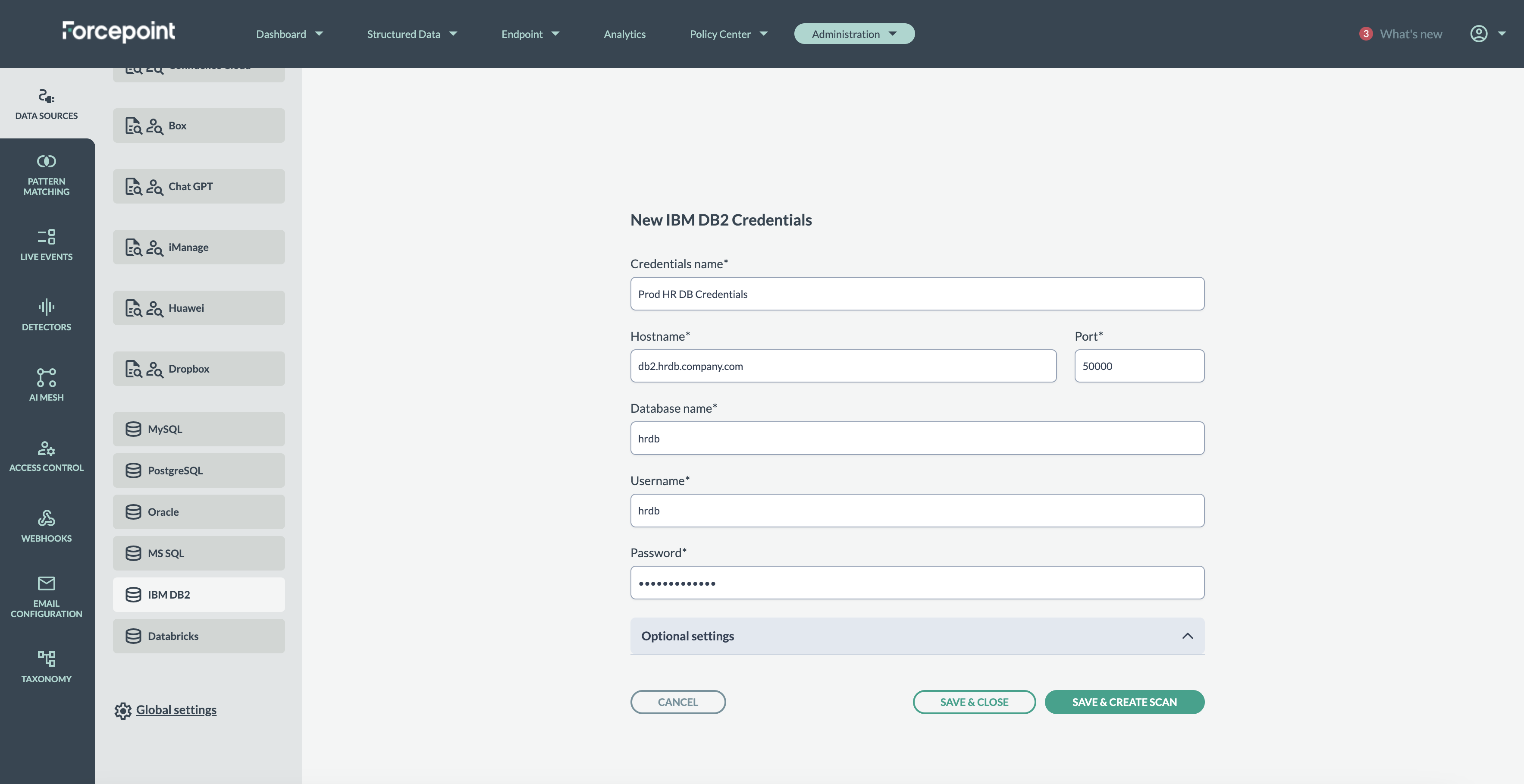
- (Optional) The connection uses the Db2 JDBC driver. If your environment requires additional JDBC properties, add them under Optional Settings. For example, to
enforce SSL/TLS you can include:
- sslConnection=true
- securityMechanism=9
- Click Save & Create Scan to save the credentials and proceed to the scan configuration. The system will attempt to connect and will display an error if the connection
fails:
