File tagging
Note: Tags associated with files in OneDrive only exist in OneDrive and do not get written to the file as metadata. This is a limitation of the Microsoft API.
- Classification tags: Public, Internal, Confidential, Highly-Confidential, will be created in OneDrive if they do not already exist.
- To carry out scanning and tagging in OneDrive the user must have read and write access to the files.
- Setup a OneDrive scan configuration as explained in previous section.
- Next, navigate to .
- Create a tagging rule using GQL. This will determine what files in OneDrive will receive tags. Here we use flow=CLASSIFICATION as an example, this means that only files with sufficient data to
pass through ML classification successfully, will have tags written to them.

Using the toggle button you can enable or disable a tagging rule to be applied.
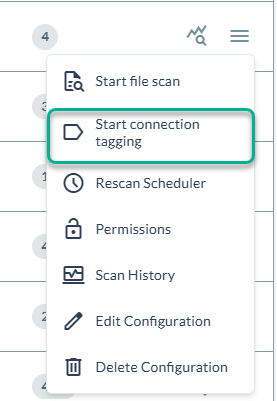
- Next, kick off the tagging job on your chosen share.